
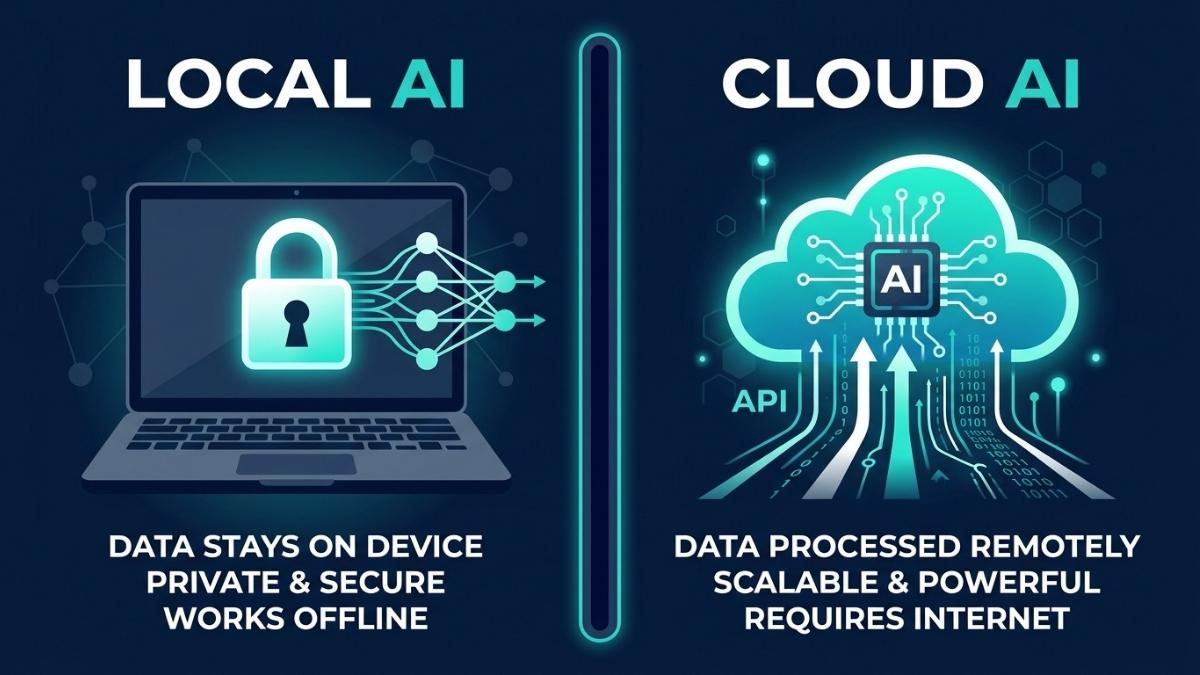
Local AI is better when privacy, offline access, or high-volume cost control matters. Cloud AI is better when you need the most capable models, multimodal features, or flexibility without upfront hardware investment. In 2026, the choice is rarely binary. Most developers and organizations use both: local AI for sensitive data, repetitive tasks, and daily inference, and cloud AI for complex reasoning, long-context work, and tasks that exceed local hardware capacity. The right split depends on your data sensitivity, usage volume, and the specific models your workflows require.
Why Is This Decision More Important in 2026 Than Ever Before?
Two things changed in 2026 that made this question impossible to ignore. First, open-source local models crossed a quality threshold where 7B to 34B parameter models, run through tools like Ollama and LM Studio, handle code completion, summarization, drafting, and classification well enough for production use in many workflows. Second, cloud AI costs have become a line item that scales with success: a team of ten developers using cloud AI tools daily can accumulate between $6,000 and $24,000 annually in API costs, depending on usage intensity and model choice.
The result is that choosing local, cloud, or hybrid is now a fundamental infrastructure decision with real financial and compliance consequences. Understanding the actual trade-offs, rather than the marketing narratives on either side, is what this article is for.
What Are the Real Advantages of Running AI Locally?
Privacy is the clearest and most unambiguous advantage of local AI. When you use a cloud LLM, your prompts are transmitted over the internet to the provider’s servers, may be logged for abuse monitoring or quality review, and are subject to a privacy policy that can change. When a model runs locally via Ollama or LM Studio, nothing leaves your machine: zero network requests, zero logging, zero third-party access, and full air-gapped operation if needed. For developers working with proprietary code, lawyers handling client matters, or healthcare teams processing patient data, this is not a preference; it is a compliance requirement.
The second major advantage is cost structure. Local AI converts variable API spend into a fixed capital expenditure. Once the hardware is purchased, the marginal cost of additional inference is effectively just electricity. Cloud costs scale with usage; local costs are mostly fixed. If you process thousands of documents or run continuous inference, local becomes dramatically cheaper. For heavy, continuous workloads, the ROI period on consumer hardware is often under six months compared to equivalent cloud API spend.
The third advantage is latency. Local AI offers zero network latency. The only bottleneck is your VRAM bandwidth. For real-time voice, robotics, or code completion, the responsiveness of a local model feels significantly different from a cloud round-trip. For applications where response time is a core product feature, local inference eliminates an entire category of latency variability.
What Are the Real Advantages of Using Cloud AI?
Cloud AI’s primary advantage is model capability. Cloud services like ChatGPT, Claude, and Gemini run massive models on clusters of powerful GPUs. They provide the most powerful models available, zero hardware requirements, always-updated models, and multimodal capabilities including image generation, vision, and real-time web access. For complex reasoning, long-context analysis, and tasks requiring frontier model quality, cloud AI has no local equivalent at any reasonable hardware budget in 2026.
The second advantage is zero setup cost and instant scalability. Cloud AI requires no upfront capital, runs on any device with a browser, and scales elastically to handle traffic spikes that would saturate local hardware. For individuals, small teams, or projects in early stages where usage volume is unpredictable, this flexibility is genuinely valuable. A cloud subscription at $20 per month is a far lower barrier to entry than even a modest GPU investment.
The practical limitation of cloud AI for serious work is cost at scale and data sovereignty. As of mid-2026, OpenAI, Anthropic, and Google all offer enterprise tiers with data retention opt-outs, but the base API tiers retain the right to log inputs for abuse monitoring. For organizations operating under GDPR constraints, SOC 2 audit requirements, or working with HIPAA-adjacent codebases, even logged-but-not-trained-on data creates compliance friction.
What Does Local AI Actually Cost to Set Up in 2026?
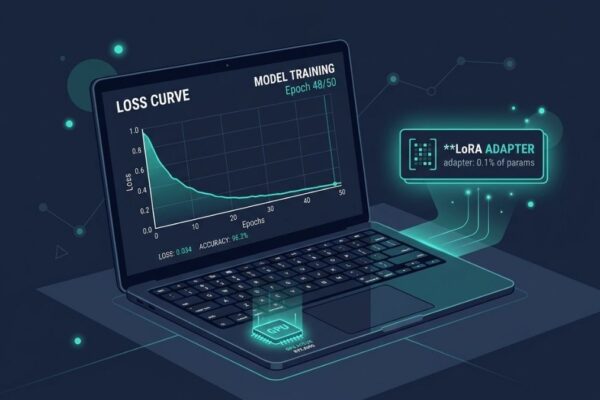
The entry point for capable local AI is lower than most buyers expect. A Mac Mini M4 Pro handles most 7B to 30B quantized models well and represents a practical starting point for developers doing inference-heavy work. A consumer laptop with 16GB VRAM, such as the Razer Blade 14 with an RTX 5070, can run 13B models comfortably and handle fine-tuning via QLoRA. These represent real, accessible hardware options, not data center investments.
The claim that local AI requires $80,000 to $100,000 in hardware to match cloud performance applies specifically to running 70B+ parameter models at cloud API throughput levels, not to the realistic workloads most individual developers and small teams run locally. For those use cases, matching GPT-4 class output is still out of reach locally. For code completion, document summarization, classification, and chatbot tasks on 7B to 13B models, consumer hardware is genuinely sufficient.
The honest framing is: local AI at consumer hardware budgets does not replace frontier cloud models. It replaces the 80% of cloud API calls that do not require frontier model quality. Heavy users spending over $100 per month on cloud AI typically break even on a modest local machine within a year. Light users who need AI occasionally are usually better off with a cloud subscription.
How Do Local and Cloud AI Compare on Performance?
For short, latency-sensitive tasks like code completion and single-turn queries, local AI wins on response time. Local AI coding wins decisively on latency for short completions, the most common interaction pattern. Cloud models win on raw throughput for longer generation tasks. The practical implication is that local models feel faster for the interactions users have most often, even when they are technically less capable on complex benchmarks.
For complex multi-step reasoning, long-context document analysis, and multimodal tasks, frontier cloud models are still significantly ahead of anything runnable on consumer local hardware. A quantized 34B model running locally is capable but does not match GPT-4.1 or Claude Opus 4 on tasks requiring deep reasoning over long contexts. The capability gap narrows with every model generation, but it has not closed.
The most practical performance consideration for most users is not peak benchmark quality but task-fit: whether the model you can run locally is good enough for your specific use case. For a large and growing set of everyday tasks, it is.
What Is the Hybrid Approach and Is It the Right Strategy?
The most robust AI architectures in 2026 are hybrid: using local AI for real-time processing, privacy-critical data sanitization, and high-volume low-complexity tasks, while routing complex reasoning and tasks requiring massive context windows to the cloud. This is not a compromise; it is the rational response to the fact that local and cloud AI genuinely excel at different things.
A practical hybrid setup for a developer in 2026 looks like: Ollama running locally for code completion, document drafting, and any task involving proprietary or sensitive data; a cloud subscription to Claude or GPT-4 for complex architectural decisions, long-context analysis, and tasks where frontier model quality is worth the API cost. This combination delivers privacy where it matters, cost efficiency at scale, and access to frontier capabilities when needed.
The key to making a hybrid strategy work is routing discipline: defining in advance which tasks go where, rather than defaulting to cloud for everything out of convenience or to local for everything out of ideology.
Frequently Asked Questions
For most tasks, no. Local models are capable for code completion, summarization, and classification. For complex reasoning, long-context analysis, and multimodal tasks, frontier cloud models are still ahead. A hybrid approach is more practical than full replacement.
It depends on the provider tier. Base API tiers at most providers log inputs for abuse monitoring. Enterprise tiers with signed data processing agreements offer stronger protections. For regulated industries or air-gap requirements, local AI is the stronger default.
Entry-level local AI works on any laptop with 8GB or more of GPU VRAM. The break-even against cloud API costs depends on usage volume but is typically under a year for heavy users spending over $100 per month on cloud AI.
Ollama is the most accessible starting point: it installs in one command, runs on Mac, Windows, and Linux, and manages model downloads automatically. LM Studio offers a graphical interface for less technical users.
Yes. Once models are downloaded, local AI operates with no internet connection required, making it suitable for travel, air-gapped environments, and unreliable internet situations.
Start with cloud AI free tiers to validate your workflows. If monthly API spend exceeds $100 consistently and tasks do not require frontier model quality, invest in local hardware. Track actual usage for one month before committing.
Final words
Local AI and cloud AI are not competing products. They are complementary infrastructure layers with different strengths. Local AI wins on privacy, latency, and long-run cost for high-volume workloads. Cloud AI wins on capability, ease of setup, and access to frontier models. In 2026, the most practical strategy for developers and teams is a deliberate hybrid: local for sensitive and repetitive tasks, cloud for complex reasoning and tasks that genuinely require frontier model quality.
The decision starts with one question: which of your current AI tasks involve data you would not want leaving your machine? Route those locally first, and build outward from there.
Learn more about the best laptops for running local AI in 2026 →