
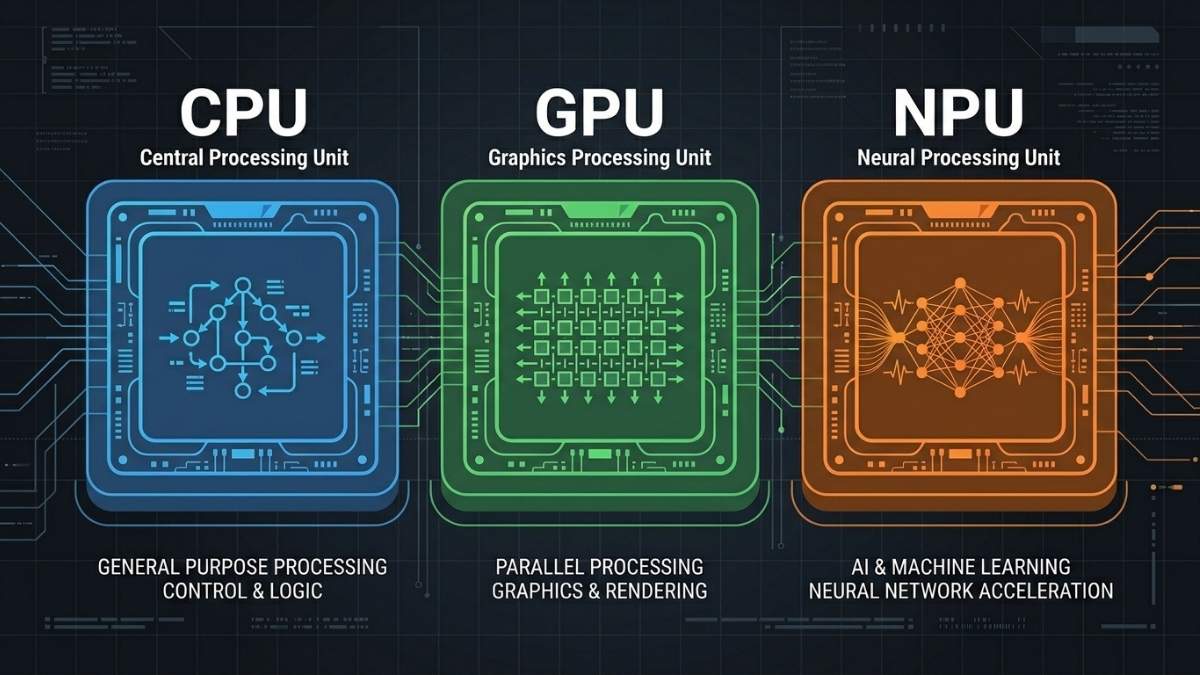
An NPU (Neural Processing Unit) is a specialized chip designed to run lightweight AI tasks efficiently at low power. It handles background features like noise cancellation, live transcription, face detection, and camera enhancements without touching the CPU or GPU. For everyday AI features on a laptop, an NPU is genuinely useful. For serious AI workloads like running local LLMs, training models, or image generation, an NPU is largely irrelevant. Those tasks require GPU VRAM and CUDA or Metal compute, which no NPU provides.
Why Does Everyone Suddenly Have an NPU in Their Laptop?
Over 50 million AI PCs shipped globally in 2025, making it the fastest-growing segment in consumer computing. Every major chip manufacturer, including Intel, AMD, Apple, and Qualcomm, now integrates an NPU directly into their processors. Microsoft formalized the category with Copilot+ PC branding, which requires a minimum of 40 TOPS (Trillions of Operations Per Second) of NPU performance alongside 16GB of RAM.
The result is that virtually every laptop sold in 2026 carries an NPU, and virtually every one of them is marketed as an “AI PC.” The NPU handles a narrow set of lightweight, always-on AI tasks. It does not turn your laptop into an AI workstation. It does not let you run ChatGPT locally. Understanding exactly what an NPU can and cannot do is the most important thing a buyer can know before spending money on AI PC marketing claims.
What Exactly Is an NPU and How Does It Work?
NPUs are tailored to accelerate AI tasks and workloads, such as calculating neural network layers composed of scalar, vector, and tensor math. Unlike a CPU, which handles general sequential logic, or a GPU, which runs thousands of parallel operations for graphics and AI training, an NPU is purpose-built for one thing: running pre-trained neural networks at low power during inference.
The core of an NPU consists of Multiply-Accumulate (MAC) units. An NPU groups thousands of MAC units together to process massive grids of numbers (matrices) at once. AI models do not require extreme mathematical precision to deliver accurate results, so the NPU processes lower-precision data types like INT8. Calculating INT8 data requires significantly less electrical power compared to the FP32 calculations handled by a standard GPU.
On consumer devices, the NPU is intended to be small, power-efficient, but reasonably fast when used to run small models. They are designed to support low-bitwidth operations using data types such as INT4, INT8, FP8, and FP16. The trade-off for that efficiency is capability: an NPU cannot load large models, does not have its own VRAM pool, and cannot be programmed the way a GPU can through CUDA or Metal.
What AI Tasks Does an NPU Actually Handle Well?
NPUs excel at always-on, low-power inference tasks that run continuously in the background. Windows Studio Effects runs entirely on the NPU. The CPU remains free for large spreadsheets. The NPU maintains background blur and voice isolation simultaneously during Microsoft Teams calls. These are the tasks NPUs were genuinely designed for, and they do them well.
Efficient NPU processing can extend battery life by 15-20% during AI-intensive workloads like extended video conferencing, potentially adding 1.5-3 hours to all-day battery life depending on your laptop’s baseline capacity and usage patterns. This is a real and meaningful benefit for professionals who spend long days on video calls or using AI-assisted productivity tools like real-time transcription and translation.
The practical list of tasks an NPU handles well includes background blur and noise suppression on video calls, real-time speech-to-text transcription, live language translation, camera auto-framing, photo enhancement, and Windows Recall on Copilot+ PCs. These are narrow but genuinely useful features that improve daily productivity without draining battery or spinning up fans.
Also read: Best Laptops for AI Workloads in 2026
Does an NPU Help with Running Local LLMs or AI Models?
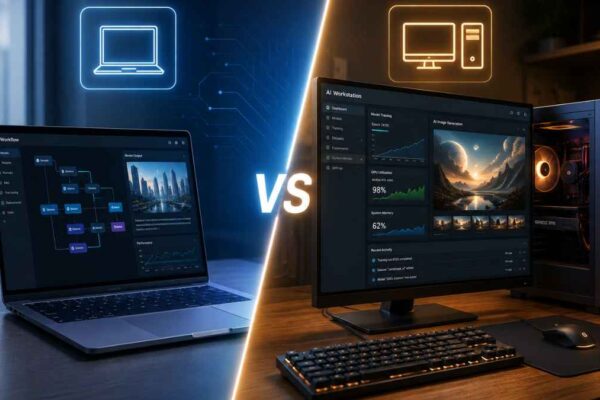
For the workloads that actually matter to people building with AI (running LLMs, fine-tuning models, doing inference on large networks), the NPU is essentially irrelevant. Local LLMs require GPU VRAM to load model weights and fast memory bandwidth to generate tokens. An NPU has neither in meaningful quantities for models above a few billion parameters.
AMD’s Ryzen AI 300, despite impressive TOPS ratings, required approximately 70 seconds per image generation through its NPU. Switch to the integrated GPU on the same chip? That drops to around 30 seconds. This result illustrates the core problem: TOPS ratings are measured on small, optimized inference tasks. They do not translate to general AI workload performance, and using an NPU for image generation or LLM inference is slower than simply using the GPU already present in the same chip.
If your goal is running local AI models, the GPU remains the right tool. An 8GB discrete GPU running a quantized 7B model at 40 tokens per second will outperform any NPU-equipped laptop for that task by a significant margin. The NPU is a complement to GPU-based AI work, not a replacement for it.
How Do NPU Specs Compare Across Major Chips in 2026?
As of early 2026, AMD’s Ryzen AI 300 series leads consumer NPUs at 50 TOPS, followed closely by Intel’s Core Ultra 200V at 48 TOPS and Qualcomm’s Snapdragon X Elite at 45 TOPS. All three meet and exceed the 40 TOPS threshold required for Microsoft Copilot+ certification and the associated Windows AI features.
Each vendor uses a different software ecosystem for accessing NPU compute. AMD uses Ryzen AI, Intel uses OpenVINO, Apple Silicon uses CoreML, and Qualcomm uses SNPE. Each has their own APIs, which can be built upon by a higher-level library. This fragmentation means developers targeting NPU acceleration must write or adapt code separately for each platform, which is one reason GPU-based inference via CUDA or Metal remains far more widely supported in AI tools.
For buyers, the TOPS number matters less than which software actually uses the NPU on your machine. Most consumer benefit comes through Windows Studio Effects, Adobe AI features, and Copilot+ features rather than developer workflows, so platform and OS support is the more practical consideration than raw TOPS.
What Are the Most Common Misconceptions About NPUs?
The biggest misconception is treating TOPS as a general measure of AI capability. TOPS measures throughput on specific low-precision integer operations under ideal conditions. It does not reflect how fast a laptop runs an LLM, generates an image, or processes a fine-tuning job. Two machines with identical TOPS ratings can perform very differently on real AI workloads depending on memory bandwidth, model support, and thermal design.
The second misconception is that a higher NPU rating means better overall AI performance on a laptop. GPU VRAM, system RAM, and memory bandwidth collectively matter far more for serious AI tasks. The local LLM deployments configured typically demand 45 TOPS or more paired with at least 32GB of RAM, and this memory requirement often becomes the actual bottleneck, not the processing power itself.
The third is assuming NPUs will eventually replace GPUs for developer AI work. NPUs are optimized for inference on small, fixed models at low power. GPU architecture is what enables the flexibility to run arbitrary models, adjust precision, and handle training. These are fundamentally different design goals, and the gap between them will not close in the near term.
Frequently asked questions
For background AI features like noise cancellation, transcription, and camera effects, yes. For running local LLMs, training models, or generating images, no. Those tasks need GPU VRAM, not NPU compute.
TOPS measures how many trillion low-precision operations an NPU can perform per second. It matters only for Copilot+ feature eligibility (40 TOPS minimum) and comparing NPUs within the same software ecosystem. It says nothing about how well a laptop runs actual AI models.
Not effectively. Current NPUs lack the memory capacity and bandwidth to run multi-billion parameter models at useful speeds. Those models run on the GPU, either discrete or Apple Silicon unified memory.
Yes. Apple calls it the Neural Engine, but it is functionally an NPU. It handles on-device inference for CoreML tasks like Siri, Face ID, and photo processing. Heavier AI workloads on Apple Silicon run on the GPU cores via Metal, not the Neural Engine.
Only if the specific Copilot+ features matter to you. For AI development, that premium is better spent on more GPU VRAM or system RAM.
Not for developer workloads. NPUs will continue improving for on-device consumer AI features, but GPU architecture is fundamentally better suited for the flexibility that model development and inference at scale requires.
Final words
An NPU is a genuinely useful chip for the right tasks: always-on background AI features that improve daily productivity without draining your battery. It is not a chip for running AI models, training, or inference beyond narrow pre-optimized tasks. The “AI PC” label tells you a laptop has an NPU; it tells you nothing about whether the laptop can handle serious AI workloads.
If you are buying a laptop for AI development, focus on GPU VRAM and system RAM. The NPU will take care of your video call background blur on its own.