

Last Updated on October 3, 2026 by Spencer Lee
The best budget AI laptop in 2026 is the Lenovo IdeaPad Slim 3i Gen 11 for most buyers: a 15.3-inch 120Hz touchscreen, Intel Core 7 350 Wildcat Lake processor, 16GB RAM, over 14 hours of battery life, and a street price around $799 to $899. For the tightest budgets, the Acer Aspire 14 AI delivers a genuine Copilot+ certified NPU at 40 TOPS, 16GB RAM, Thunderbolt 4, and an all-aluminum chassis for under $500 on sale.
The honest caveat for every pick on this list: budget AI laptops in 2026 run local LLMs at 7B class and smaller, handle AI-assisted productivity tools well, and should rely on cloud for anything heavier. They cannot train models or run inference on 30B-plus parameters. For serious local AI work, step up to the mid-range tier.
Best Budget AI Laptops at a Glance
| Laptop | Best For | AI Specs | Battery |
|---|---|---|---|
| Lenovo IdeaPad Slim 3i Gen 11 | Best overall budget AI | Core 7 350, 17 TOPS NPU, 16GB | 14+ hours |
| Acer Aspire 14 AI | Best value Copilot+ | Core Ultra 5 226V, 40 TOPS NPU, TB4 | 9-10 hours |
| ASUS Vivobook 16 (Ryzen AI) | Best display and storage | Ryzen AI 7, 50 TOPS NPU, 1TB SSD | 8-9 hours |
| Acer Swift Go 14 AI | Best ultraportable budget AI | Core Ultra 9 386H, OLED, 2.5 lbs | 10-11 hours |
| Lenovo IdeaPad Slim 5x | Best ARM budget AI laptop | Snapdragon X Plus, 45 TOPS, 22+ hrs | 22+ hours |
| HP OmniBook 5 16 | Best large-screen budget AI | Snapdragon X Elite, 45 TOPS, 15-inch | 15+ hours |
| Acer Nitro V 16 AI | Best for AI plus gaming | RTX 5050, CUDA, 8GB VRAM | 8-10 hours |
What Can a Budget AI Laptop Actually Do?
Budget AI laptops in 2026 handle a genuinely useful set of AI tasks. You can run AI coding assistants like GitHub Copilot, use local models up to 7B to 9B parameters via Ollama, access all Windows Copilot+ features including Live Captions, real-time translation, background noise suppression, and generative image features, and automate light productivity workflows using AI tools built into Microsoft 365. According to AIdeaFlow’s 2026 budget AI laptop guide, these machines can build customer service chatbots, automate image sorting pipelines, experiment with pre-trained models, and run light fine-tuning tasks on small datasets.
What budget AI laptops cannot do is equally important to understand. Training large models from scratch, running 14B-plus models locally at useful speeds, sustained GPU-intensive inference, and image generation with Flux or SDXL all exceed what integrated graphics and small unified memory budgets can handle. Budget buyers who hit these limits should route those tasks to cloud infrastructure rather than expecting the hardware to keep up.
The NPU matters specifically for Copilot+ certification and Windows AI features. A 40 TOPS NPU unlocks the full Copilot+ experience. A 17 TOPS NPU handles AI-enhanced video calls and background processing but does not qualify for Copilot+. For local LLM inference, the GPU and system RAM determine what runs, not the NPU alone.
1. Lenovo IdeaPad Slim 3i Gen 11: Best Overall Budget AI Laptop
Key features:
- Processor: Intel Core 7 350 (Wildcat Lake)
- RAM: 16GB DDR5-5600
- Storage: 512GB PCIe 4.0 SSD
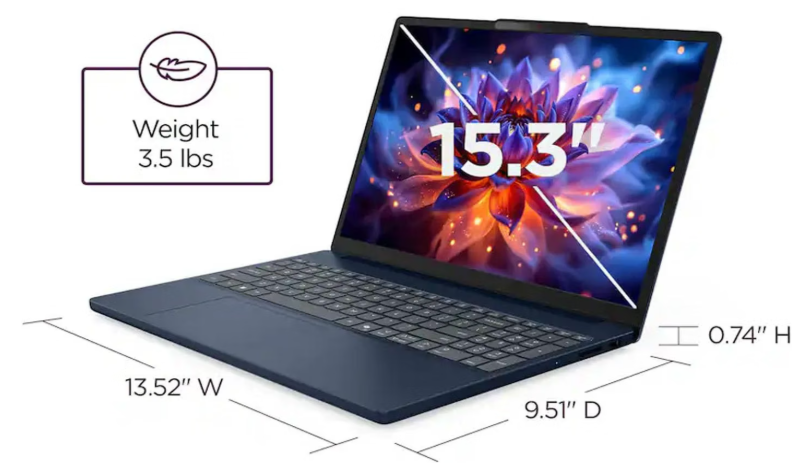
- Display: 15.3-inch WUXGA 1920×1200, 120Hz touch, 400 nits
- Battery: 60Wh, 14+ hours
- Weight: 3.51 lbs
- NPU: 17 TOPS (Intel AI Boost)
- Wi-Fi: Wi-Fi 6E
| Pros | Cons |
|---|---|
| ✅120Hz touchscreen rare at this price ✅14+ hours battery ✅solid everyday AI performance ✅spacious 15.3-inch display | ❌Only 17 TOPS NPU (not Copilot+ certified) ❌design unchanged from 2025 ❌barrel jack still present alongside USB-C ❌PCWorld rates performance as “blah” at full price |
Why I love Lenovo IdeaPad Slim 3i Gen 11:
The IdeaPad Slim 3i Gen 11 is the best all-around budget AI laptop in 2026 when purchased at its regular sale price of $799. At that price you get Intel’s latest Wildcat Lake Core 7 350 processor, 16GB DDR5 RAM, a 15.3-inch 120Hz touch display, and over 14 hours of real-world battery life. Tom’s Guide’s review confirmed 10 hours and 33 minutes on their web-browsing battery test, with real-world mixed use extending to 14 or more hours in lighter workloads. The Gadgeteer called it “the student laptop I’d actually buy” at its Best Buy price of $849.
The important caveats: the 17 TOPS NPU does not meet the 40 TOPS threshold for Copilot+ certification, so Windows Recall and some generative AI features are unavailable. PCWorld noted that performance at the full $1,299 listing price is hard to justify, recommending it only at the $799 to $899 sale range where it frequently lands. The barrel jack power connector is a genuine anachronism in 2026 alongside a USB-C port that supports power delivery. For the daily workload of documents, video calls, research, and light creative tasks, however, the IdeaPad Slim 3i Gen 11 delivers everything most budget buyers need.
Best for: Students, remote workers, and everyday users who want a big-screen laptop with all-day battery under $900 and do not need Copilot+ certification.
2. Acer Aspire 14 AI: Best Value Copilot+ Laptop
Key features:
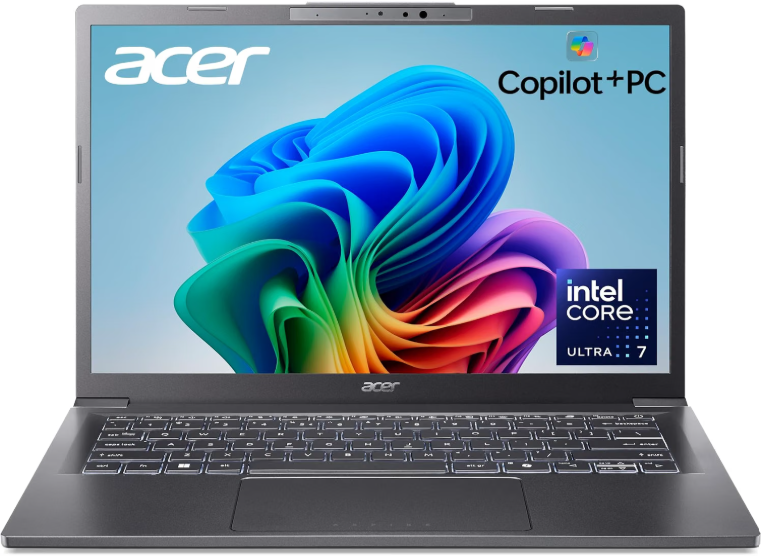
- Processor: Intel Core Ultra 5 226V (Lunar Lake)
- RAM: 16GB LPDDR5X
- Storage: 512GB PCIe 4.0 SSD
- Display: 14-inch WUXGA+ 1920×1200, 60Hz, 300 nits, IPS
- Battery: 65Wh, 9-10 hours
- Weight: 3.09 lbs
- NPU: 40 TOPS (Intel AI Boost, Copilot+ certified)
- Wi-Fi: Wi-Fi 6E + Bluetooth 5.3
| Pros | Cons |
|---|---|
| ✅Copilot+ certified at 40 TOPS ✅Thunderbolt 4 ports ✅aluminum chassis ✅16GB RAM ✅512GB SSD ✅full port selection | ❌300-nit display is dim ❌60Hz panel ❌battery life below the IdeaPad Slim 3i ❌not the fastest CPU |
Why I love Acer Aspire 14 AI:
The Acer Aspire 14 AI is the most compelling budget AI deal in 2026 at its sale price under $500. TechRadar confirmed the full spec: Intel Core Ultra 5 226V, 16GB LPDDR5X, 512GB SSD, 40 TOPS NPU, Intel Arc 130V GPU, two Thunderbolt 4 ports supporting USB4 at 40 Gbps and 100W power delivery, HDMI 2.1, Wi-Fi 6E, and a 1080p webcam in a 3.09-lb aluminum chassis. The 40 TOPS NPU qualifies it for the full Copilot+ experience, making this one of the only sub-$500 laptops with genuine access to all Windows AI features including Recall and generative image tools.
The display is the primary trade-off. The 300-nit IPS panel at 60Hz is adequate for indoor work but noticeably dim near windows and behind a brighter primary monitor. For buyers who primarily work at a desk or indoors, this limitation rarely matters. The Thunderbolt 4 connectivity at this price point is a standout feature that even laptops at twice the price do not always include.
Best for: Budget-conscious buyers who want the full Copilot+ AI experience, strong connectivity, and a lightweight aluminum build under $500 on sale.
3. ASUS Vivobook 16 (Ryzen AI): Best Large-Screen Budget AI Laptop
Key features:
- Processor: AMD Ryzen AI 7 (Hawk Point, up to 50 TOPS NPU)
- RAM: 16GB DDR5
- Storage: 1TB SSD
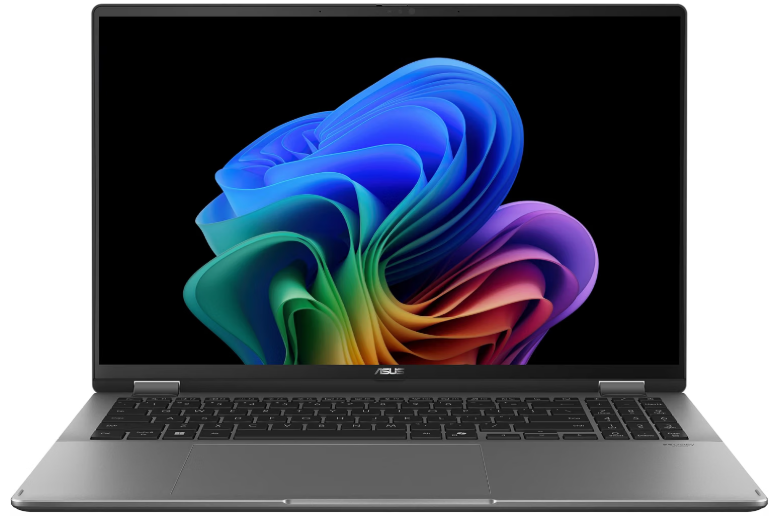
- Display: 16-inch FHD+ 1920×1200, 16:10
- Battery: 8-9 hours
- Weight: ~3.9 lbs
- NPU: Up to 50 TOPS (Copilot+ certified)
- Wi-Fi: Wi-Fi 6
| Pros | Cons |
|---|---|
| ✅1TB SSD at this price tier is rare ✅50 TOPS NPU for Copilot+ ✅large 16-inch display ✅solid Ryzen AI performance | ❌Battery life shorter than Intel and ARM rivals ❌heavier chassis ❌no discrete GPU |
Why I love ASUS Vivobook 16:
ASUS Vivobook 16 with Ryzen AI stands out for its 1TB SSD, a specification not commonly found in budget AI laptops under $800, alongside a large 16:10 aspect ratio display and up to 50 TOPS NPU performance. The AMD Ryzen AI processor delivers Copilot+ certification alongside strong everyday productivity performance, and the Ryzen AI platform handles AI-assisted workloads including background blur, noise cancellation, and real-time transcription efficiently via the NPU without taxing the CPU.
Battery life at 8 to 9 hours is the weakest point in this lineup, which is the practical trade-off for Ryzen AI’s stronger multi-core performance at this price. For students and remote workers who primarily use their laptop near a power source and want maximum screen real estate with the largest SSD in the budget tier, the Vivobook 16 is the clear choice.
Best for: Students and remote workers who want a large 16-inch screen, maximum storage at this price, and full Copilot+ AI features.
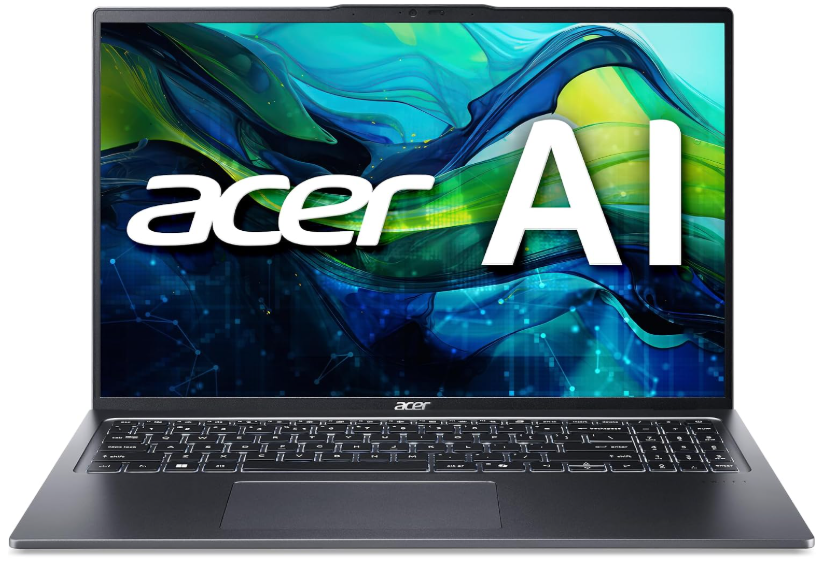
4. Acer Swift Go 14 AI: Best Ultraportable Budget AI Laptop
Key features:
- Processor; Intel Core Ultra 9 386H (Panther Lake)
- RAM: 16GB or 32GB LPDDR5x
- Storage: 1TB SSD
- Display: 14-inch OLED, 2880×1800 or 1920×1200, 100% DCI-P3
- Battery: 71Wh, 10-11 hours
- Weight: 2.5 lbs (1.12 kg)
- NPU: Panther Lake integrated NPU
- Wi-Fi: Wi-Fi 7
| Pros | Cons |
|---|---|
| ✅OLED display at this price ✅2.5 lbs with a 71Wh battery ✅Wi-Fi 7 ✅Intel Panther Lake ✅180-degree hinge | ❌Display brightness only 250 nits on entry OLED config (400-nit option available) ❌pricing not yet confirmed at time of writing |
Why I love Acer Swift Go 14 AI:
Acer Swift Go 14 AI announced at CES 2026 with a 14-inch OLED display in three configurations (250-nit touch, 400-nit, and 400-nit 2880×1800), all covering 100% DCI-P3 color, in a 2.5-lb chassis with a 71Wh battery and Wi-Fi 7. The Intel Panther Lake processor represents a meaningful step up from the Wildcat Lake and Lunar Lake chips in the other budget picks, and the 180-degree lay-flat hinge adds versatility for collaborative work and content sharing.
For professionals and students who prioritize the best display quality and lightest possible machine under $1,000, the Swift Go 14 AI is the most compelling pick in the budget tier. The OLED panel at this weight class and price range is genuinely rare. The caveat is that pricing was not confirmed at time of writing, so it is worth verifying current Amazon pricing against competitors before purchasing.
Best for: Portability-focused buyers who want an OLED display, Wi-Fi 7, and a sub-1.2kg chassis without crossing into the mid-range price tier.
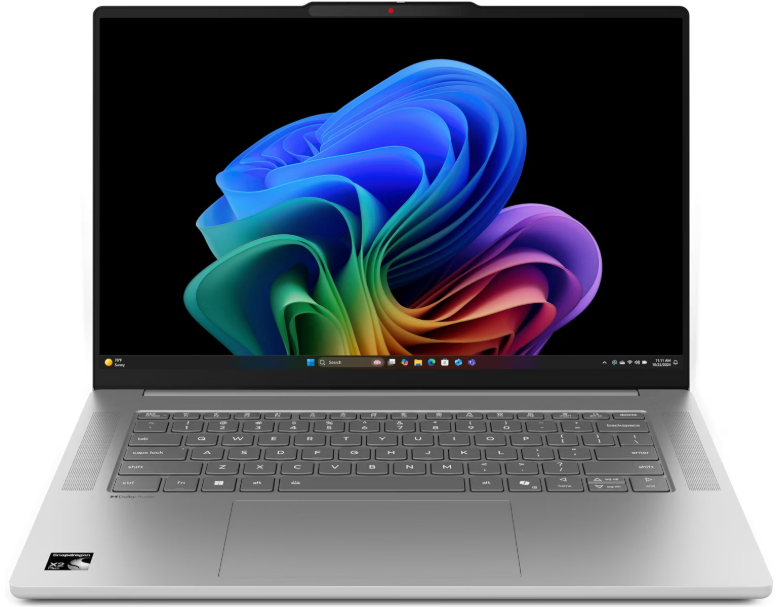
5. Lenovo IdeaPad Slim 5x: Best ARM Budget AI Laptop
Key features:
- Processor: Qualcomm Snapdragon X Plus
- RAM: 16GB or 32GB LPDDR5x
- Storage: 512GB to 1TB SSD
- Display: 14-inch 2K OLED, 90Hz
- Battery: Up to 22+ hours
- Weight: 2.8 lbs
- NPU: 45 TOPS (Copilot+ certified)
- Wi-Fi: Wi-Fi 7
| Pros | Cons |
|---|---|
| ✅22-plus hours real-world battery ✅Copilot+ certified, OLED display ✅Wi-Fi 7, quiet and fanless in most workloads | ❌ARM app compatibility gaps for some x86 software ❌Snapdragon X Plus is less powerful than X Elite for CPU-intensive tasks |
Why I love Lenovo IdeaPad Slim 5x:
The Lenovo IdeaPad Slim 5x is considered as one of the best value pick among AI laptops in 2026, and the reason is straightforward: the Snapdragon X Plus delivers 22-plus hours of real-world battery life, full Copilot+ certification at 45 TOPS, a 2K OLED display, and Wi-Fi 7 at a price point well under the Surface Laptop 7 or MacBook Air. For buyers whose workflow lives in the Microsoft 365 productivity stack, browser-based tools, and Windows AI features, the Snapdragon X platform covers everything without limitation.
The ARM compatibility caveat applies here as it does for every Snapdragon X machine: x86 apps run through emulation, which handles most common applications without issue but can create friction with specialized legacy software or developer tools. Verify your critical applications before purchasing. For the majority of students, remote workers, and non-developer professionals, the Slim 5x is one of the best value propositions in the budget AI laptop market in 2026.
Best for: Students and remote workers who prioritize all-day battery life and Copilot+ AI features and use standard Windows productivity tools without x86 dependencies.
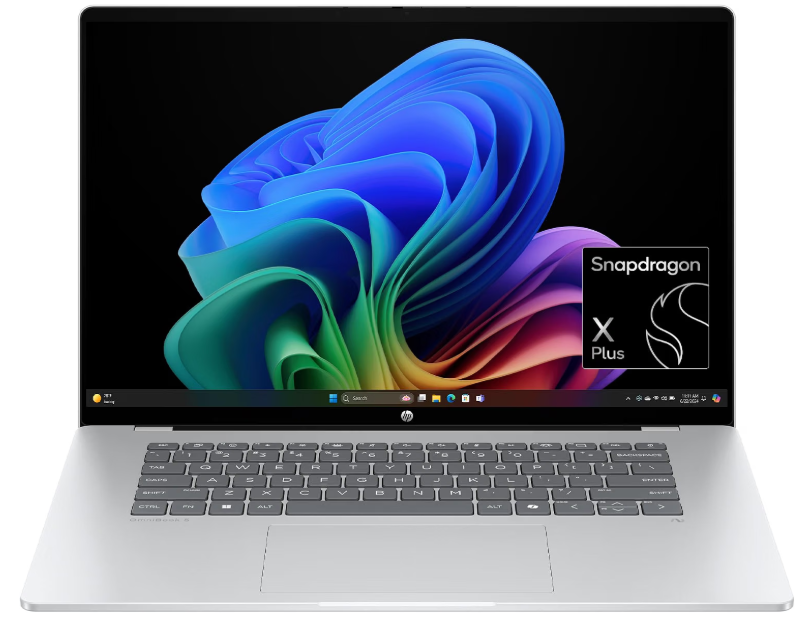
6. HP OmniBook 5 16: Best Large-Screen ARM Budget AI Laptop
Key features:
- Processor: Qualcomm Snapdragon X Elite
- RAM: 16GB or 32GB
- Storage: 512GB to 1TB SSD
- Display: 15.6-inch 2560×1664 OLED or 1920×1200 IPS
- Battery: 15+ hours
- Weight: 3.9 lbs
- NPU: 45 TOPS (Copilot+ certified)
- Wi-Fi: Wi-Fi 7
| Pros | Cons |
|---|---|
| ✅Snapdragon X Elite is more powerful than X Plus ✅15-inch screen for productivity ✅Copilot+ ✅Wi-Fi 7 ✅OLED option | ❌ARM app compatibility caveats ❌heavier at 3.9 lbs ❌battery below the Slim 5x |
Why I love HP OmniBook 5:
HP OmniBook 5 16 is regarded as the best large-screen ARM option in the budget-to-mid range. The Snapdragon X Elite is meaningfully more powerful than the X Plus in the IdeaPad Slim 5x, delivering better multi-core performance for heavier workloads while still delivering 15-plus hours of real-world battery life. The 15.6-inch display and full-size keyboard make it particularly well suited for spreadsheet-heavy, document-intensive work where screen real estate and keyboard comfort matter more than portability.
The ARM compatibility note is the same as for the Slim 5x: standard productivity tools work without issue, and specialized x86 applications should be verified before purchase. For large-screen laptop buyers who want Snapdragon X Elite power with Copilot+ AI features and do not need CUDA or legacy x86 tooling, the OmniBook 5 16 fills a gap that most Windows laptop lineups leave open.
Best for: Large-screen productivity users who want Snapdragon X Elite performance and Copilot+ AI features in a 15-inch form factor under $1,000.
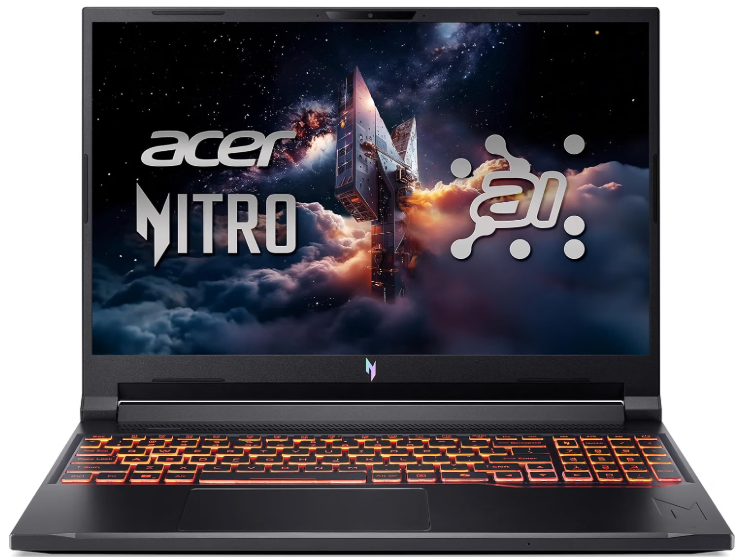
7. Acer Nitro V 16 AI: Best Budget AI Laptop for Local AI and Gaming
Key features:
- Processor: AMD Ryzen AI 9 365 or Intel Core i7
- RAM: 16GB DDR5
- Storage: 512GB to 1TB SSD
- GPU: NVIDIA RTX 5050 Laptop (8GB GDDR6)
- Display: 16-inch FHD 1920×1080, 144Hz
- Battery: 8-10 hours
- Weight: ~5.07 lbs
- Wi-Fi: Wi-Fi 6E
| Pros | Cons |
|---|---|
| ✅Only budget laptop with CUDA-✅capable discrete GPU ✅8GB VRAM for local AI inference ✅handles gaming on the side ✅RTX 5050 DLSS support | ❌Heavier at 5+ lbs ❌shorter battery under GPU load ❌gaming chassis design not office-friendly ❌8GB VRAM limits model sizes |
Why I love Acer Nitro V 16 AI:
The Acer Nitro V 16 AI is the only budget pick on this list with a dedicated NVIDIA GPU and CUDA support. SolidAITech confirmed the RTX 5050 Laptop GPU with 8GB GDDR6 VRAM as the consistently recommended budget CUDA option in 2026, pairing DLSS 3.5 Frame Generation with Blackwell architecture Tensor Cores. For AI developers and students who need CUDA for PyTorch, TensorFlow, or local model inference beyond what integrated graphics can handle, the Nitro V 16 AI is the entry point.
The 8GB VRAM ceiling limits you to 7B class models at Q4 quantization for local LLM inference, which is the same ceiling most integrated AI laptops face but delivered at far higher GPU compute throughput. Image generation with Stable Diffusion XL base model works comfortably at 8GB. The trade-offs for CUDA at this price are expected: a heavier gaming chassis at over 5 lbs, shorter battery life under GPU-intensive tasks, and a design that reads as gaming rather than professional. For buyers who specifically need CUDA and have a hard budget ceiling, this is the only option in the category.
Best for: AI developers, ML students, and creators who need CUDA GPU acceleration for local AI workloads on a tight budget.
What to Look For in a Budget AI Laptop
Buying a budget AI laptop in 2026 involves navigating aggressive NPU marketing that overstates practical AI capability. These are the four specifications that actually matter.
NPU TOPS and Copilot+ certification determine access to Windows AI features. The 40 TOPS threshold for Copilot+ unlocks Live Captions, real-time translation, Recall, generative image tools, and AI-enhanced search. Below 40 TOPS, you get basic AI-enhanced video calls and background processing but not the full Windows AI feature set. If Copilot+ features matter to your workflow, verify the TOPS rating before buying rather than assuming any laptop labeled “AI” meets the threshold.
RAM is the single most important specification for local AI work on a budget laptop. 16GB is the minimum for running 7B models and standard multitasking simultaneously. 8GB limits you to smaller models and creates memory pressure during normal multitasking. On most budget laptops, RAM is soldered and cannot be upgraded, making the 16GB configuration the only sensible choice for AI work. Never buy 8GB RAM for AI use in 2026.
The GPU determines local AI ceiling. Integrated graphics (Intel Arc, AMD Radeon integrated, Snapdragon Adreno) share system RAM as their memory pool and handle 7B class models at modest speeds. The Acer Nitro V 16 AI is the only budget pick with dedicated VRAM, and it unlocks a meaningfully higher AI ceiling at the cost of weight and battery. For buyers who know they need CUDA, the Nitro V 16 AI is worth the trade-offs.
Battery life matters more on a budget laptop because budget buyers are less likely to carry a charging brick everywhere. The Snapdragon X platform (IdeaPad Slim 5x, OmniBook 5 16) delivers 15 to 22 hours of real-world battery that no Intel or AMD budget laptop matches. For students who spend full days between classes and libraries, the Snapdragon ARM machines significantly reduce power anxiety.
Frequently asked questions
Yes, at the 7B to 9B tier. With 16GB RAM and integrated GPU, budget laptops run Llama 3 and Qwen2.5 7B via Ollama at 15 to 30 tokens per second. Models above 13B exceed integrated GPU memory at these price points.
16GB is non-negotiable. 8GB creates memory pressure during normal multitasking and leaves no headroom for local inference. All picks on this list include 16GB as standard. On most budget laptops, RAM is soldered and cannot be upgraded later.
Only if you want Windows AI features like Recall, Live Captions, and generative image tools. Any laptop with 16GB RAM handles local LLM and cloud AI tools. The 40 TOPS NPU for Copilot+ does not meaningfully accelerate Ollama or PyTorch inference.
If CUDA is a hard requirement, yes. It is the only budget laptop with an NVIDIA discrete GPU and the only sub-$1,000 option for CUDA-dependent ML tools. For inference-only workflows, integrated GPU machines are lighter and longer-lasting.
The Lenovo IdeaPad Slim 5x delivers 22-plus hours with Snapdragon X Plus. The HP OmniBook 5 16 follows at 15-plus hours. Intel and AMD budget laptops typically manage 8 to 14 hours at this price tier.
Only very small models. QLoRA fine-tuning of 7B models needs 8GB VRAM, which only the Nitro V 16 AI provides here. Other picks use integrated graphics, making real training runs impractically slow.
Bottom line
Budget AI laptops in 2026 are genuinely capable for the AI tasks most people actually do: running 7B local models, accessing Copilot+ features, using AI-assisted productivity tools, and experimenting with pre-trained models. The IdeaPad Slim 3i Gen 11 is the best all-around pick at $799 to $899. The Acer Aspire 14 AI is the best value Copilot+ machine when on sale under $500. The IdeaPad Slim 5x is the pick for buyers who prioritize all-day battery above everything else.
Learn more about how much VRAM you need for AI workloads in 2026 →