
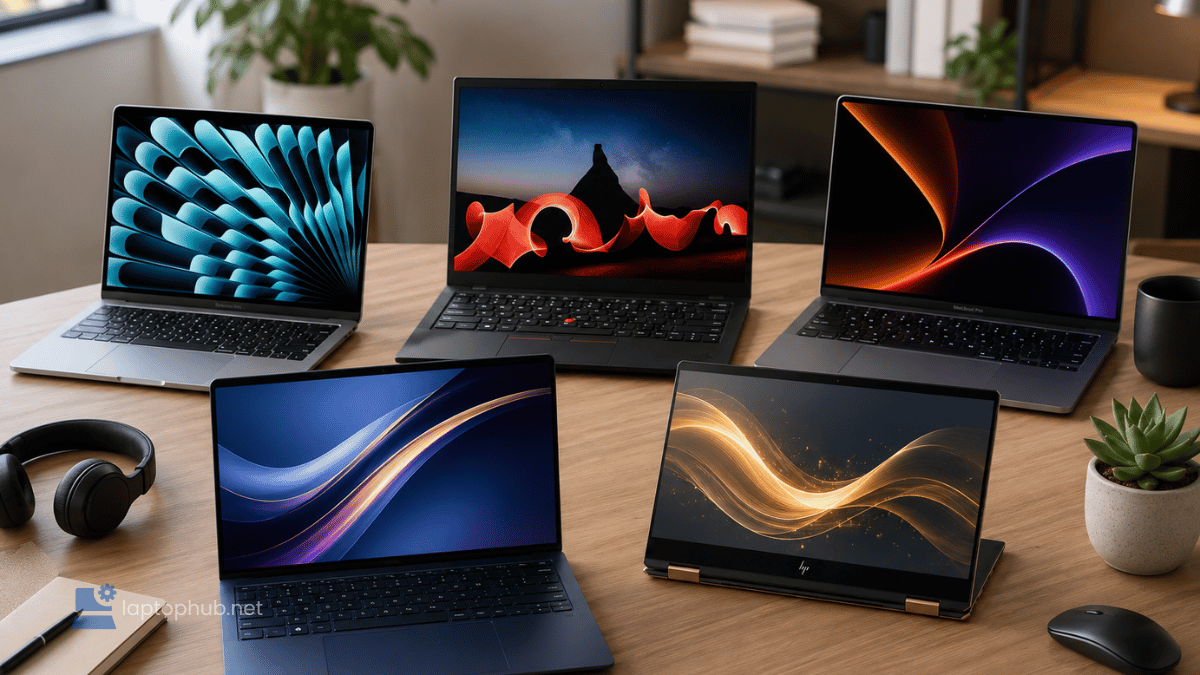
Last Updated on October 3, 2026 by Spencer Lee
Working remotely has gone from trend to standard, and having the right laptop can make or break your productivity. After over a decade in digital marketing and SEO, I know firsthand how crucial it is to have a fast, reliable, and portable machine that matches your workflow.
I’m going deep into the best laptops for remote work in 2026. These aren’t just spec sheet comparisons. I’m sharing real-world insights based on personal experience, professional feedback, and up-to-date benchmarks. I’ve considered different budgets, job roles, and work environments, because what a freelance writer needs is vastly different from a data analyst or software developer.
Best Laptops for Remote Work in 2026
The best laptop for remote work in 2026 is the MacBook Air M5 for most people: fanless, silent, 18-hour battery, and powerful enough for every common remote workflow. The M5 replaces the M3 with a 28% memory bandwidth boost and Wi-Fi 7, while keeping the same price. For Windows users, the ThinkPad X1 Carbon Gen 13 Aura is the top pick for keyboard quality and enterprise security. Creatives and power users are best served by the MacBook Pro M5, which sustains full performance through long sessions without throttling. Budget-conscious remote workers get genuine value from the ASUS Zenbook 14 OLED, which delivers a premium 2.8K display without a premium price tag.
- Apple MacBook Air M5: Best Overall for Remote Work
- Lenovo ThinkPad X1 Carbon Gen 13 Aura: Best for Business Pros
- Apple MacBook Pro M5: Best for Creatives and Heavy Multitaskers
- ASUS Zenbook 14 OLED: Best Display and Value Combo
- HP Spectre x360 14: Best 2-in-1 Laptop for Flexibility
- Microsoft Surface Laptop 7: Best for Students and Writers
- Acer Swift Go 14: Best Budget Laptop for Remote Work
- LG Gram SuperSlim 15: Best for Lightweight Portability
Best laptops for remote work at a glance
| Laptop | Best For | Best Feature | Battery Life |
|---|---|---|---|
| Apple MacBook Air M5 | Overall Best | Silent fanless design, Wi-Fi 7 | Up to 18 hours |
| ThinkPad X1 Carbon Gen 13 Aura | Business Power Users | Best-in-class keyboard, Wi-Fi 7 | Up to 15 hours |
| Apple MacBook Pro M5 | Power Users and Creators | Sustained performance, ProMotion | Up to 24 hours |
| ASUS Zenbook 14 OLED | Best Display and Value | 2.8K OLED under $1,000 | 12-14 hours |
| HP Spectre x360 14 | Versatility and 2-in-1 | Convertible with pen support | 13-15 hours |
| Microsoft Surface Laptop 7 | Students and Writers | ARM battery life, premium keyboard | Up to 22 hours |
| Acer Swift Go 14 | Budget Remote Workers | Sharp 2.2K display, lightweight | 10-12 hours |
| LG Gram SuperSlim 15 | Lightweight Portability | Lightest 15-inch with OLED display | 12-15 hours |
1. Apple MacBook Air M5: Best Overall for Remote Work
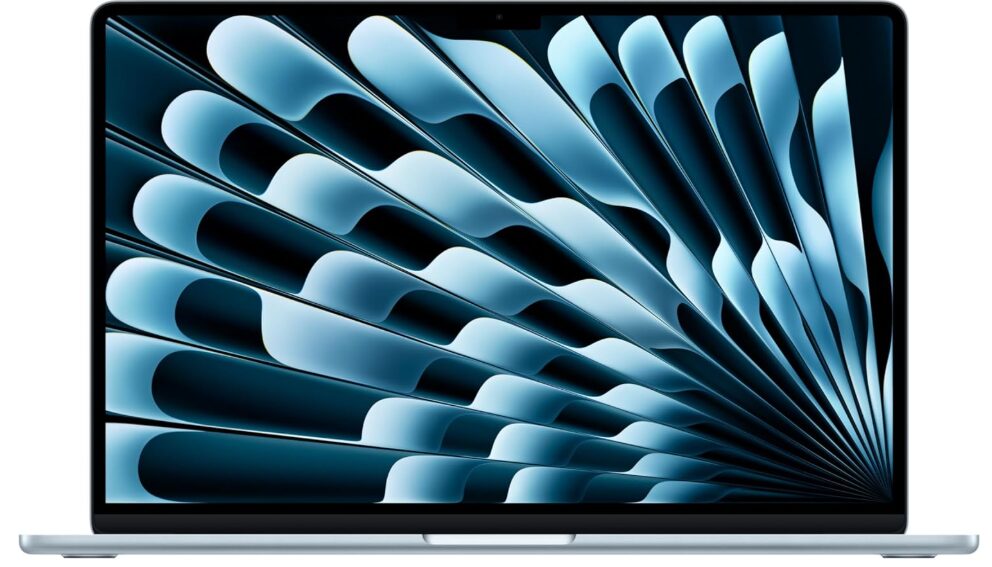
Key features:
- Battery life: Up to 18 hours
- Weight: 3.3 lbs (15-inch), 2.7 lbs (13-inch)
- Best feature: Silent fanless design, Wi-Fi 7
- Processor: Apple M5
- RAM/Storage: 16GB to 32GB unified memory, 512GB to 4TB SSD
- Display: 13.6-inch or 15.3-inch Liquid Retina
| Pros | Cons |
|---|---|
| ✅Long battery life ✅Silent, fanless design ✅Wi-Fi 7 ✅great keyboard and trackpad ✅Seamless Apple ecosystem integration | ❌Only 2 Thunderbolt ports ❌throttles under sustained heavy workloads beyond 15 minutes |
Why I love Apple MacBook Air M5:
The MacBook Air M5 hits a rare sweet spot: ultra-portable, powerful, and completely quiet. The fanless design keeps it silent even when running 15 Chrome tabs, Spotify, Zoom, and Notion all at once. The M5 chip is a meaningful step up from the M3. Memory bandwidth jumps from 100 GB/s to 153 GB/s, and the base storage doubles to 512GB while the starting price stays the same. Wi-Fi 7 is a genuine upgrade for fast home networks, reducing latency on video calls and large file transfers.
The 15-inch model earns the top spot for remote work because the larger display reduces dependence on an external monitor. For most remote workflows including video calls, document work, browser-heavy days, and productivity tools, this machine never hits a limitation. read our Apple MacBook M5 review to learn more.
2. Lenovo ThinkPad X1 Carbon Gen 13 Aura: Best for Business Pros
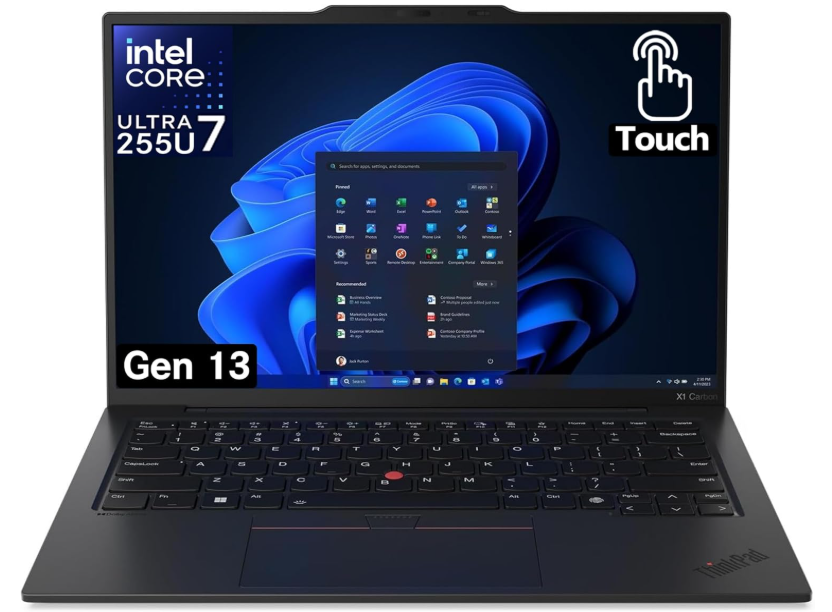
Key features:
- Battery life: Up to 15 hours
- Weight: 2.2 lbs
- Best feature: Best-in-class keyboard, Wi-Fi 7, MIL-SPEC durability
- Processor: Intel Core Ultra 7 258V
- RAM/Storage: Up to 64GB LPDDR5x, up to 2TB PCIe 5.0 SSD
- Display: 14-inch IPS or 2.8K OLED, 120Hz
| Pros | Cons |
|---|---|
| ✅Best keyboard in the laptop market ✅Excellent build quality ✅Wi-Fi 7 ✅ Physical webcam shutter ✅Plenty of ports | ❌Higher price point ❌Display brightness below MacBook Pro tier |
Why Lenovo ThinkPad X1 Carbon Gen 13 Aura
Built like a tank but light as a feather, the X1 Carbon Gen 13 is the definitive business travel companion. The Gen 13 Aura update adds Wi-Fi 7, a 2.8K OLED display option, and Intel AI Boost features, while keeping everything that made the previous generation great: the legendary keyboard, MIL-SPEC durability certification, hardware-level security, and the port selection that thin Windows laptops typically sacrifice. Whether running analytics dashboards, large spreadsheets, or virtual machines, this laptop stays cool and responsive.
If you type constantly, move between offices and home, or operate within enterprise IT requirements, the X1 Carbon Gen 13 is the correct Windows choice for 2026.
3. Apple MacBook Pro M5: Best for Creatives and Heavy Multitaskers
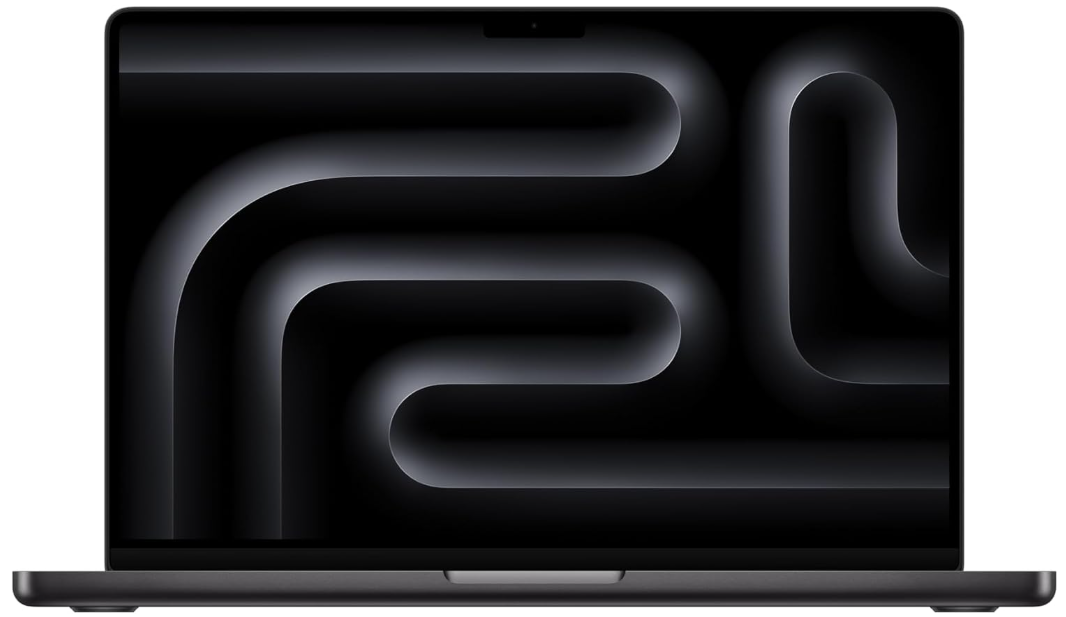
Key features:
- Battery life: Up to 24 hours
- Weight: 3.4 lbs (14-inch)
- Best feature: Sustained performance without throttling, ProMotion display
- Processor: Apple M5 (or M5 Pro, M5 Max)
- RAM/Storage: 16GB to 128GB unified memory, up to 8TB SSD
- Display: 14-inch or 16-inch Liquid Retina XDR, 120Hz ProMotion, 1000 nits
| Pros | Cons |
|---|---|
| ✅Sustained full performance through long sessions ✅Best-in-class XDR display ✅24-hour battery ✅Extensive ports | ❌Higher starting price ❌Heavier than the Air ❌Base model uses Wi-Fi 6E not Wi-Fi 7 |
Why I love Apple MacBook Pro M5:
The MacBook Pro M5 is what you reach for when the MacBook Air is not enough. The active cooling system maintains full chip performance through multi-hour video editing, rendering, code compilation, and any other sustained demanding task, without the thermal throttling that limits the fanless Air after 15 minutes of heavy load. I have edited full-length videos, run Photoshop and Final Cut Pro side by side, and this machine does not break a sweat.
The Liquid Retina XDR display at 1000 nits sustained brightness is significantly better than the Air for long editing sessions. Battery life of up to 24 hours under lighter use makes it the most capable all-day machine Apple makes.
4. ASUS Zenbook 14 OLED: Best Display and Value Combo
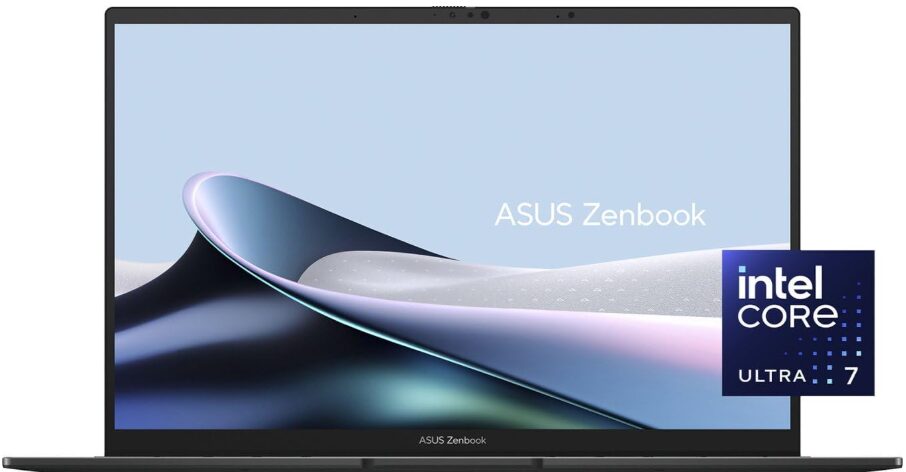
Key features:
- Battery life: 12-14 hours
- Weight: 2.8 lbs
- Best feature: OLED screen under $1K
- Processor: AMD Ryzen 7 8840HS / Intel Core Ultra 7
- RAM/Storage: 16GB RAM, 1TB SSD
- Display: 14″ 2.8K OLED
| Pros | Cons |
|---|---|
| ✅Stunning OLED display ✅Good performance for the price ✅Lightweight and portable | ❌Average webcam ❌Fewer ports than rivals |
Why I love ASUS Zenbook 14 OLED:
OLED screens are no longer exclusive to high-end models, and the Zenbook 14 OLED proves it. The 2.8K OLED panel at 120Hz and 100% DCI-P3 coverage delivers eye-popping visuals and color accuracy that rivals displays costing twice as much. AMD Ryzen AI 9 variants add a capable NPU for Windows Copilot+ features, making it one of the few sub-$1,000 laptops that qualifies for Microsoft’s full AI feature set.
The AMD or Intel processor inside delivers fast, efficient processing for video calls, media work, and multitasking. Real-world battery runs 9 to 11 hours under mixed use, sufficient for a full office day near a power source, though not in the same league as Apple Silicon for all-day freedom.
5. HP Spectre x360 14: Best 2-in-1 for Flexibility
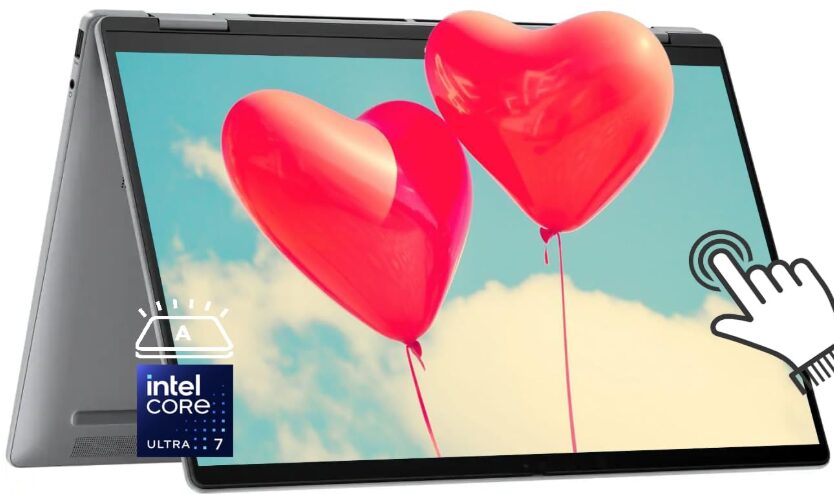
Key features:
- Battery life: 13-15 hours
- Weight: 3.0 lbs
- Best feature: Convertible with pen support
- Processor: Intel Core Ultra 7
- RAM/Storage: 16GB RAM, 512GB to 1TB SSD
- Display: 13.5″ OLED, 3:2 aspect ratio
| Pros | Cons |
|---|---|
| ✅Excellent 2-in-1 design ✅Touchscreen and pen support ✅Strong performance for a hybrid | ❌A bit bulky in tablet mode ❌Some pre-installed bloatware |
Why I love HP Spectre x360 14:
Fold it into tablet mode, sketch with the pen, or dock it at a desk, and this laptop adapts to how you work. The 3:2 aspect ratio is a quiet productivity advantage most buyers overlook: reading long documents, working in spreadsheets, and handling emails all benefit from the extra vertical screen real estate compared to the standard 16:9 format. Performance is rock-solid, and the Intel Core Ultra 7 chip handles multiple apps with ease even in tablet mode or while streaming.
For remote workers who split their time between typing-heavy tasks and annotation, signing documents, or occasional sketching, no other laptop offers this combination as cleanly.
6. Microsoft Surface Laptop 7: Best for Students and Writers
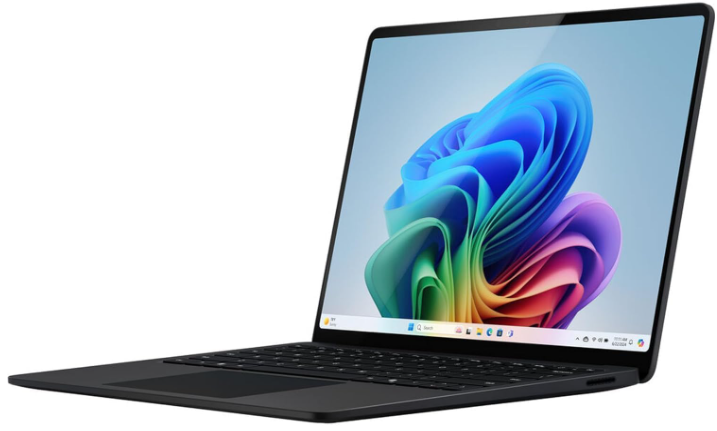
Key features:
- Battery life: Up to 22 hours
- Weight: 2.7 lbs
- Best feature: ARM battery life, premium keyboard, 3:2 touchscreen
- Processor: Qualcomm Snapdragon X Elite
- RAM/Storage: 16-64GB RAM, 512GB to 1TB SSD
- Display: 13.8-inch or 15-inch PixelSense touchscreen, 3:2 aspect ratio
| Pros | Cons |
|---|---|
| ✅MacBook Air-level battery life on Windows ✅Excellent keyboard ✅3:2 touchscreen ✅Sleek lightweight design | ❌Limited ports ❌Some x86 app compatibility gaps on ARM |
Why I love Microsoft Surface Laptop 7:
Lightweight, with an excellent keyboard and all-day battery life that genuinely rivals the MacBook Air M5. The Snapdragon X Elite processor is surprisingly fast and quiet, and real-world battery endurance of 15 to 18 hours makes it the best Windows laptop for all-day portability in 2026. Performance is more than sufficient for writing, researching, and running all common productivity tools including Word, Excel, Teams, and Chrome.
The one caveat worth knowing: the ARM-based platform can create compatibility friction with some legacy x86 applications. For the standard remote work productivity stack, compatibility is not a concern. For developers or users relying on specialized x86 software, verify your applications before committing.
7. Acer Swift Go 14: Best Budget Laptop for Remote Work
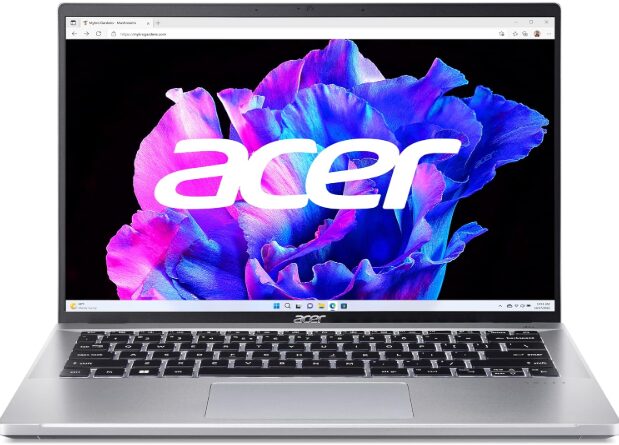
Key features:
- Battery life: 10-12 hours
- Weight: 2.76 lbs
- Best feature: 60Hz high-refresh display
- Processor: Intel Core i5-1335U
- RAM/Storage: 8GB RAM, 512GB SSD
- Display: 14″ IPS, 2.2K resolution, 60Hz refresh rate
| Pros | Cons |
|---|---|
| ✅Great value for money ✅Bright, sharp display | ❌Mediocre build materials ❌Louder fan noise under load |
Why I love Acer Swift Go 14:
Fast, capable, and stylish on a budget. The Swift Go 14 is a strong starting point for students, freelancers, and newcomers to remote work who need a reliable machine without premium pricing. Performance handles all-day browsing, meetings, and light creative work without issue. 16GB RAM is now standard on this model, which addresses the memory constraint that held the previous generation back.
Real-world battery life runs 8 to 10 hours under mixed use, sufficient for most office days near a power source. Build quality uses primarily plastic, which is a noticeable step down from aluminum competitors, and fan noise under load is more audible than on premium machines. For what it costs, it delivers genuine value.
8. LG Gram SuperSlim 15: Best for Lightweight Portability
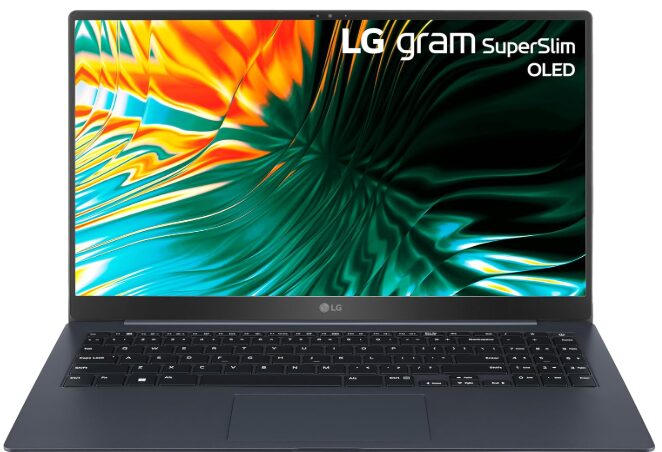
Key features:
- Battery life: 12-15 hours
- Weight: 2.2 lbs
- Best feature: Ultra-light with OLED display
- Processor: Intel Core Ultra 7
- RAM/Storage: 32GB LPDDR5 RAM, 2TB SSD
- Display: 15.6″ FHD OLED (1920 x 1080), Anti-Glare, 100% DCI-P3
| Pros | Cons |
|---|---|
| ✅Extremely lightweight and portable ✅OLED display with vibrant colors ✅Large RAM and storage ideal for multitasking | ❌Build is thin and slightly flexible ❌Limited availability in some markets |
Why I love LG Gram SuperSlim 15:
The LG Gram SuperSlim 15 is the only 15-inch laptop that weighs 2.2 lbs, a specification that sounds like marketing until you carry it for a full day. For remote workers who want a large-screen machine without the weight that comes with most 15-inch laptops, this solves the problem without compromise on display quality or storage. The OLED panel with 100% DCI-P3 is excellent, and 32GB RAM with a 2TB SSD provides ample headroom.
The thin chassis introduces some flex under hand pressure, and port selection is leaner than thicker alternatives. For frequent travelers or remote workers who specifically need large-screen real estate without a heavy bag, it has no direct competitor in 2026.
How I chose the best laptops for remote work
To make this guide genuinely useful, I combined hands-on experience with rigorous research and analysis. Here is what each laptop had to deliver to make the cut.
Real-world performance. I considered how each laptop handles common remote work tasks: video calls, browser multitasking, content creation, spreadsheets, and app switching. Every pick on this list has at least 16GB RAM and 512GB SSD as a minimum configuration.
Battery life. A laptop that dies halfway through your workday is not remote-friendly. Every pick here delivers at least 10 hours of real-world battery life, and the top picks do considerably better than that.
Portability. Since remote work often means cafes, coworking spaces, and different rooms at home, weight and size matter. I leaned toward models under 3.5 lbs that do not require a charger every few hours.
Build quality and design. Durability matters when you are on the move. I evaluated build materials, hinge strength, keyboard quality, and general reliability under daily use.
Display and webcam. Your screen is your main interface, so bright and color-accurate panels were prioritized. Every pick includes at least a 1080p webcam for video call quality that holds up in 2026.
Value for money. Each laptop had to be worth what it costs based on features and performance. Some are premium options, others are budget-friendly, but none are overpriced for what they deliver.
Availability. Every pick is available on Amazon, so you can act on any recommendation immediately without hunting across retailers.
Laptops for remote work FAQs
At minimum: 16GB RAM, 512GB SSD, and a current-generation processor such as Apple M5, Intel Core Ultra 7, AMD Ryzen AI 9, or Snapdragon X Elite. For AI-assisted workflows or creative tools, 32GB RAM is worth the upgrade.
It depends on your software stack. MacBooks excel for creatives, seamless Apple ecosystem integration, and the best battery life available. Windows laptops offer wider compatibility for business tools and enterprise IT environments, and more options across price tiers.
The MacBook Pro M5 leads at up to 24 hours, followed by the Surface Laptop 7 and MacBook Air M5 at up to 22 and 18 hours respectively. For real-world mixed use, the Air M5 and Surface Laptop 7 are the most consistently all-day options.
Yes, but gaming laptops tend to be heavier and have shorter battery life than productivity laptops at similar prices. Unless your work requires high GPU power, a lighter dedicated remote work laptop is a better daily driver.
$1,000 to $1,500 range covers most professional needs well, including the MacBook Air M5 base configuration, ASUS Zenbook 14 OLED, and Surface Laptop 7. The $1,500 to $2,000 tier adds the MacBook Pro M5 and ThinkPad X1 Carbon for demanding workflows and business use.
Final thoughts
Remote work is not going anywhere, and your laptop is your command center. Whether you are managing a team, building websites, or writing all day, there is a machine on this list that fits your workflow in 2026.
For most remote workers, the MacBook Air M5 remains the best all-around choice: better than the M3 in every measurable way, at the same effective price once storage is accounted for. If you are on Windows, the ThinkPad X1 Carbon Gen 13 Aura is the pick I would hand to any business professional without hesitation.
Whatever you choose, invest in a machine that will help you work smarter, not harder. That is the real key to remote work success.