
Last Updated on October 3, 2026 by Spencer Lee
Local AI video generation is the most VRAM-hungry workload in consumer computing in 2026, and most laptops cannot do it meaningfully. The minimum viable configuration is a laptop with 16GB of dedicated GPU VRAM running quantized models like Wan 2.2 14B at 480p via GGUF. The practical sweet spot is 24GB VRAM for 720p output with Wan 2.2 and LTX-Video 2.3.
The best laptop for AI video generation in 2026 is the ASUS ROG Zephyrus G16 (RTX 5080, 16GB VRAM) for most creators, and the MSI Titan 18 HX AI (RTX 5090, 24GB VRAM) for those who need maximum resolution and the longest clips without compromise. Apple Silicon is not viable for local video generation workflows due to the absence of CUDA and the software stack’s dependence on it.
Best Laptops for AI Video Generation at a Glance
| Laptop | GPU | VRAM | Best For | Video Capability |
|---|---|---|---|---|
| ASUS ROG Zephyrus G16 | RTX 5080 | 16GB GDDR7 | Best overall creator pick | Wan 2.2 14B at 480p-720p, LTX-Video 720p |
| MSI Titan 18 HX AI | RTX 5090 | 24GB GDDR7 | Maximum VRAM and resolution | Wan 2.2 720p, LTX-Video 1080p, HunyuanVideo |
| ASUS ROG Strix SCAR 18 | RTX 5090 | 24GB GDDR7 | Best 24GB value | Same as Titan at lower entry cost |
| Razer Blade 16 (2026) | RTX 5090 | 24GB GDDR7 | Best 24GB thin chassis | 24GB in a 0.70″ thin design |
| Lenovo Legion Pro 7i | RTX 5080 | 16GB GDDR7 | Best sustained thermals at 16GB | Wan 2.2 GGUF 480p-720p, CogVideoX 5B |
| Dell Precision 7680 | RTX 2000 | 12GB VRAM | Best mid-range entry | CogVideoX 5B, AnimateDiff, Wan 1.3B |
| Acer Nitro V 16 AI | RTX 5060 | 8GB GDDR7 | Budget entry for experimentation | Wan 2.2, LTX-Video, HunyuanVideo AnimateDiff, CogVideoX 2B FP8 , Wan 1.3B |
Why AI Video Generation Is the Hardest Laptop Workload in 2026
AI video generation multiplies image generation VRAM requirements by a factor of 3 to 10. A Flux.1 image model runs in 16 to 24GB of VRAM. Wan 2.2 14B, which produces comparable visual quality as video, requires 48 to 80GB at full FP16 precision, putting it firmly in datacenter territory. The reason is temporal consistency: a video diffusion model must maintain coherent motion and scene continuity across every frame simultaneously rather than rendering a single output tensor. That constraint scales VRAM requirements dramatically.
The critical insight for laptop buyers in 2026 is that quantization changes this picture entirely. With GGUF quantization on the transformer and T5-XXL text encoder offloaded to CPU RAM, Wan 2.2 14B drops from 54GB to approximately 6 to 8GB of GPU VRAM at 480p, confirmed by WillItRunAI’s April 2026 VRAM guide. At 12GB VRAM, CogVideoX 5B runs at 480p and Wan 2.2 14B GGUF becomes more comfortable. At 16GB, LTX-Video 2B runs at full 720p without tiling, and Wan 2.2 14B operates with meaningful headroom. At 24GB, Wan 2.2 FP8 mode unlocks 720p generation and LTX-Video 2.3 reaches 1080p.
The software stack for local video generation is CUDA-dependent. ComfyUI, the standard frontend for local video generation in 2026, supports CUDA on NVIDIA GPUs and has limited, experimental support for ROCm and Metal. For practical local video generation, an NVIDIA RTX laptop is not a preference but a requirement. Apple Silicon and AMD GPU laptops are not viable options for this workload with current tooling.
How Much VRAM Do You Actually Need for AI Video Generation?
The VRAM requirement for AI video generation depends on three variables: the model you want to run, the quantization format, and your target resolution. At 8GB VRAM, you are limited to small models including AnimateDiff, CogVideoX 2B at FP8, and HunyuanVideo with aggressive FP8 tiling, all at 480p with short clip lengths. These produce usable output for experimentation but not production-quality results.
At 16GB VRAM, the options expand meaningfully. LTX-Video 2B runs at full 720p without tiling, CogVideoX 5B becomes viable, and Wan 2.2 14B GGUF runs at 480p with the text encoder offloaded to CPU RAM. According to WillItRunAI’s comprehensive 2026 video generation GPU guide, 16GB is the practical threshold where video generation shifts from experimental to genuinely useful for content creation workflows. At this tier, generation times for a 5-second clip run 10 to 30 minutes depending on the model and resolution.
At 24GB VRAM, the workflow changes qualitatively. Wan 2.2 14B at FP8 runs at 720p without the GGUF workaround, HunyuanVideo 1.5 works comfortably at 720p with model offloading, and LTX-Video 2.3 reaches 1080p. The RTX 5090’s 32GB GDDR7 unlocks 720p generation on Wan 14B and provides headroom for longer clips and future models as the field develops.
| VRAM | What You Can Run | Target Resolution | Quality Level |
|---|---|---|---|
| 8GB | AnimateDiff, CogVideoX 2B FP8, Wan 1.3B | 480p | Experimental |
| 12GB | CogVideoX 5B, Wan 2.2 14B GGUF 480p, LTX-Video 2B | 480p | Capable for short clips |
| 16GB | LTX-Video 2B 720p, Wan 2.2 14B GGUF 480p-720p, CogVideoX 5B 720p | 480p-720p | Content creation viable |
| 24GB | Wan 2.2 FP8 720p, HunyuanVideo 1.5, LTX-Video 2.3 1080p | 720p-1080p | Production quality |
| 32GB | Wan 2.2 720p+, future models, longer clips | 720p-1080p | Maximum consumer headroom |
1. ASUS ROG Zephyrus G16 (RTX 5080): Best Overall for AI Video Generation
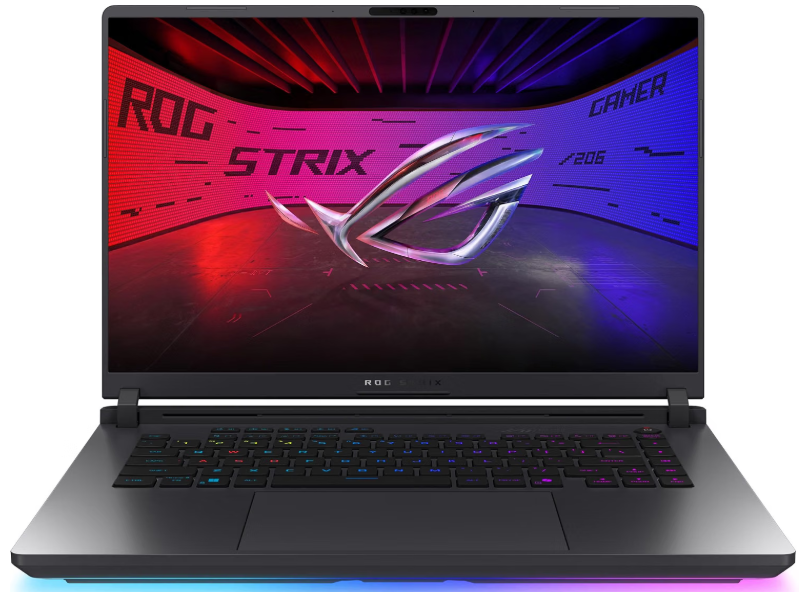
Key features:
- Processor: Intel Core Ultra 9 386H (Panther Lake)
- GPU: NVIDIA RTX 5080 Laptop, 16GB GDDR7
- GPU TGP: Up to 160W (Manual Mode)
- RAM: 64GB LPDDR5X-8533
- Storage: 1TB PCIe 4.0 NVMe SSD
- Display: 16-inch ROG Nebula OLED, 2560×1600, 240Hz, 1100 nits
- Battery: ~3-4 hours under GPU load
- Weight: 4.30 lbs
- Wi-Fi: Wi-Fi 7, Bluetooth 6.0
| Pros | Cons |
|---|---|
| ✅16GB GDDR7 at 160W TGP ✅64GB RAM for T5 offloading ✅stunning OLED display ✅relatively portable at 4.30 lbs ✅Thunderbolt 4 ✅Wi-Fi 7 | ❌16GB VRAM limits Wan 2.2 to GGUF mode at 480p-720p rather than native FP8 ❌premium pricing ❌short battery under GPU workloads |
Why I love ASUS ROG Zephyrus G16:
ASUS updated the ROG Zephyrus G16 (2026) in June 2026 with a new RTX 5080 configuration, providing up to 160W to the GPU and including 64GB of LPDDR5X-8533 RAM alongside a 16-inch ROG Nebula OLED at 2560×1600 and 240Hz. The 160W TGP is the highest power delivery for an RTX 5080 laptop GPU in a chassis under 5 lbs, which directly translates to faster generation times compared to the same GPU running at 115 to 135W in thinner machines.
The 64GB system RAM is the video generation-specific feature that earns this laptop its top spot. T5-XXL, the text encoder used by Wan 2.2 and HunyuanVideo, occupies 10 to 20GB when offloaded to system RAM. According to Radiance Systems’ AI video PC guide, 64GB of RAM is the recommended amount to avoid disk swapping during video generation workflows. With 64GB available, the full T5 offload pipeline runs without touching the SSD, which meaningfully reduces generation latency between clips.
At 16GB VRAM, the Zephyrus G16 runs Wan 2.2 14B via GGUF quantization at 480p comfortably and pushes toward 720p on shorter clips. LTX-Video 2B runs at 720p without tiling. CogVideoX 5B is well within spec. For content creators who need a portable machine that fits in a bag and delivers real video generation capability daily, this is the strongest combination of portability, VRAM, and sustained GPU power available.
Best for: Content creators, social media producers, and AI artists who need a portable video generation machine under 5 lbs with 16GB VRAM and maximum system RAM for T5 offloading.
2. MSI Titan 18 HX AI: Best for Maximum VRAM and Production Quality
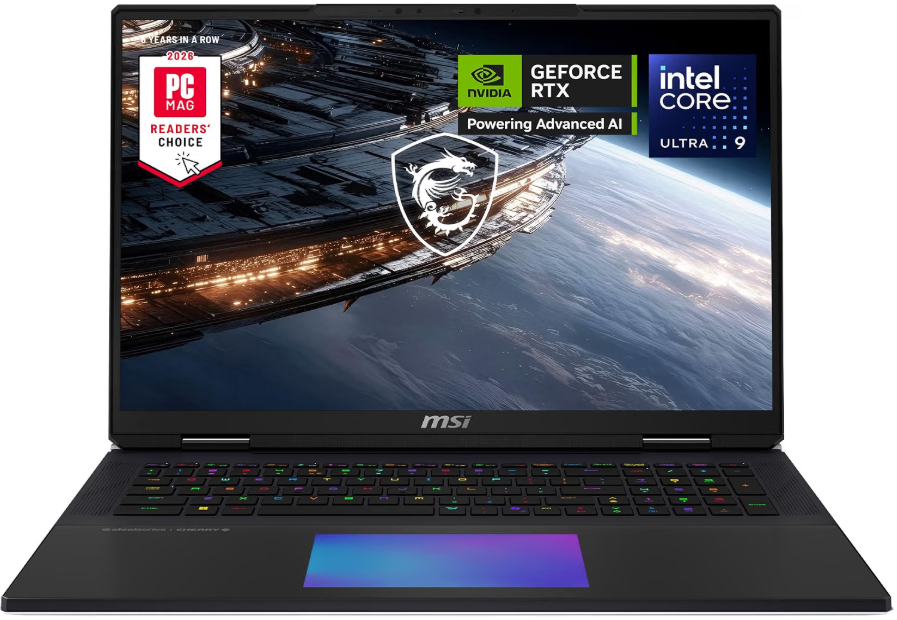
Key features:
- Processor: Intel Core Ultra 9 285HX
- GPU: NVIDIA RTX PRO 5000 / RTX 5090 Laptop, 24GB GDDR7
- RAM: 64GB DDR5 (expandable)
- Storage: 4TB NVMe SSD
- Display: 18-inch Mini LED, 4K, 120Hz
- Battery: ~3 hours 39 minutes under load
- Weight: 7.17 lbs
| Pros | Cons |
|---|---|
| ✅24GB GDDR7 unlocks FP8 Wan 2.2 at 720p ✅4TB storage for large video model collections ✅18-inch display for ComfyUI workflow management ✅fastest local video generation laptop tested | ❌7.17 lbs ❌3.5-hour battery ❌effectively a deskside machine despite being a laptop |
Why I love MSI Titan 18 HX AI:
StorageReview confirmed the MSI Titan 18 HX AI as the fastest laptop for local AI inference, noting its 24GB VRAM comfortably holds 20B-class quantized models. The tradeoffs are exactly what the chassis suggests: 7.17 pounds and 3 hours 39 minutes of measured battery life, the shortest runtime in StorageReview’s laptop dataset.
The 24GB GDDR7 is the specification that changes the video generation workflow. At 24GB, Wan 2.2 14B runs at FP8 without the GGUF workaround, which produces higher quality output and removes the CPU offloading dependency that slows generation on 16GB systems. LTX-Video 2.3 reaches 1080p. HunyuanVideo 1.5 runs at 720p without tiling. The 4TB NVMe SSD is practically important: a single video model weighs 10 to 20GB, and a working collection of three to five models alongside generated output fills storage faster than most creators expect.
The Titan 18 HX AI is a deskside machine that happens to be portable. Its 7.17-lb weight and 3.5-hour battery life make it impractical for mobile use, but for a home studio or dedicated creative workstation that occasionally moves between locations, it is the most capable consumer video generation machine available in a laptop form factor.
Best for: Production-level creators, AI video studios, and professionals who need maximum generation quality and treat the laptop as a portable desktop rather than a mobile machine.
3. ASUS ROG Strix SCAR 18: Best 24GB VRAM Value
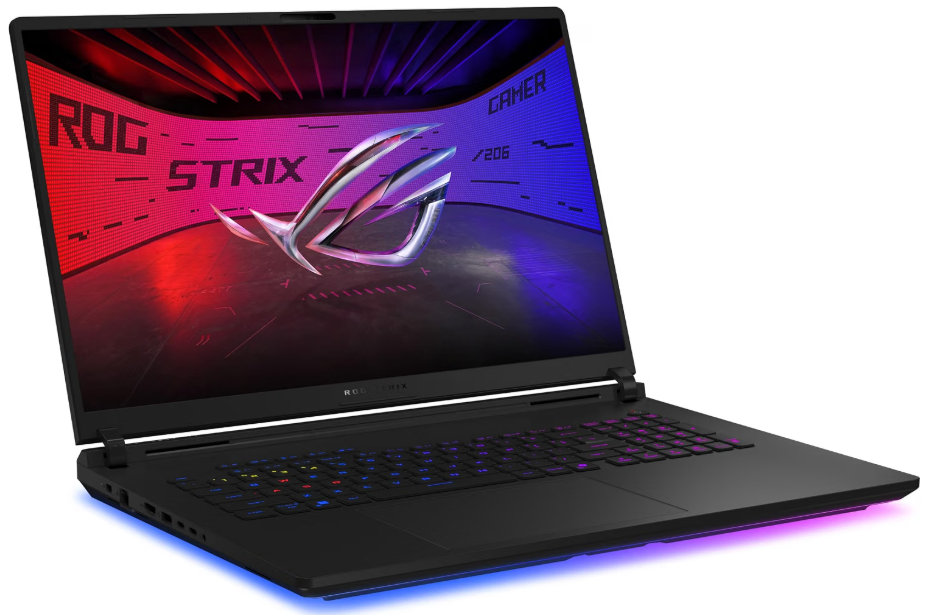
Key features:
- Processor: Intel Core Ultra 9 285HX
- GPU: NVIDIA RTX 5090 Laptop, 24GB GDDR7
- RAM: 32GB DDR5-6400 (upgradeable to 64GB)
- Storage: 2TB PCIe Gen5 SSD
- Display: 18-inch QHD+, 240Hz
- Weight: ~6.2 lbs
| Pros | Cons |
|---|---|
| ✅24GB VRAM for full Wan 2.2 FP8 pipeline ✅PCIe Gen5 SSD for fast model loading ✅18-inch display ✅upgradeable RAM | ❌Ships with 32GB RAM (upgrade recommended for video workflows) ❌heavy at 6.2 lbs |
Why I love ASUS ROG Strix SCAR 18:
ComputerCritique’s 2026 guide recommends the ASUS ROG Strix SCAR 18 as the choice when you want 24GB RTX 5090 graphics-memory capacity for local AI at a less extravagant configuration than the MSI Titan 18 HX AI. The PCIe Gen5 SSD delivers fast model loading times that meaningfully reduce the wait between setting up a workflow and starting generation, which compounds across dozens of generation sessions in a creative workday.
The critical configuration note: the SCAR 18 ships with 32GB of DDR5 RAM in the base configuration, which is tight for video generation workflows that offload T5-XXL to system RAM. Upgrading to 64GB is the recommended first step after purchase. The RAM is user-accessible, which is an advantage over the Zephyrus G16’s soldered memory.
Best for: Creators who need 24GB VRAM for high-quality Wan 2.2 FP8 workflows and want the flexibility to upgrade RAM themselves to the 64GB recommended for video generation.
4. Razer Blade 16 (2026, RTX 5090): Best Thin 24GB Laptop
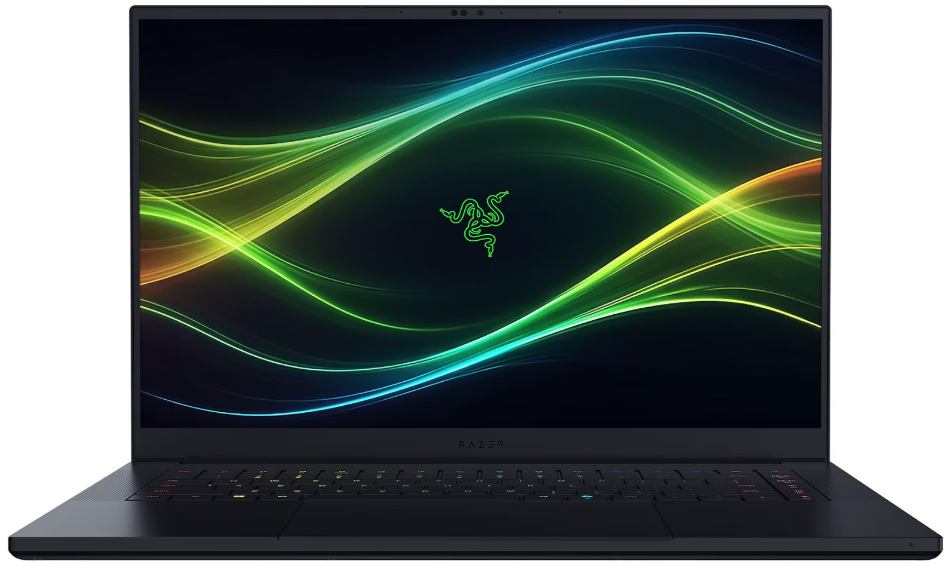
Key features:
- Processor: Intel Core Ultra 9 386H
- GPU: NVIDIA RTX 5090 Laptop, 24GB GDDR7
- RAM: 64GB LPDDR5X
- Storage: 2TB PCIe SSD
- Display: 16-inch OLED, 2K, 240Hz
- Weight: ~4.7 lbs
| Pros | Cons |
|---|---|
| ✅24GB VRAM in a slim 16-inch chassis ✅64GB soldered RAM standard ✅OLED display ✅most portable 24GB laptop available | ❌Thermal limits at 155W TGP mean slower generation than the Titan and SCAR 18 ❌premium pricing |
Why I love Razer Blade 16 (2026):
The Razer Blade 16 (2026) uses AMD Ryzen AI 9 HX 370 hardware with RTX 5060-5090 graphics at up to 155W TGP, and up to 64GB of LPDDR5X-8000 onboard RAM. The 155W TGP positions it between the Zephyrus G16’s 160W and the SCAR 18’s higher sustained output. For video generation, the TGP ceiling directly affects generation time: a 5-second 720p clip that takes 20 minutes on the SCAR 18 may take 23 to 25 minutes on the Blade 16 under equivalent thermal conditions.
The 24GB VRAM and 64GB system RAM combination is what makes this laptop viable for serious video generation despite the thinner chassis. For creators who need 24GB VRAM in a machine light enough to travel with professionally, the Blade 16 is the only option in this VRAM tier that stays under 5 lbs while including the full RAM capacity needed for T5 offloading.
Best for: Mobile creators who need 24GB VRAM in the most portable possible chassis and accept the generation time trade-off versus heavier machines.
5. Lenovo Legion Pro 7i: Best Sustained Thermals at 16GB
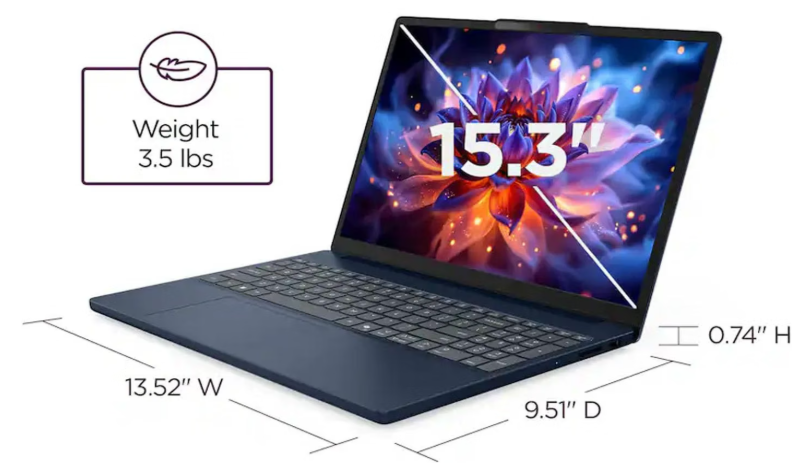
Key features:
- Processor: Intel Core Ultra 9 275HX
- GPU: NVIDIA RTX 5080 Laptop, 16GB GDDR7
- RAM: 32GB DDR5-6400 (upgradeable)
- Storage: 1TB PCIe Gen5 SSD
- Display: 16-inch OLED, 2560×1600, 240Hz
- Battery: ~4 hours under mixed load
- Weight: ~5.6 lbs
| Pros | Cons |
|---|---|
| ✅Best sustained GPU thermals in the 16GB tier ✅upgradeable RAM to 64GB ✅PCIe Gen5 SSD ✅strong value at 16GB | ❌Ships with 32GB RAM (upgrade recommended) ❌heavier than the Zephyrus G16 |
Why I love Lenovo Legion Pro 7i:
Lenovo Legion Pro 7i pairs a Core Ultra 9 275HX processor with a 175W RTX 5080 Laptop GPU with 16GB GDDR7 alongside 32GB DDR5-6400 memory and a 1TB PCIe Gen5 SSD. The 175W TGP is the highest of any RTX 5080 laptop in this roundup, which means faster video generation times across sustained multi-clip sessions compared to the Zephyrus G16’s 160W. The Legion Pro’s thermal design supports those power levels without the throttling that causes generation time inconsistency in thinner chassis.
The RAM upgrade path is practically important for video generation. The Lenovo Legion Pro 7i ships with 32GB of user-accessible DDR5, and upgrading to 64GB is straightforward and recommended for workflows that rely on T5 CPU offloading alongside other applications. For creators who will use this machine primarily at a desk and want the fastest sustained 16GB VRAM generation performance, the Legion Pro 7i is the more capable thermal design than the lighter Zephyrus G16.
Best for: Desk-based creators who want maximum sustained GPU performance at the 16GB VRAM tier and the ability to upgrade RAM themselves.
6. Dell Precision 7680 Laptop: Best Mid-Range Entry for Video Generation
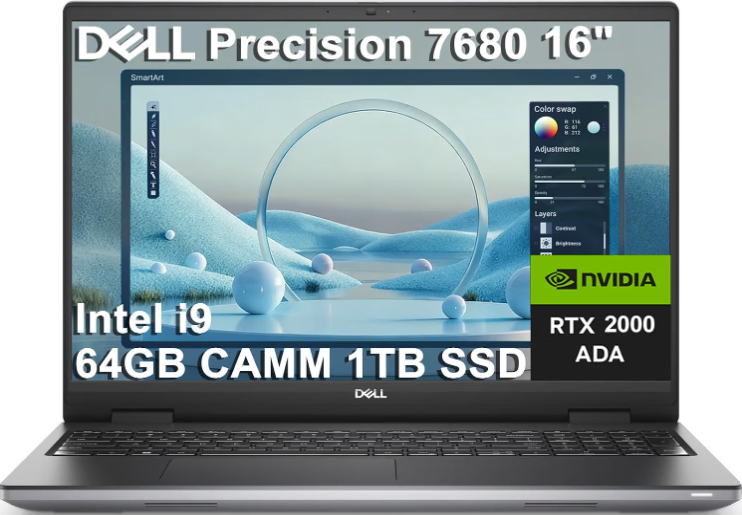
Key features:
- Processor: Intel Core i9-13950HX vPro — 24 cores / 32 threads, up to 5.5 GHz
- GPU: NVIDIA RTX 2000 Ada Generation — 8GB GDDR6
- RAM: 64GB DDR5-5200 CAMM
- Storage: 1TB PCIe NVMe M.2 SSD
- Display: 16-inch FHD+ (1920 × 1200) IPS/WVA, anti-glare, 250 nits, 45% NTSC
- Weight: 5.9 lbs (about 2.68 kg)
| Pros | Cons |
|---|---|
| ✅Excellent Core i9 processing performance ✅64GB RAM is ideal for demanding multitasking ✅Professional NVIDIA RTX 2000 Ada graphics ✅Large 16-inch display and 1TB SSD | ❌Heavy at around 5.9 lbs ❌FHD+ display is less impressive than higher-resolution options ❌Professional workstation hardware can mean higher power consumption ❌Not the best choice for users who prioritize portability |
Why I love Dell Precision 7680:
The Dell Precision 7680 is a strong choice if you need workstation-level performance for demanding professional workloads. Its Core i9 processor, 64GB of RAM, and NVIDIA RTX 2000 Ada graphics give it plenty of power for tasks such as CAD, 3D modeling, engineering software, programming, data analysis, and content creation. The 1TB SSD also provides a good balance of storage capacity and fast performance for large applications and project files.
Best for:
Engineers, architects, CAD/3D professionals, developers, data scientists, video editors, and other power users running demanding professional applications.
7. Acer Nitro V 16 AI: Best Budget Entry for AI Video Experimentation
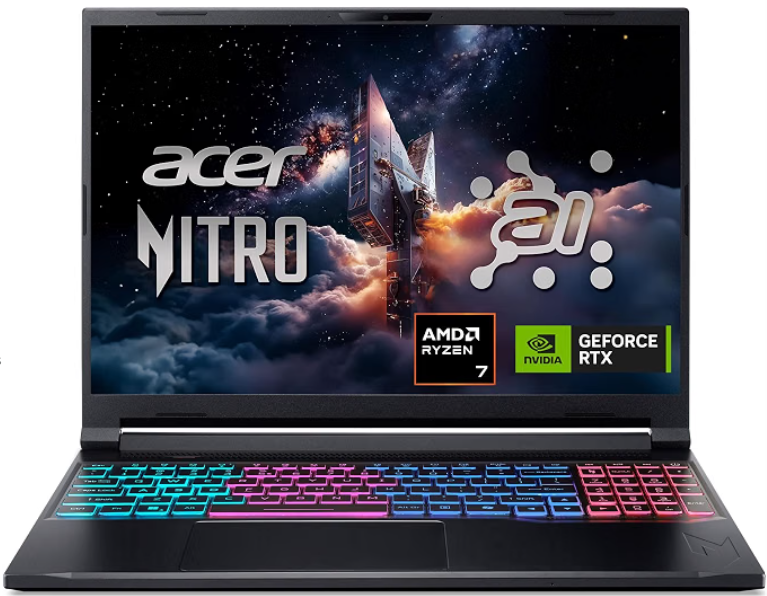
Key features:
- Processor: AMD Ryzen 7 260 — 8 cores / 16 threads, up to 5.1 GHz
- GPU: NVIDIA GeForce RTX 5060 Laptop GPU — 8GB GDDR7
- RAM: 32GB DDR5-5600
- Storage: 1TB PCIe Gen 4 NVMe SSD
- Display: 16-inch WUXGA (1920 × 1200) IPS, 180Hz, 100% sRGB
- Weight: Approximately 4.63 lbs (2.1 kg)
| Pros | Cons |
|---|---|
| ✅Strong RTX 5060 graphics ✅32GB of RAM ✅Excellent 16-inch display ✅Relatively portable | ❌Battery life can be a limitation ❌Display resolution is only 1920 × 1200 ❌32GB is the maximum listed memory ❌Gaming performance isn’t necessarily class-leading |
Why I love Acer Nitro V 16 AI:
What I like most about the Acer Nitro V 16S AI is that it doesn’t feel like a gaming laptop that only focuses on GPU performance. The combination of the Ryzen 7 260, RTX 5060, 32GB of RAM, and 1TB SSD makes it a much more versatile machine. It can handle gaming, programming, content creation, multitasking, and many AI-related workloads without immediately requiring a memory or storage upgrade. The RTX 5060 is also particularly attractive for AI users because its 8GB of GDDR7 VRAM and NVIDIA’s Tensor Core hardware can accelerate supported AI applications.
I also like the 16-inch 180Hz display and relatively light 4.63-pound design. You get a larger 16:10 screen that’s useful for productivity while still getting the high refresh rate gamers want. The 100% sRGB coverage is another nice touch for people who use the laptop for photo or video work. For someone looking for a laptop that sits between a gaming machine and an everyday productivity/AI computer, this particular configuration offers a very appealing balance of performance, memory, display quality, and portability.
Best for: Gamers, AI enthusiasts, programmers, content creators, and power users who want a versatile laptop for gaming, AI workloads, multitasking, and productivity.
What Makes Video Generation Different from Image Generation on a Laptop
Image generation and video generation share the same diffusion model architecture but have fundamentally different hardware requirements. A single image generation step processes one output frame with a fixed memory footprint. A video generation step must maintain temporal consistency across 24 to 49 frames simultaneously, which scales VRAM requirements by the number of frames in ways that image generation does not.
Storage is the second major difference. A single generated image at 1024×1024 is 2 to 4MB. A 5-second video clip at 480p in a lossless intermediate format is 200MB to 800MB, and at 1080p, that same 5-second clip weighs 500MB to 2GB. According to VRLA Tech’s AI video workstation guide, AI video output files are large enough that a production session generating dozens of clips rapidly fills standard SSD capacity. For serious video generation workflows, a dedicated fast NVMe drive with at least 2TB of free space is recommended alongside the system drive.
Generation time is the third difference. A Stable Diffusion image generates in 5 to 30 seconds on a 16GB GPU. A 5-second video clip at 720p on the same hardware takes 10 to 30 minutes. At 480p on a 12GB system, the same clip may take 20 to 45 minutes. This makes laptop thermal management critically important for video generation in a way it is not for image generation: the GPU must sustain full load for 20 to 45 minutes per clip rather than 30 seconds. Laptops with better thermal design deliver more consistent generation times across a full creative session.
Frequently asked questions
Not practically. The local video generation stack (ComfyUI and its video model nodes) depends on CUDA for the quantization techniques that make consumer-hardware video generation viable. Metal support is experimental. An NVIDIA RTX laptop is required.
8GB VRAM with CUDA is the technical minimum, covering AnimateDiff and CogVideoX 2B FP8 at 480p. For content creation, 16GB is the practical minimum for Wan 2.2 14B via GGUF and LTX-Video at 720p.
At 16GB VRAM, a 5-second clip at 480p via Wan 2.2 14B GGUF takes 10 to 20 minutes. At 720p on 16GB, expect 15 to 30 minutes. This is a constraint of current diffusion architecture, not a hardware optimization gap.
64GB is recommended. The T5-XXL encoder used by Wan 2.2 and HunyuanVideo weighs 10 to 20GB when offloaded to RAM. With only 32GB, running it alongside ComfyUI and the OS creates memory pressure between generation jobs.
For video generation, yes. The 5090’s 24GB VRAM unlocks FP8 mode on Wan 2.2, enables 1080p LTX-Video, and provides headroom for longer clips. The 24GB-to-16GB gap is more consequential for video than for any other consumer AI workload.
A minimum of 2TB total, with at least 1TB for models and output. A single video model weighs 10 to 20GB, and a 5-second 1080p clip weighs 500MB to 2GB. Three working models plus a session’s output fills 500GB fast.
Bottom Line
AI video generation is genuinely possible on a laptop in 2026, and the VRAM requirements are lower than most buyers expect once quantization is applied. The ASUS ROG Zephyrus G16 with RTX 5080 and 16GB VRAM is the best overall choice for most creators: portable, powerful, and capable of running Wan 2.2 14B and LTX-Video at meaningful quality levels. For production-level 720p and 1080p output without quantization compromises, the MSI Titan 18 HX AI with 24GB VRAM is the correct tool despite its weight.
Before buying, identify your target model and resolution, and verify the VRAM requirement at your preferred quantization level. That single exercise determines which tier of laptop you actually need and prevents buying more hardware than your workflow requires.
Learn more about how much VRAM you need for AI workloads in 2026 →