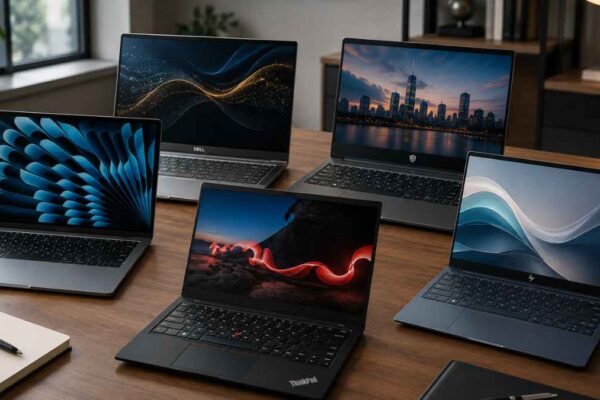

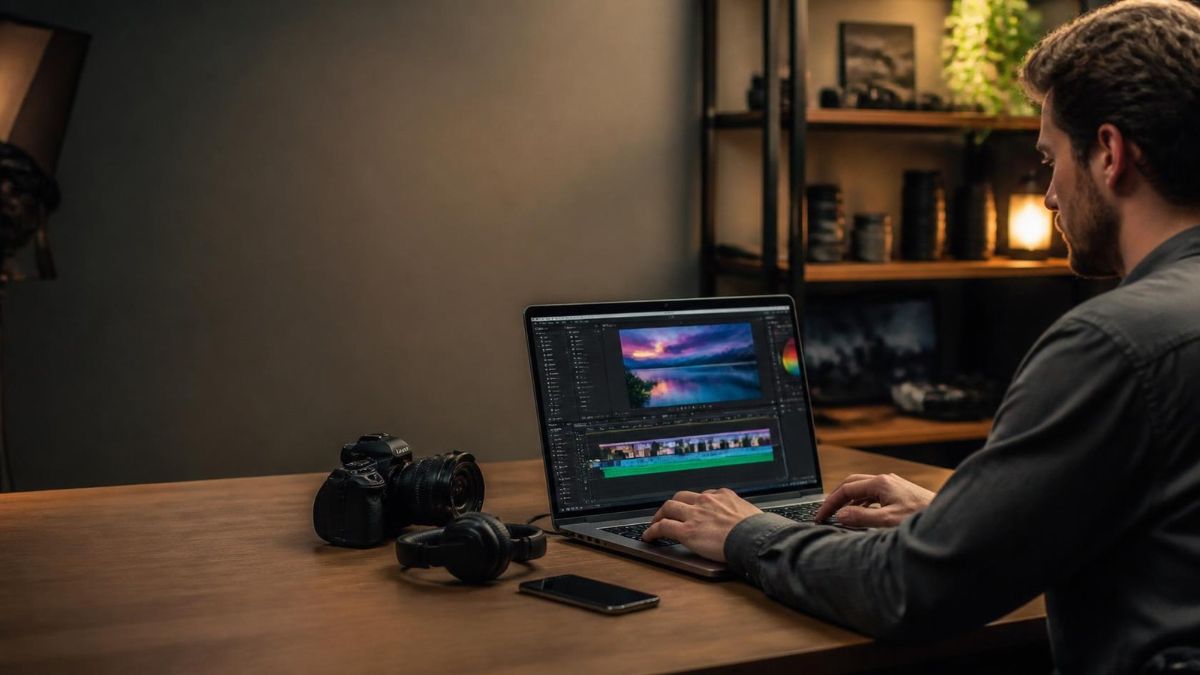
The best laptop for most content creators in 2026 is the MacBook Pro 14 or 16 with the M5 Pro chip, thanks to its color-accurate Liquid Retina XDR display, strong video rendering performance, and up to 24 hours of battery life. Windows users who need a discrete GPU for 3D work or GPU-accelerated rendering should look at the ASUS ProArt P16 or Razer Blade 16, while photographers and light video editors on a budget do well with the MacBook Air 15. The right choice depends mostly on your software, your budget, and whether your workflow actually needs a dedicated GPU.
Why This Matters
A laptop built for general use struggles the moment real creative software gets involved. Exporting a 4K timeline, applying noise reduction across a batch of RAW photos, or rendering a 3D scene all lean hard on CPU, GPU, and memory in ways that browsing and email never do, and the wrong laptop turns a ten-minute export into a thirty-minute wait. Content creators also work across wildly different workflows, from photo retouching to multi-camera video editing to 3D animation, and no single laptop model fits every one of them equally well.
Here’s my top pick for the best laptops for content creators in 2026:
- MacBook Pro M5: Best Overall for Content Creators
- ASUS ProArt P16: Best for Windows Users Who Need Discrete GPU
- MacBook Air 15: Best for Photo and Light Video editing
- Razer Blade 16: Laptop Is Best for Heavy Video Editing, 3D, and VFX Work
What Specs Actually Matter for Content Creation?
CPU performance, GPU power, RAM, display color accuracy, and fast SSD storage all matter for content creation, but which one matters most depends entirely on the type of work. Video editing and 3D rendering lean heavily on GPU power, while photo editing and general creative work lean more on CPU performance and display quality.
A strong CPU handles timeline scrubbing, effects processing, and export encoding, and more cores generally help here, especially in software that uses multi-threaded rendering. A capable GPU accelerates video effects, color grading, and any 3D or AI-assisted creative tool, and this is where Apple Silicon’s integrated GPU and NVIDIA’s discrete RTX laptop GPUs take genuinely different approaches. RAM determines how large a project you can hold open without slowdowns, and display quality, specifically wide color gamut coverage and accurate factory calibration, affects whether what you see on screen matches what your audience sees.
Specs worth prioritizing by workflow:
- Video editing: GPU power, RAM, and fast NVMe storage for large project files
- Photo editing: strong single-core CPU performance and a color-accurate display
- 3D rendering and VFX: a discrete GPU with ample VRAM, plus strong sustained cooling
- Graphic design and illustration: a responsive display, ideally with a stylus option, and solid baseline CPU performance
- Streaming and content recording: a balance of CPU, GPU, and reliable sustained performance during long sessions
Which Laptop Is Best Overall for Content Creators?
The MacBook Pro 14 or 16 with the M5 Pro chip is the best overall laptop for content creators in 2026, combining strong rendering performance, a color-accurate Liquid Retina XDR display, and battery life that holds up through a full day of editing. It starts at $2,199 for the 14-inch model and $2,699 for the 16-inch.
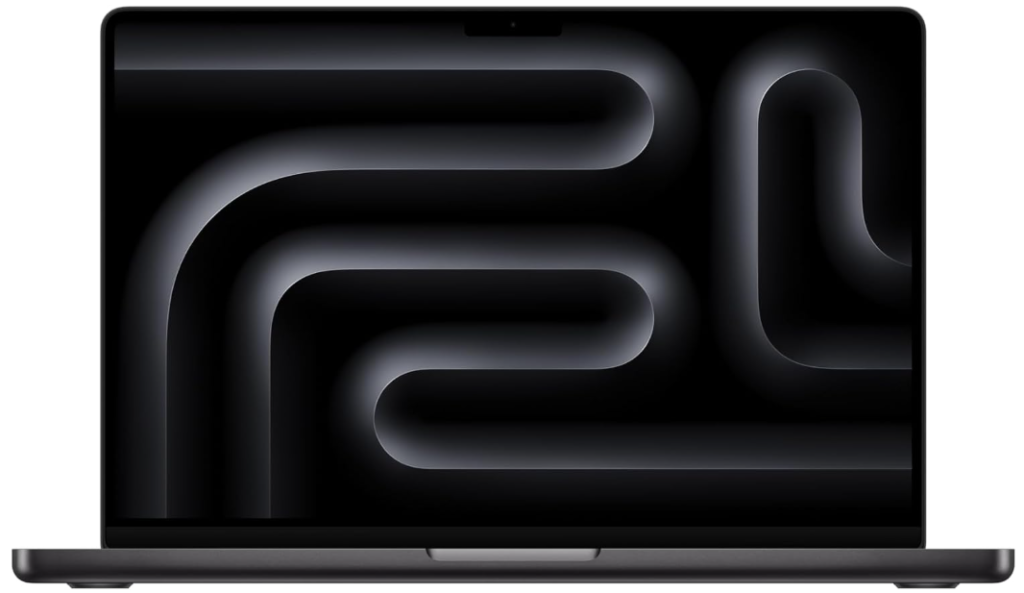
Apple’s M5 Pro and M5 Max chips, launched in March 2026, bring a notable jump in GPU-bound creative performance, with Apple citing roughly 50 percent higher graphics performance compared to the previous M4 Pro and M4 Max generation. The Liquid Retina XDR display covers the wide P3 color gamut with factory calibration, which matters directly for anyone delivering color-accurate photo or video work. For creators who regularly push into heavier 3D or AI-assisted workflows, the M5 Max configuration, with up to 128GB of unified memory, offers meaningfully more headroom, though at a starting price of $3,599.
Why this configuration leads the pack:
- Factory-calibrated P3 display, important for accurate color grading and photo delivery
- Up to 24 hours of battery life, enough for a full shoot day without a charger
- Roughly 50 percent higher GPU performance than the previous M4 Pro and M4 Max generation
- Silent, fanless-adjacent thermal design on the 14-inch model keeps editing sessions quiet
- M5 Max configuration available for creators who need up to 128GB of unified memory
Which Laptop Is Best for Windows Users Who Need a Discrete GPU?
The ASUS ProArt P16 is the strongest Windows option for content creators who need a discrete NVIDIA GPU, pairing a AMD Ryzen AI 300 Series, AI 9 HX 370 processor with an RTX 4070 GPU, a 4K OLED display, and up to 32GB of RAM. It targets the same professional creative audience as the MacBook Pro but on NVIDIA’s CUDA-based software ecosystem.
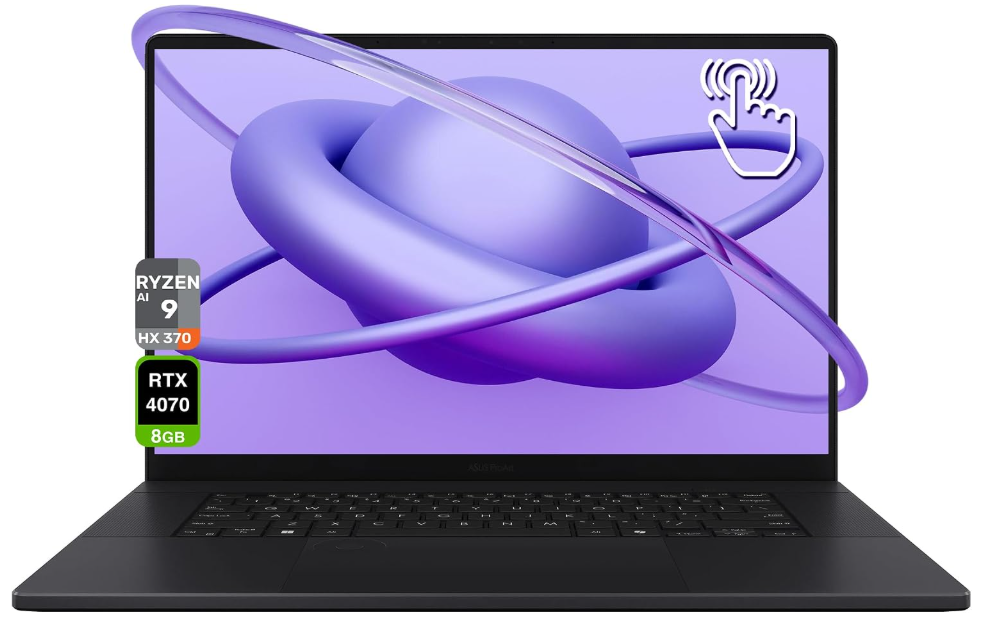
For creators using GPU-accelerated tools built around CUDA, including many 3D rendering engines, AI-assisted video tools, and certain color grading plugins, an NVIDIA GPU remains the more broadly supported option across professional creative software. The ProArt line is built specifically around this audience, with a 4K OLED panel at 120Hz for accurate, smooth color work and enough RAM headroom for heavy multitasking across editing timelines and reference footage. For creators who want similar GPU power in a chassis built with gaming-adjacent cooling for sustained heavy workloads, the Razer Blade 16 is a strong alternative with comparable specs and a different design philosophy.
What makes this pick stand out:
- RTX 4070 GPU, giving strong CUDA-accelerated performance for 3D and AI-assisted creative tools
- 4K OLED display at 120Hz, suited to both color accuracy and smooth timeline scrubbing
- Up to 32GB of RAM, more headroom than most competing Windows creative laptops
- A dedicated line built specifically for creative professionals rather than adapted from a gaming chassis
Which Laptop Is Best for Photo Editing and Light Video on a Budget?
The MacBook Air 15 with Apple’s M4 or M5 chip is the best budget option for photographers and creators doing light to moderate video work, offering a sharp, color-capable display and strong CPU performance in a fanless design starting well under $1,500. It skips a discrete GPU entirely, which is the right trade-off for this kind of workload.
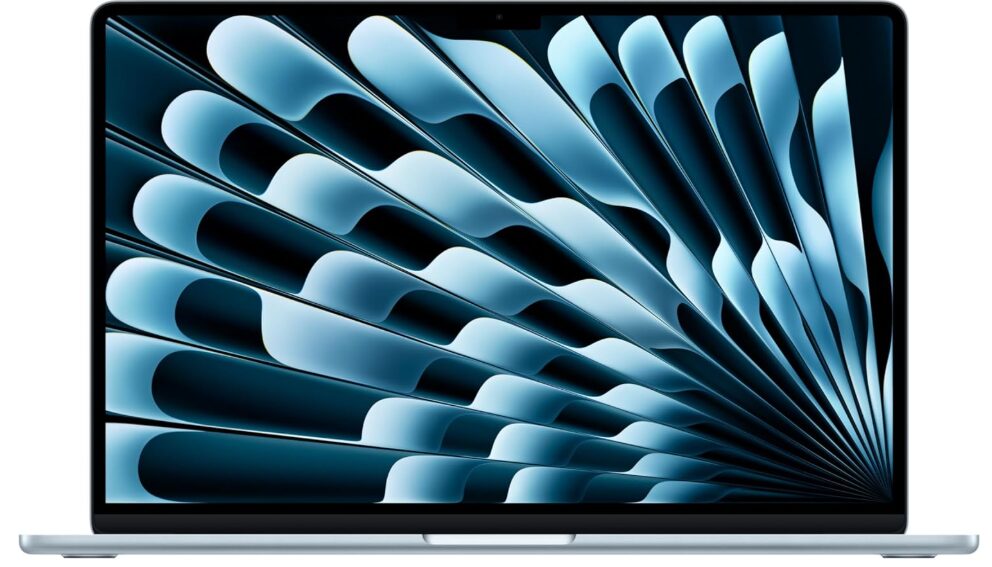
Photo editing in tools like Lightroom and Photoshop leans more on CPU and memory bandwidth than on raw GPU power, which is exactly where Apple Silicon’s integrated GPU and unified memory architecture perform well even without a dedicated graphics card. The MacBook Air handles 1080p and moderate 4K editing comfortably, batch photo processing without slowdown, and graphic design work with ease, all while staying silent thanks to its fanless design. Creators who occasionally dip into heavier 4K timelines or more demanding effects work will eventually feel the ceiling here, but for photography-first workflows, it remains one of the strongest value picks available.
Why this fits budget-conscious creators:
- Strong photo editing performance thanks to CPU power and unified memory, without needing a discrete GPU
- Fanless design stays completely silent during long editing sessions
- Starting price well below most dedicated creator laptops
- Handles 1080p and moderate 4K video editing without issue
- Excellent battery life for creators working on location or while traveling
Which Laptop Is Best for Heavy Video Editing, 3D, and VFX Work?
The Razer Blade 16 leads for heavy video editing, 3D rendering, and VFX work among laptops built for this specifically, thanks to its higher-wattage discrete GPU configuration and cooling system designed for sustained, demanding workloads rather than short bursts. This is the category where raw GPU horsepower and thermal headroom matter most.
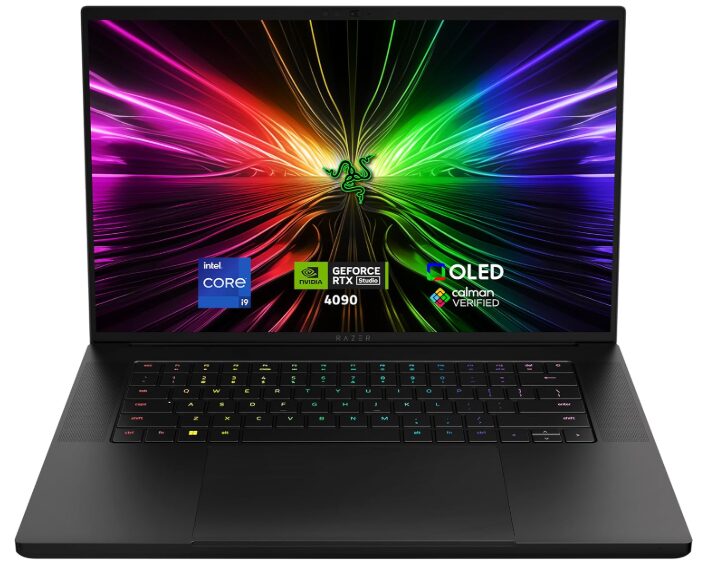
VFX and 3D rendering workloads run a GPU at full load for extended periods, often far longer than typical video editing or photo work, which makes sustained cooling performance just as important as the GPU spec itself. The Blade 16’s chassis, originally built around gaming-grade thermal design, carries that advantage directly into creative rendering work, where throttling under load can add real time to a render queue. For creators whose workflows genuinely need this level of sustained GPU performance, whether that’s complex 3D scenes, heavy visual effects compositing, or AI-assisted video generation tools, this category of laptop is worth the higher price and larger chassis.
What sets this category apart:
- Higher sustained GPU power delivery, built for extended rendering sessions rather than short bursts
- Gaming-grade cooling systems that resist throttling under continuous heavy load
- Larger, higher-resolution displays suited to detailed VFX and 3D work
- Generally heavier and less portable than photo or general video editing laptops, a real trade-off for this level of performance
Also read: Best Laptops for AI Video Generation in 2026: Top Picks Tested
How Much RAM and Storage Do Content Creators Actually Need?
Most content creators should aim for at least 32GB of RAM and 1TB of storage, with video editors and 3D artists benefiting from 64GB or more if their budget allows. Storage needs scale quickly once 4K or RAW footage enters the picture, so buying more than feels necessary upfront usually pays off.
Sixteen gigabytes of RAM is workable for light photo editing and basic graphic design, but it becomes a bottleneck quickly once multiple large files, browser tabs, and creative applications run simultaneously, which is the normal state of most real editing sessions. Thirty-two gigabytes handles the bulk of photo editing, 1080p to moderate 4K video editing, and general creative multitasking comfortably. Storage fills up fast with creative work specifically: a single hour of 4K footage can run into tens of gigabytes, and RAW photo libraries grow continuously, which is why 1TB should be treated as a starting point rather than a ceiling for anyone working regularly with video or large photo libraries.
RAM and storage guidance by workload:
- Light photo editing, graphic design: 16GB RAM, 512GB storage is workable but tight
- Moderate photo and video editing: 32GB RAM, 1TB storage is the comfortable standard
- Heavy 4K video editing, 3D work: 64GB RAM, 1TB to 2TB storage, often supplemented with external drives
- Anyone working with RAW photo libraries or long-form video archives: budget for external or cloud storage regardless of internal capacity
Also read: How Much VRAM Do You Need for AI Workloads in 2026?
What Mistakes Do People Make When Buying a Laptop for Content Creation?
The most common mistake is buying based on brand reputation alone rather than matching the laptop to the specific software and workflow being used, since a Mac-optimized tool may run very differently on Windows hardware built around CUDA, and vice versa. A second common mistake is underestimating RAM needs, since creative software tends to hold far more in memory at once than general productivity work does.
A third mistake is assuming a thin, fanless laptop can sustain heavy rendering workloads the same way an actively cooled chassis can, when extended 3D or VFX work specifically benefits from sustained cooling that lighter laptops are not built to provide. A fourth mistake is buying the base storage configuration and immediately running out of space once real 4K footage or RAW photo libraries accumulate, a problem that is often more expensive to fix after purchase than at checkout.
Mistakes to avoid:
- Choosing a laptop based on brand alone instead of matching it to your specific software’s GPU and platform requirements
- Underestimating RAM needs for real creative multitasking, not just a single application running alone
- Expecting a thin, fanless laptop to sustain heavy 3D or VFX rendering the way an actively cooled chassis can
- Buying the base storage tier and running out of space once real project files accumulate
- Skipping display color accuracy specs, which matter directly for anyone delivering finished photo or video work
Also read: Best Laptops for AI Workloads in 2026: Top Picks Tested
FAQ
Both are strong choices, and the decision usually comes down to software compatibility and workflow. MacBooks lead in color-accurate displays and battery life, while Windows laptops with discrete NVIDIA GPUs often lead for CUDA-dependent tools and heavier 3D or VFX work.
Not always. Light to moderate video editing runs well on Apple Silicon’s integrated GPU or a modest Windows GPU, but heavy 4K timelines, color grading, and 3D or VFX work benefit significantly from a dedicated GPU with real VRAM.
32GB is the comfortable standard for most editing work, while 64GB benefits anyone working with multiple 4K streams, heavy effects stacks, or large 3D scenes alongside their editing software.
Yes, for most photo editing workflows, including batch processing in Lightroom and detailed retouching in Photoshop. It becomes less ideal for creators who also do heavy 4K video work regularly.
Laptops built with sustained cooling and higher-wattage discrete GPUs, such as the Razer Blade 16, handle extended rendering workloads better than thinner, lighter laptops built primarily for portability.
1TB is a reasonable baseline, though anyone working regularly with 4K footage or large RAW photo libraries should plan for 2TB internal storage or rely on external and cloud storage to supplement it.
Yes, particularly for video editing and photo work, since OLED panels typically offer wider color gamut coverage and deeper contrast than standard IPS displays, both of which matter for accurate creative work.
Final words
The best laptop for content creation depends on your specific workflow more than any single spec sheet. The MacBook Pro 14 or 16 with M5 Pro leads for most creators thanks to its display and battery life, while Windows laptops like the ASUS ProArt P16 or Razer Blade 16 make more sense for CUDA-dependent or GPU-heavy 3D and VFX work.
Start by identifying which software you actually use daily, then match RAM and GPU specs to that workflow rather than buying the most powerful laptop available. If your budget is tight and your work leans toward photography, the MacBook Air 15 remains a genuinely strong choice.
Learn more about how to choose an AI laptop: RAM, VRAM, GPU, NPU, and CPU →