
Last Updated on September 27, 2026 by Spencer Lee
Fine-tuning a 7B model on a laptop is genuinely possible in 2026 using QLoRA with Unsloth, and the hardware bar is lower than most developers expect. The minimum viable setup is a laptop with 8GB of GPU VRAM (NVIDIA) or 32GB of unified memory (Apple Silicon). Full fine-tuning on a laptop is not viable — it requires 60 to 80GB of VRAM minimum for a 7B model alone. QLoRA compresses that requirement to 8 to 10GB by loading the base model in 4-bit precision and training only small adapter layers. For Apple Silicon users, expect training times 3 to 5 times slower than a comparable NVIDIA GPU, but QLoRA via MLX-LM and Unsloth MPS works.
Why Fine-Tuning on a Laptop Is Different from Inference?
Inference and fine-tuning have completely different VRAM profiles, and confusing the two is the most common mistake developers make when planning a local fine-tuning setup. A 7B model at Q4_K_M quantization requires roughly 4 to 5GB of VRAM to run for inference. Fine-tuning that same model requires 4 to 6 times more memory because the GPU must simultaneously hold the model weights, gradients, optimizer states, and activations during each training step.
🖥️Also read: Local AI vs Cloud AI: Which Should You Use in 2026?
According to CraftRigs’ 2026 fine-tuning guide, full fine-tuning of a 7B model in FP16 requires 60 to 70GB of VRAM at minimum, which exceeds what two RTX 4090s combined can provide. Even with mixed-precision training and gradient checkpointing, full fine-tuning of 7B models requires more than 40GB of VRAM. Consumer laptop hardware cannot do this. QLoRA was invented precisely to solve this problem: it loads the base model in 4-bit quantization (frozen) and trains only small LoRA adapter layers in FP16, reducing the total VRAM requirement to a range consumer laptops can actually handle.
What Is QLoRA and Why Is It the Only Viable Method on a Laptop?
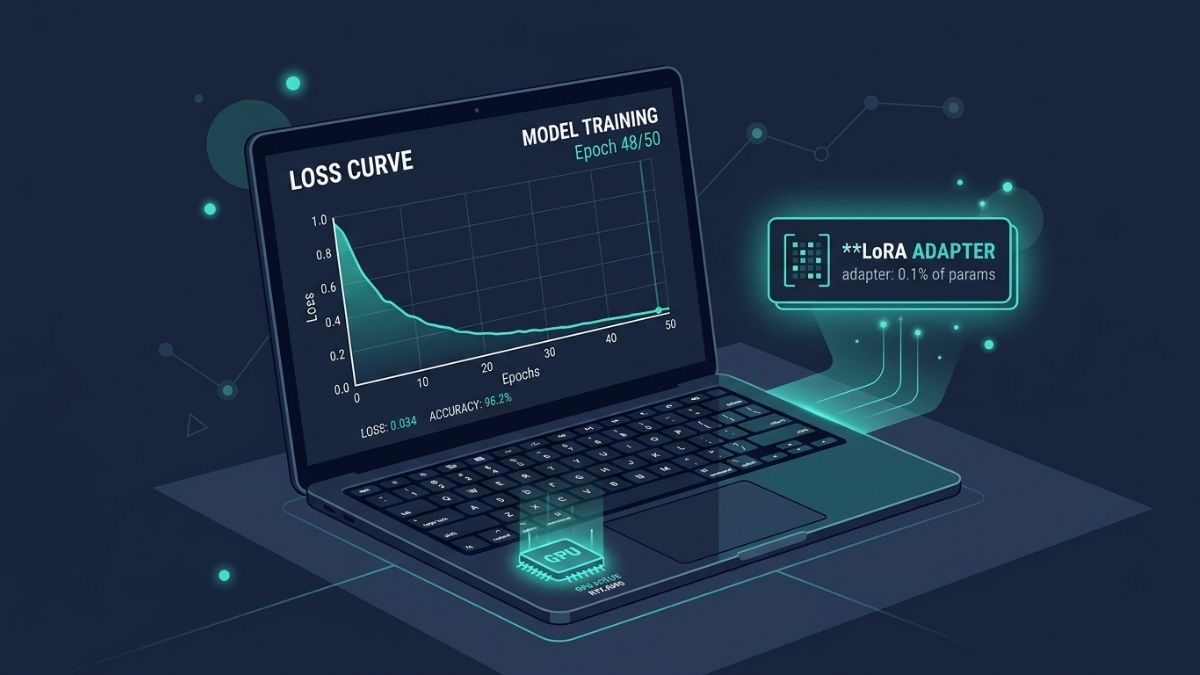
QLoRA (Quantized Low-Rank Adaptation) combines two techniques: 4-bit NormalFloat (NF4) quantization of the base model weights, and Low-Rank Adaptation (LoRA) of a small set of trainable parameters injected into the model’s attention layers. The base model is frozen in 4-bit and never updated. Only the LoRA adapter layers, which represent approximately 0.1 to 1% of the total parameter count, are trained at FP16 precision. This means the optimizer states, gradients, and activations that would consume tens of gigabytes in full fine-tuning are only computed for the tiny adapter, not the full model.
According to Red Hat Developer’s April 2026 documentation, Unsloth’s QLoRA implementation requires approximately 70% less VRAM than full fine-tuning and trains roughly 2 times faster than standard PEFT QLoRA implementations through custom CUDA kernel optimizations. In practice, Unsloth QLoRA uses approximately 30 to 50% less VRAM than standard PEFT QLoRA for the same configuration. For a consumer laptop GPU user, that VRAM savings is often the difference between fitting a training run and not. The quality tradeoff compared to full fine-tuning is minimal for domain adaptation tasks: PEFT methods retain 90 to 95% of full fine-tuning quality on most benchmarks according to Introl’s fine-tuning infrastructure guide.
What Are the Minimum Hardware Requirements for Fine-Tuning on a Laptop?
The minimum for NVIDIA-based laptops is 8GB of VRAM, which handles QLoRA fine-tuning of 7B models according to the 2026 LoRA/QLoRA guide published on DEV Community. This is the practical floor, not a comfortable configuration: at 8GB, you need gradient checkpointing enabled, a batch size of 1, and sequence lengths kept short (under 1024 tokens) to avoid out-of-memory errors during training. A 12GB VRAM laptop gives significantly more headroom for larger batch sizes and longer sequences, and 16GB is where 7B fine-tuning becomes reliably comfortable without configuration compromises.
For Apple Silicon laptops, the minimum is 32GB of unified memory. Unsloth supports the Apple MPS backend, and llama.cpp with MLX handles QLoRA training on Apple Silicon. Expect 3 to 5 times slower training than a comparable NVIDIA GPU: a 7B model fine-tune that takes 3 hours on an RTX 4090 takes 10 to 15 hours on an M3 Max. The M4 Pro and M5 MacBook Pros at 48GB unified memory handle 7B and 13B QLoRA fine-tuning well, with the larger memory capacity providing comfortable headroom for longer sequences and larger batch sizes that the base M5 Air at 32GB cannot always accommodate.
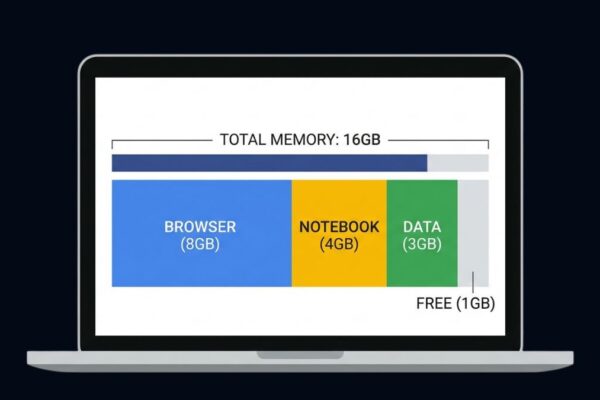
System RAM requirements for fine-tuning are higher than for inference. For a 7B QLoRA run, 32GB of system RAM is the practical minimum: the dataset, tokenized batches, and Python environment collectively consume significant memory outside of VRAM. Storage requirements are also worth planning: the full 16-bit base model must be downloaded before converting to 4-bit for QLoRA, meaning a 7B fine-tune requires approximately 15 to 20GB of free disk space for the model files alone, plus additional space for your dataset and adapter checkpoints.
Hardware requirements summary for QLoRA fine-tuning on a laptop:
- Minimum NVIDIA VRAM: 8GB (7B models, tight configuration)
- Recommended NVIDIA VRAM: 12-16GB (7B comfortably, some 13B models)
- Apple Silicon minimum: 32GB unified memory
- System RAM: 32GB minimum, 64GB preferred for longer training runs
- Storage: 50GB+ free NVMe SSD space recommended
- Thermal: Active cooling strongly recommended; fanless laptops will throttle
Which Laptop Specs Support Which Model Sizes for Fine-Tuning?
The relationship between VRAM and fine-tunable model size with QLoRA and Unsloth follows a predictable pattern. An 8GB VRAM laptop handles 7B models at QLoRA with tight settings. A 12GB VRAM laptop handles 7B models comfortably and some 8B models. A 16GB VRAM laptop handles 7B and most 8B models well, and stretches to some 13B models with gradient checkpointing. A 24GB VRAM laptop (such as the ASUS ROG Zephyrus G16 with RTX 5080) handles 13B models comfortably and can fine-tune Mixture-of-Experts models like Qwen3-30B-A3B, which according to Unsloth’s official documentation fits in just 17.5GB of VRAM with their implementation due to MoE architecture efficiency.
Apple Silicon configurations follow a different scale. A 32GB M5 MacBook Air or MacBook Pro handles 7B QLoRA fine-tuning. A 48GB M5 Pro MacBook Pro handles 13B models comfortably. A 64GB M5 Max handles up to 34B models with QLoRA, offering more headroom than any consumer laptop NVIDIA GPU configuration can match in pure memory terms, though at training speeds that are 3 to 5 times slower per step than an equivalent NVIDIA setup.
For model sizes above 13B on a laptop, the configuration requirements become increasingly restrictive. Batch size must be reduced to 1, sequence lengths must be shortened, and gradient checkpointing is mandatory. For 34B models, even with Unsloth, a single 24GB consumer GPU struggles: you need aggressive gradient checkpointing, batch size 1, and short sequence lengths, which dramatically slows training. For 34B and above, cloud infrastructure is the more practical choice.
🖥️Also read: Apple MacBook Air M5 (2026) Review: Best Laptop for AI?
What Tools Should You Use for Fine-Tuning on a Laptop?
Unsloth is the recommended tool for consumer laptop fine-tuning in 2026. It provides custom CUDA kernel optimizations for NVIDIA GPUs and MPS backend support for Apple Silicon, reducing VRAM requirements by 30 to 50% compared to standard PEFT/QLoRA implementations while training approximately 2 times faster. The library installs via pip and integrates directly with Hugging Face models. Its Colab notebooks are the fastest way to validate your dataset and hyperparameters before committing to a long local training run.
Axolotl is the alternative for developers who prefer YAML-configured pipelines over Python scripts. It supports the widest range of training objectives including LoRA, QLoRA, DPO, GRPO, and ORPO, and versions v0.28.0 and v0.29.0 shipped in February 2026 with active community support. Axolotl is better suited for reproducible, version-controlled training pipelines where configuration files need to be shared across a team. For solo developers running local experiments on consumer hardware, Unsloth is simpler to start with.
After training, the LoRA adapter is a small set of files, typically 100 to 400MB for a 7B fine-tune. It can be merged into the base model weights and exported to GGUF format for deployment with Ollama or llama.cpp, or kept separate and loaded on top of the quantized base at inference time. The merged and quantized approach is generally simpler for local single-user deployment and makes the fine-tuned model compatible with any GGUF-compatible inference tool without additional adapter loading configuration.
What Are the Most Common Fine-Tuning Mistakes on Consumer Hardware?
The most frequent mistake is attempting fine-tuning without gradient checkpointing enabled on a constrained GPU. Gradient checkpointing trades computation time for memory by recomputing activations during the backward pass rather than storing them all in VRAM simultaneously. On an 8GB GPU, disabling it will cause an out-of-memory error during the first training step. Unsloth’s use_gradient_checkpointing="unsloth" parameter enables their optimized implementation, which recomputes less than standard gradient checkpointing and reduces the speed penalty.
The second mistake is using too large a dataset without filtering for quality. According to the 2026 DEV Community LoRA guide, 500 clean, well-formatted examples outperform 5,000 noisy ones for most domain adaptation tasks. More data is not always better: low-quality examples introduce noise, and training on a large noisy dataset for multiple epochs is one of the primary causes of catastrophic forgetting, where the model loses general capabilities in exchange for narrow domain performance.
The third mistake is not evaluating the model after fine-tuning. A fine-tune that lowers training loss is not necessarily a better model. Monitoring MMLU scores or equivalent general capability benchmarks before and after training ensures you are adapting the model to your domain without degrading its broader reasoning ability. The safest hyperparameters for a first fine-tune are 1 to 3 epochs, learning rate between 1e-4 and 2e-4, rank 16, and gradient checkpointing enabled.
Frequently Asked Questions
Yes, with QLoRA and Unsloth. You will need gradient checkpointing enabled, batch size 1, and sequence lengths under 1024 tokens. It works but leaves little margin for error. A 12GB VRAM laptop is significantly more comfortable for the same task.
The 32GB configuration can fine-tune 7B models via QLoRA with Unsloth’s MPS backend or MLX-LM. Expect training to take 3 to 5 times longer than on an equivalent NVIDIA GPU. The fanless design will also thermal throttle during multi-hour training runs; the MacBook Pro with active cooling is better suited for sustained fine-tuning.
On an RTX 4090 laptop with a dataset of 500 to 1,000 examples, a 7B QLoRA fine-tune completes in 1 to 3 hours. On Apple Silicon (M4 Max), expect 10 to 15 hours for the same run. On an 8GB VRAM consumer laptop, significantly longer due to forced batch size 1 and gradient checkpointing overhead.
LoRA trains adapter layers on top of a full-precision (FP16) base model. QLoRA does the same but loads the base model in 4-bit quantization first, reducing base model VRAM from roughly 14GB to roughly 4GB for a 7B model. For laptop fine-tuning, QLoRA is almost always the correct choice because LoRA without quantization exceeds available VRAM on most consumer GPUs.
Plan for 50GB of free NVMe storage: approximately 15GB for the full 16-bit base model download, space for your dataset and tokenized version, plus adapter checkpoints saved during training.
Yes. Merge the LoRA adapter into the base model weights using Unsloth’s export function, convert to GGUF format using llama.cpp’s conversion script, and import the resulting file into Ollama with a Modelfile. The merged and quantized model works in any GGUF-compatible inference tool.
Final words
Fine-tuning a 7B model on a laptop is practical in 2026 with the right tools and realistic expectations. QLoRA with Unsloth has made what previously required a data center feasible on consumer hardware, and 8GB of VRAM is the floor that makes it possible. The process is not fast on laptop hardware, and fanless machines will throttle under multi-hour training runs, but for domain adaptation on a dataset of a few hundred quality examples, a consumer laptop with adequate VRAM produces a useful, deployable fine-tuned model.
Know your VRAM before you start, enable gradient checkpointing, keep your dataset clean, and evaluate your model against a baseline before calling the fine-tune complete.
Learn more about how much VRAM you need for AI workloads in 2026 →