
Last Updated on October 11, 2026 by Spencer Lee
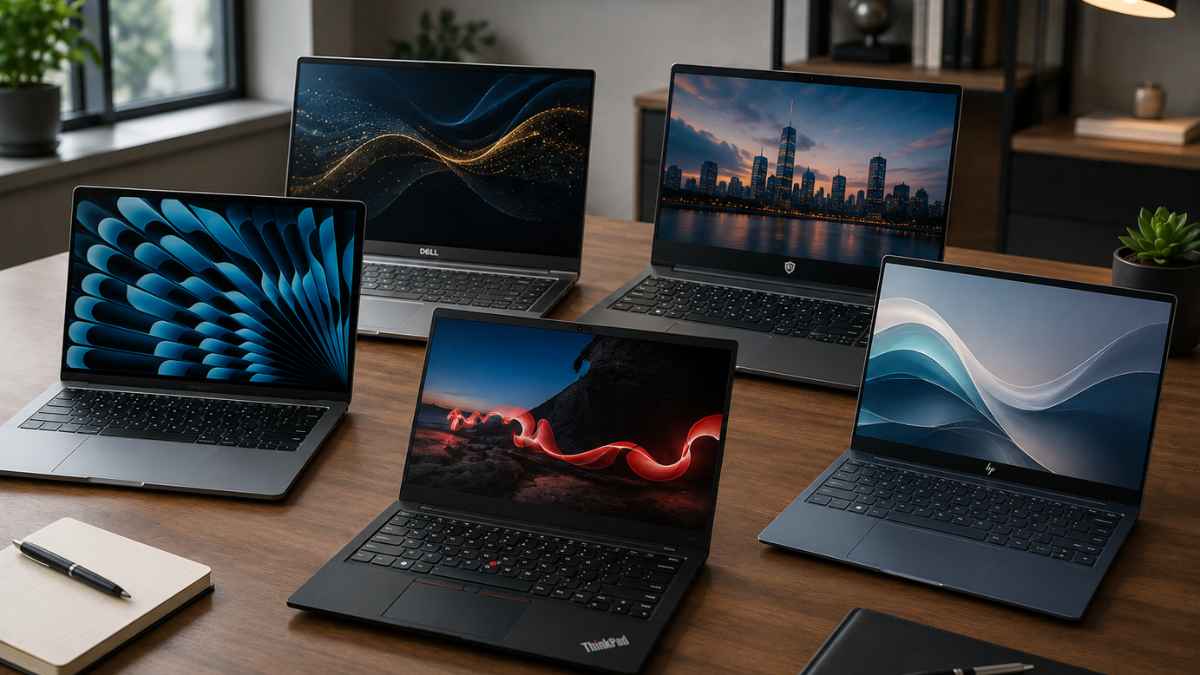
The best business laptop in 2026 is the MacBook Air M5 for most professionals: 18-hour real-world battery, silent fanless operation, Wi-Fi 7, and enough performance for every standard business workflow. For Windows, the Lenovo ThinkPad X1 Carbon Gen 14 sets the enterprise standard with a new Space Frame chassis, near-24-hour battery, and Wi-Fi 7.
The Dell Pro 7 14 Intel earns the highest PCMark 10 productivity score of any business laptop tested in 2026 at 8,438, with 26 hours of battery and full vPro manageability at 2.80 lbs.
For the lightest Windows business laptop with the best display, the ASUS ExpertBook Ultra B9406 weighs just 2.18 lbs, delivers 20-plus hours of battery, and packs a Tandem OLED panel into a MIL-STD-810H certified chassis.
For large fleet deployments, the Lenovo ThinkPad T14 Gen 7 AMD is the serviceability-first choice. Every pick on this list ships with Windows 11 Pro or macOS, includes at least 16GB RAM, and is available on Amazon.
Best Business Laptops at a Glance
| Laptop | Best For | Standout Spec | Battery Life |
|---|---|---|---|
| MacBook Air M5 | Best overall for most professionals | Silent, 18-hr battery, Wi-Fi 7 | Up to 18 hours |
| Lenovo ThinkPad X1 Carbon Gen 14 | Best Windows ultraportable | Near-24-hr battery, Wi-Fi 7, Space Frame | Up to 23.9 hours |
| Dell Pro 7 14 Intel | Best productivity score | PCMark 10: 8,438, 26-hr battery | Up to 26.3 hours |
| HP EliteBook X G1a | Best AMD business laptop | Ryzen AI 9 HX Pro, best multi-core | 10-11 hours |
| MacBook Pro M5 | Best for power users and creatives | Sustained performance, ProMotion XDR | Up to 24 hours |
| Dell Pro 14 Premium | Best executive laptop | Tandem OLED, vPro, 2.52 lbs | Up to 13.9 hours |
| ASUS ExpertBook Ultra B9406 | Best ultralight business laptop | 2.18 lbs, Tandem OLED, 20+ hours battery | 20+ hours |
| Lenovo ThinkPad T14 | Best for fleet deployment | iFixit 9/10 repairability, upgradeable RAM | Up to 14 hours |
| Lenovo ThinkPad E16 Gen 3 | Best mid-range business | 16-inch display, Core Ultra 7, value | Up to 12 hours |
| Lenovo V15 Gen 4 | Best budget business laptop | Solid build, Windows 11 Pro, value | Up to 8 hours |
Why Business Laptop Buying Is Different in 2026
The business laptop market has split into three distinct tiers in 2026, and buying from the wrong one wastes either money or productivity. The premium tier covers executives, road warriors, and professionals who need long battery life, light chassis, and enterprise security features like vPro, TPM 2.0, and physical webcam shutters. The mid-range tier covers knowledge workers and SMB teams who need capable, reliable machines at manageable per-seat costs. The budget tier covers light workloads, student professionals, and small businesses equipping multiple seats without deep capital budgets.
Minimum specifications for business laptops in 2026 are 16GB RAM, 256GB SSD (512GB recommended), and a 40-plus TOPS NPU if Copilot+ certification matters for your workflow. Wi-Fi 7 is increasingly standard in 2026 flagships but not yet a universal requirement. Wi-Fi 6E remains adequate for most offices. Security requirements and fleet manageability differ significantly between individual buyers and IT-managed organizations. Individual professionals can prioritize performance and battery life freely. IT directors deploying 50 or more seats should shortlist only machines with vPro, SmartCard slot options, WWAN capability, and commercial warranty terms.
1. MacBook Air M5: Best Overall Business Laptop
Key features:
- Chip: Apple M5
- RAM: 16GB, 24GB, or 32GB unified memory
- Storage: 512GB to 4TB SSD
- Display: 13.6-inch or 15.3-inch Liquid Retina, 500 nits
- Battery: Up to 18 hours
- Weight: 2.7 lbs (13-inch), 3.3 lbs (15-inch)
- Wi-Fi: Wi-Fi 7
- OS: macOS
| Pros | Cons |
|---|---|
| ✅Best battery life in its weight class ✅completely silent ✅Wi-Fi 7 ✅outstanding trackpad ✅512GB base storage | ❌Only 2 Thunderbolt ports ❌no vPro or enterprise IT management ❌throttles under sustained heavy workloads |
Why I MacBook Air M5:
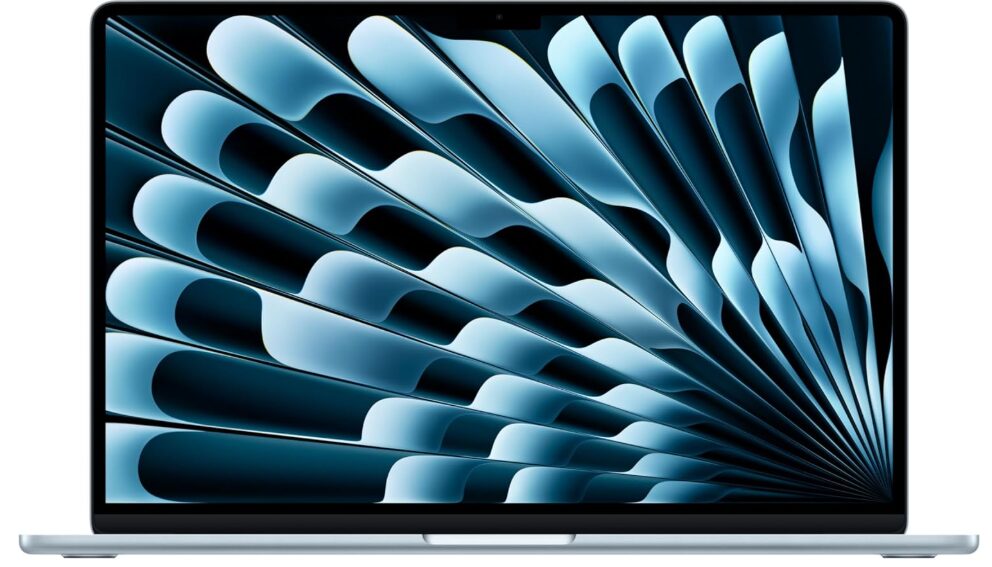
The MacBook Air M5 is the best business laptop in 2026 for the majority of professionals. With the Apple M5 chip, 16GB of unified memory, and up to 18 hours of real-world battery life, it handles every standard business workload without ever needing to plug in during a full workday. The fanless design keeps it silent in meetings and open offices where fan noise draws unwanted attention. The M5 chip’s memory bandwidth jumps 28% over the M4 at 153 GB/s, and Wi-Fi 7 delivers meaningfully lower latency on compatible office networks.
The 15-inch model earns the top spot for most business professionals because the larger display reduces dependence on external monitors in hotels, airports, and coworking spaces. The 13-inch model is the pick for road warriors who prioritize carrying weight above all else at 2.7 lbs.
The important caveat for enterprise buyers: the MacBook Air has no vPro support, no SmartCard slot, and no WWAN option. For organizations with Windows-centric IT infrastructure, MDM requirements, or security policies requiring these features, the ThinkPad X1 Carbon Gen 14 is the correct choice. Read our MacBook Air M5 Review
Best for: Freelancers, consultants, creative professionals, executives who use macOS, and any professional prioritizing battery life and silent operation.
2. Lenovo ThinkPad X1 Carbon Gen 14: Best Windows Ultraportable
Key features:
- Processor: Intel Core Ultra 5 or Core Ultra 7 (Panther Lake)
- RAM: 32GB LPDDR5x
- Storage: 512GB to 2TB SSD
- Display: 14-inch IPS or OLED options
- Battery: Up to 23.9 hours
- Weight: From 2.2 lbs
- Wi-Fi: Wi-Fi 7
- OS: Windows 11 Pro
| Pros | Cons |
|---|---|
| ✅Near-24-hour battery ✅Wi-Fi 7 ✅Space Frame repairability (iFixit 9/10) ✅best-in-class keyboard ✅vPro support | ❌Premium pricing ❌Panther Lake GPU performance below Blackwell discrete options, ❌touch and OLED configs weigh more |
Why I love Lenovo ThinkPad X1 Carbon Gen 14:
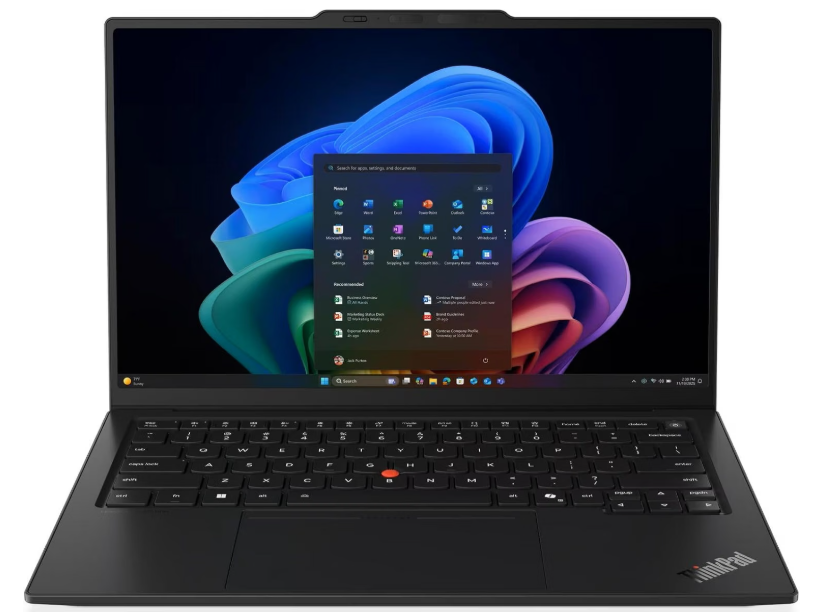
The ThinkPad X1 Carbon is Lenovo’s business flagship and the new Gen 14 model gets a new chassis as well as Intel’s new Panther Lake mobile processors. The Lenovo ThinkPad X1 Carbon Gen 14 sets a new enterprise standard with Space Frame repairability, earning a 9/10 iFixit score. It is now shipping in the US as of May 2026; the Gen 13 is the recommended in-stock alternative at a lower price point.
The keyboard remains the definitive typing experience in the Windows laptop market. Three Thunderbolt 4 ports, a right-side USB-A port for legacy peripherals, and HDMI 2.1 cover professional connectivity without dongles. Lenovo uses a modern Wi-Fi 7 module from Intel and the transfer rates in combination with a corresponding Wi-Fi 7 router are excellent at more than 3 to 4 Gbps. For organizations using Lenovo’s ThinkShield security ecosystem, the Gen 14 integrates fully with existing fleet management infrastructure.
The important qualification is that “X1 Carbon” does not guarantee one fixed weight or display. Touch and OLED configurations can weigh more than the lightest non-touch version and may consume power differently. Check the exact Lenovo part number rather than relying on a retailer’s generic model name.
Best for: Business professionals who type constantly, enterprise IT environments, road warriors who need the best Windows keyboard and maximum battery life. Read our Lenovo ThinkPad X1 Carbon Gen 14 review for more details.
3. Dell Pro 7 14 Intel: Best for Productivity and Battery
Key features:
- Processor: Intel Core Ultra 7 (vPro)
- RAM: 16GB to 64GB
- Storage: 512GB to 2TB SSD
- Display: 14-inch FHD+ or QHD+
- Battery: Up to 26.3 hours
- Weight: 2.80 lbs
- Wi-Fi: Wi-Fi 7
- OS: Windows 11 Pro
| Pros | Cons |
|---|---|
| ✅Highest PCMark 10 score of any business laptop tested (8,438) ✅longest battery life in class ✅full vPro and SafeBIOS stack ✅2.80 lbs | ❌Display options below the OLED tier found on ThinkPad X1 Carbon and Dell Pro 14 Premium |
Why I love Dell Pro 7:
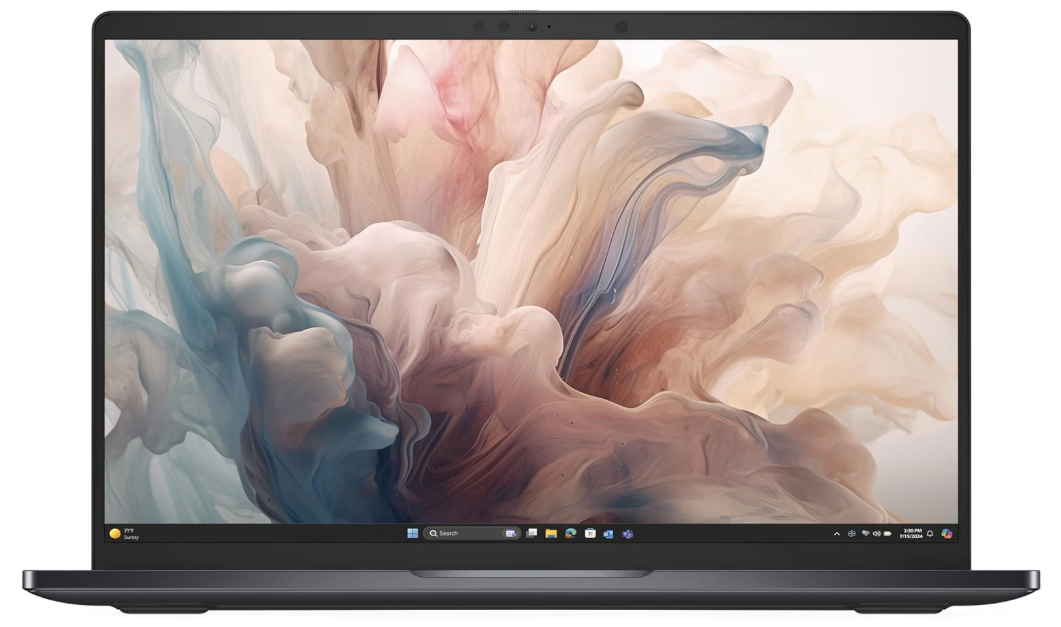
The Dell Pro 7 14 Intel is the best overall pick among lab-tested business laptops in 2026: the highest PCMark 10 score measured in a business laptop at 8,438, 26 hours 18 minutes of battery, and a full vPro and SafeBIOS manageability stack at 2.80 pounds. For IT departments that evaluate laptops on productivity benchmarks and battery endurance above display premium, the Dell Pro 7 14 Intel is the quantifiably strongest option in its class.
Dell rebranded its commercial laptop lineup from Latitude to Pro in 2025, and the Pro 7 14 sits at the top of the standard commercial range. The full vPro stack (Intel vPro Enterprise, SafeBIOS, and Dell’s BIOS verification tools) meets the security baseline for most enterprise IT policies. SafeBIOS protection specifically addresses firmware-level attacks that other business laptops in this tier do not address at the hardware level.
Best for: Enterprise IT buyers, procurement teams evaluating on benchmark performance and fleet manageability, and professionals who need maximum battery endurance from a Windows machine.
4. HP EliteBook X G1a: Best AMD Business Laptop
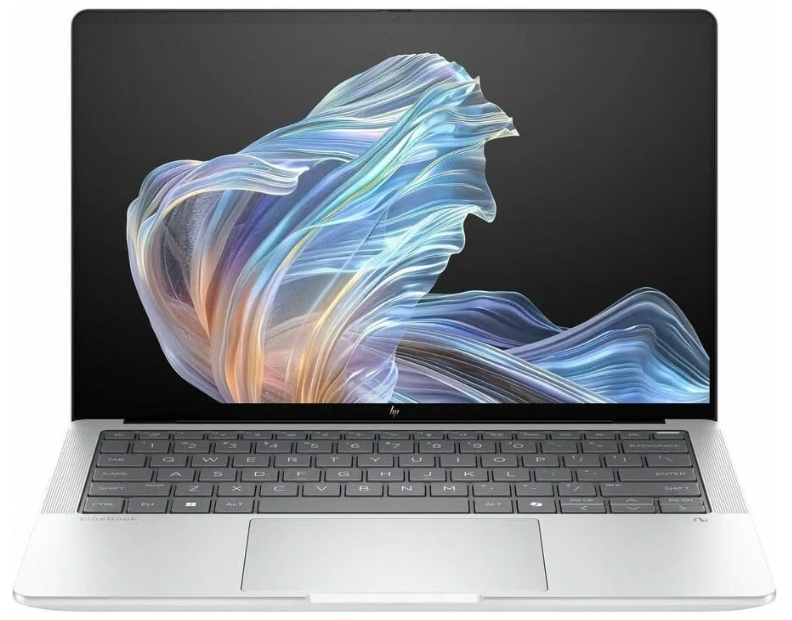
Key features:
- Processor: AMD Ryzen AI 9 HX Pro 375
- RAM: 32GB to 64GB DDR5
- Storage: 1TB to 2TB SSD
- Display: 14-inch 2880×1800 OLED touch or 1920×1200 IPS
- Battery: 10-11 hours
- Weight: 3.3 lbs
- Wi-Fi: Wi-Fi 7
- OS: Windows 11 Pro
| Pros | Cons |
|---|---|
| ✅Strongest multi-core CPU ✅performance in class ✅best OLED display option ✅55 TOPS NPU for Copilot+ ✅64GB RAM available | ❌Shorter battery than Intel and ARM rivals ❌heavier at 3.3 lbs |
Why I love HP EliteBook X G1a:
The HP EliteBook X G1a is the strongest 14-inch AMD machine in this class: its Ryzen AI 9 HX 375 posted a Cinebench R23 multi-core of 21,013, the best multi-core number in this field, alongside a 55 TOPS NPU and 64GB of memory. The 2880×1800 OLED touch display is the nicest panel in the field. For business professionals whose workflows involve sustained CPU-intensive tasks including data analysis, local AI inference, complex modeling, and development, the AMD Ryzen AI 9 HX Pro outperforms any Intel Lunar Lake option in this list on raw multi-core throughput.
The tradeoff is battery life. Battery lands mid-pack at 10 hours 48 minutes, the tradeoff for that OLED and sustained CPU headroom. HP Wolf Pro Security Edition and full Windows Hello biometrics cover enterprise security requirements. For organizations already standardized on HP’s management tools, the EliteBook X G1a integrates natively with HP Wolf Enterprise Security and HP Sure Start firmware protection.
Best for: Data analysts, developers, and power users who need sustained CPU performance, Copilot+ AI features, and are willing to trade battery longevity for raw compute.
5. Apple MacBook Pro M5: Best for Business Power Users and Creatives
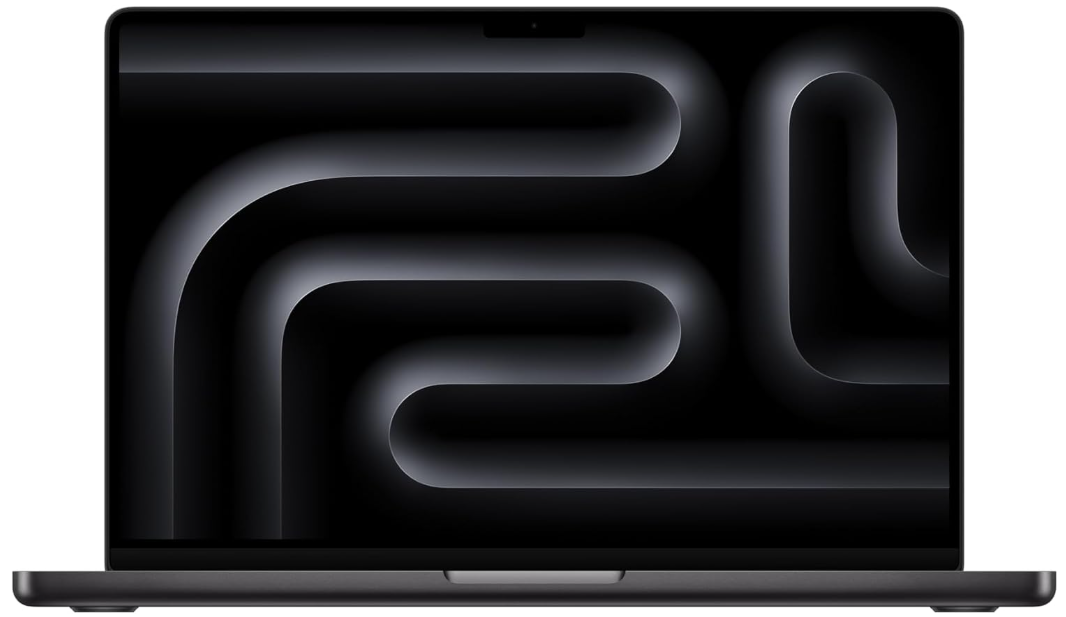
Key features:
- Chip: Apple M5 (or M5 Pro, M5 Max)
- RAM: 16GB to 128GB unified memory
- Storage: 512GB to 8TB SSD
- Display: 14.2-inch or 16.2-inch Liquid Retina XDR, 120Hz ProMotion, 1000 nits
- Battery: Up to 24 hours
- Weight: 3.4 lbs (14-inch), 4.7 lbs (16-inch)
- Wi-Fi: Wi-Fi 6E (base M5), Wi-Fi 7 (M5 Pro and above)
- OS: macOS
| Pros | Cons |
|---|---|
| ✅Sustained performance without ✅thermal throttling ✅best-in-class XDR display ✅up to 24-hour battery ✅extensive ports including HDMI and SDXC | ❌Higher price than the Air, heavier, base M5 uses Wi-Fi 6E not Wi-Fi 7 ❌no vPro |
Why I love Apple MacBook Pro M5:
The MacBook Pro M5 is for business professionals whose daily work genuinely pushes hardware beyond what the MacBook Air can sustain. Active cooling maintains full chip performance through multi-hour video editing sessions, complex Xcode builds, heavy Final Cut Pro timelines, and any other workload that would cause the fanless Air to throttle after 15 minutes. The Liquid Retina XDR display at 1000 nits sustained brightness is significantly better than the Air for all-day creative sessions.
For executives and professionals who configure with M5 Pro or M5 Max, unified memory scales to 64GB or 128GB respectively, making the MacBook Pro the only laptop on this list capable of running 70B parameter local AI models. For standard business workflows, the base M5 configuration is more than sufficient, and the active cooling advantage over the Air only matters for heavy sustained workloads.
Best for: Creative professionals, engineers, developers running heavy local workloads, and executives who need the best display quality and sustained performance in a macOS environment.
6. Dell Pro 14 Premium: Best Executive Business Laptop
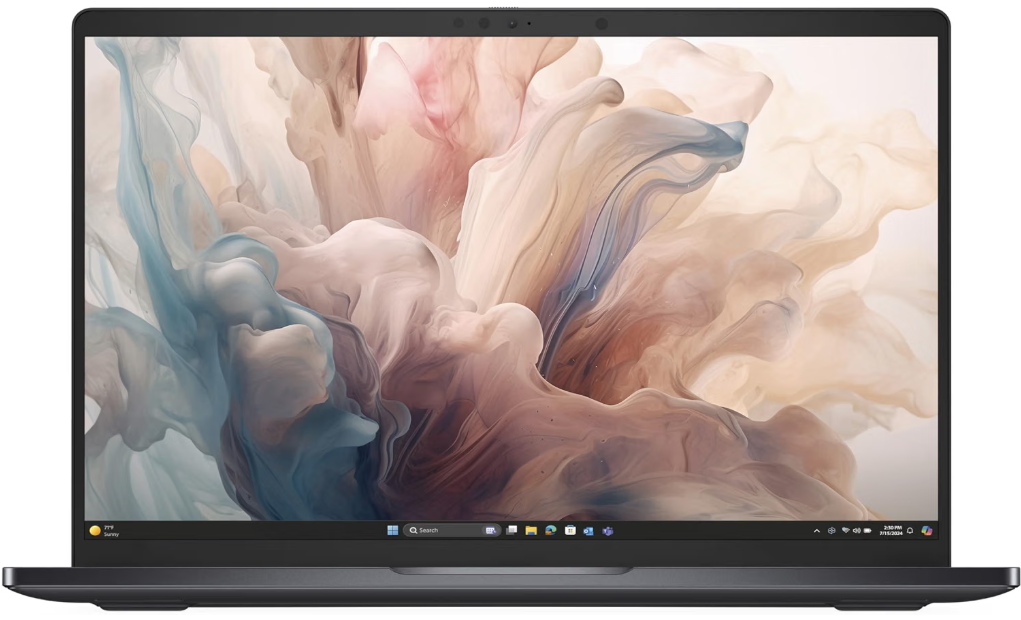
Key features:
- Processor: Intel Core Ultra 7 268V
- RAM: 16GB to 64GB
- Storage: 512GB to 2TB SSD
- Display: 14.5-inch Tandem OLED QHD+, or FHD+ IPS
- Battery: Up to 13.9 hours
- Weight: From 2.52 lbs
- Wi-Fi: Wi-Fi 7
- OS: Windows 11 Pro
| Pros | Cons |
|---|---|
| ✅Exceptional Tandem OLED display ✅lightest configuration at 2.52 lbs ✅vPro Enterprise ✅polished executive design | ❌Battery below the ThinkPad X1 Carbon Gen 14 ❌Lunar Lake favors efficiency over sustained grunt |
Why I love Dell Pro 14 Premium:
The Dell Pro 14 Premium is the boardroom pick: 2.52 pounds in its lightest configuration, a Tandem OLED QHD+ display, and enough performance to stay out of the way, with a PCMark 10 overall of 7,175 and 13 hours 55 minutes of battery. Lunar Lake’s Core Ultra 7 268V favors responsiveness and efficiency over sustained grunt, which matches how executive machines actually get used. vPro Enterprise support keeps it manageable in the fleet.
The Tandem OLED display is the premium differentiator here. Dell’s implementation delivers exceptional color accuracy, deep blacks, and brightness that makes the Pro 14 Premium the best display available in any 14-inch Windows business laptop. For executives who present from their laptop, join video calls from varying lighting conditions, or work with design assets and reports where visual precision matters, the display quality justifies the premium.
Best for: C-suite executives, senior business professionals, and anyone who presents frequently and wants the best display in a premium Windows ultraportable.
7. ASUS ExpertBook Ultra B9406: Best Ultralight Business Laptop
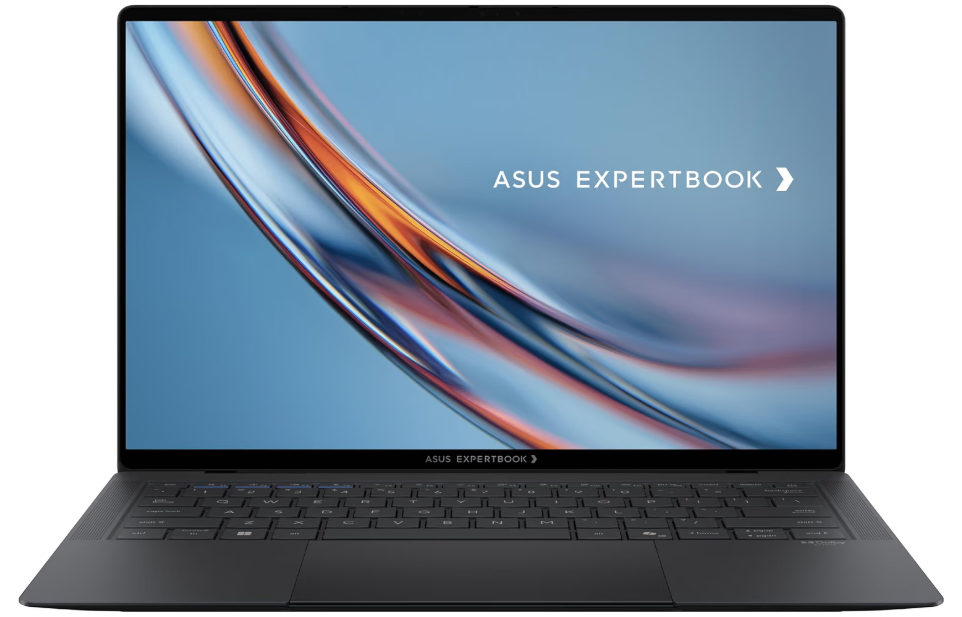
Key features:
- Processor: Intel Core Ultra X7 358H (Panther Lake), up to Core Ultra X9
- RAM: Up to 64GB LPDDR5x (soldered)
- Storage: Up to 2TB PCIe 5.0 NVMe SSD
- Display: 14-inch Tandem OLED, 2880×1800, 120Hz, 1400 nits HDR peak, 100% DCI-P3
- Battery: 70Wh, 20+ hours (productivity testing)
- Weight: 2.18 lbs (0.99 kg)
- Wi-Fi: Wi-Fi 7, Bluetooth 6.0
- OS: Windows 11 Pro
| Pros | Cons |
|---|---|
| ✅Lightest 14-inch business laptop at 2.18 lbs ✅best-in-class Tandem OLED ✅20+ hours battery ✅MIL-STD-810H certified ✅near-silent under office workloads | ❌RAM is soldered and cannot be upgraded ❌Intel Arc B390 integrated graphics only ❌higher price tier |
Why I love ASUS ExpertBook Ultra B9406:
The ASUS ExpertBook Ultra B9406 is the most impressive piece of business laptop engineering in 2026. At 0.99 kg and 10.9 mm thin, it is lighter than most tablets yet passes MIL-STD-810H testing across 24 procedures. The Ceraluminum chassis, a magnesium-aluminum construction with a nano liquid ceramic coating, resists fingerprints, scratches, and the rigors of daily travel without feeling fragile. Multiple reviewers have compared its rigidity to sheet steel despite the sub-kilogram weight.
The display is the other headline achievement. The 14-inch Tandem OLED panel at 2880×1800, 120Hz variable refresh, 1400 nits HDR peak brightness, and 100% DCI-P3 coverage is the best screen available on any business ultralight in 2026, and it is paired with a 70Wh battery that delivered over 20 hours in productivity-focused testing. For road warriors who want the longest battery life in the lightest chassis with the best display, no Windows laptop in this category matches it. The six-speaker Dolby Atmos system also stands out as unusually capable for a machine this thin.
The meaningful caveats are RAM and GPU. Up to 64GB LPDDR5x is generous, but it is soldered and cannot be upgraded post-purchase. The Intel Arc B390 integrated graphics handles all business workloads without issue but is not a discrete GPU option for creative professionals who need rendering performance. For pure business productivity in the smallest, lightest, longest-lasting package available in 2026, the ExpertBook Ultra B9406 has no equal on Windows.
Best for: Executives and road warriors who prioritize the lightest possible machine with maximum battery life and a premium display, without discrete GPU requirements.
8. Lenovo ThinkPad T14 Gen 7 AMD: Best for Fleet Deployment
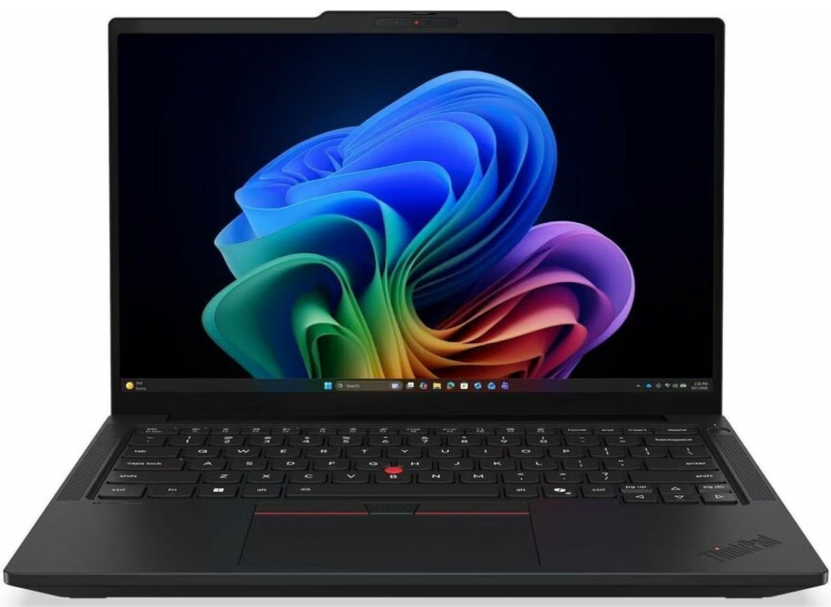
Key features:
- Processor: AMD Ryzen AI 7 PRO 360 or Ryzen AI 9 PRO
- RAM: 16GB to 64GB DDR5 (user-upgradeable)
- Storage: 512GB to 2TB SSD
- Display: 14-inch WUXGA IPS or OLED, 400 nits
- Battery: Up to 14 hours
- Weight: 2.82 lbs
- Wi-Fi: Wi-Fi 7
- OS: Windows 11 Pro
| Pros | Cons |
|---|---|
| ✅User-upgradeable RAM and SSD ✅excellent AMD multi-core performance ✅MIL-SPEC durability ✅full ThinkShield security ✅strong repairability | ❌Display options less premium than X1 Carbon ❌heavier than ultralight competitors |
Why I love Lenovo ThinkPad T14:
For a larger office deployment where serviceability and upgradeable memory matter, choose the ThinkPad T14 Gen 7 AMD. Unlike the soldered memory in the ThinkPad X1 Carbon and most thin ultraportables, the T14 Gen 7 AMD allows IT departments to upgrade RAM and replace SSDs in the field, reducing total cost of ownership over a 4 to 5 year deployment cycle. Combined with MIL-SPEC 810H durability certification and Lenovo’s ThinkShield security ecosystem, it is the strongest choice for organizations managing large fleets with in-house IT support.
The AMD Ryzen AI 7 PRO and AI 9 PRO configurations include NPU capabilities for Copilot+ certification alongside AMD PRO manageability features that integrate with Microsoft Intune, SCCM, and Lenovo’s own Device Intelligence platform. For IT directors, the combination of upgradeability, manageability, and durability makes the T14 Gen 7 AMD the lowest total-cost-of-ownership option in this roundup over a multi-year lifecycle.
Best for: Enterprise IT departments, SMB fleet procurement, organizations that need in-field RAM upgrades and maximum serviceability over a 4 to 5 year lifecycle.
9. Lenovo ThinkPad E16 Gen 3: Best Mid-Range Business Laptop
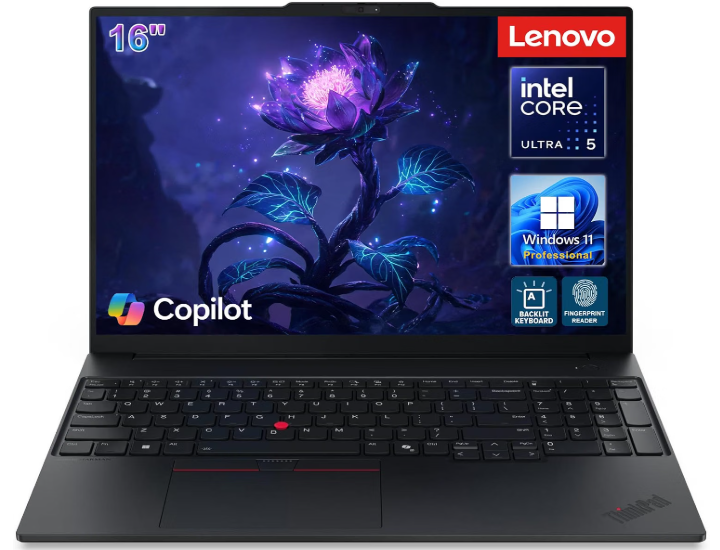
Key features:
- Processor: Intel Core Ultra 7 255H
- RAM: 16GB to 32GB DDR5
- Storage: 512GB to 1TB SSD
- Display: 16-inch WUXGA IPS, 300 nits
- Battery: Up to 12 hours
- Weight: 3.9 lbs
- Wi-Fi: Wi-Fi 6E
- OS: Windows 11 Pro
| Pros | Cons |
|---|---|
| ✅Large 16-inch display for productivity ✅strong Core Ultra 7 performance ✅Windows 11 Pro standard ✅excellent value | ❌Heavier at 3.9 lbs ❌no vPro ❌display brightness and resolution below premium competitors |
Why I love Lenovo ThinkPad E16 Gen 3:
The Lenovo ThinkPad E16 Gen 3 hits the sweet spot of price, performance, and screen real estate. The 16-inch WUXGA display and full-size keyboard make it especially good for spreadsheet work and financial tasks. For mid-market professionals who spend most of their day in Excel, financial modeling tools, and data-heavy applications, the larger screen and full-size keyboard of the E16 Gen 3 provide a meaningful daily productivity advantage over 14-inch competitors at this price point.
The ThinkPad E-series lacks the premium materials and enterprise security features of the X1 Carbon and T14 lines, but retains the ThinkPad keyboard quality and MIL-SPEC durability certification that separates it from consumer alternatives at the same price. For small businesses equipping knowledge workers who do not travel frequently, the E16 Gen 3 provides more screen real estate than any other ThinkPad model at a mid-market price.
Best for: Accountants, financial analysts, data-heavy professionals, and SMBs that prioritize screen real estate and keyboard quality over portability.
10. Lenovo V15 Gen 4: Best Budget Business Laptop
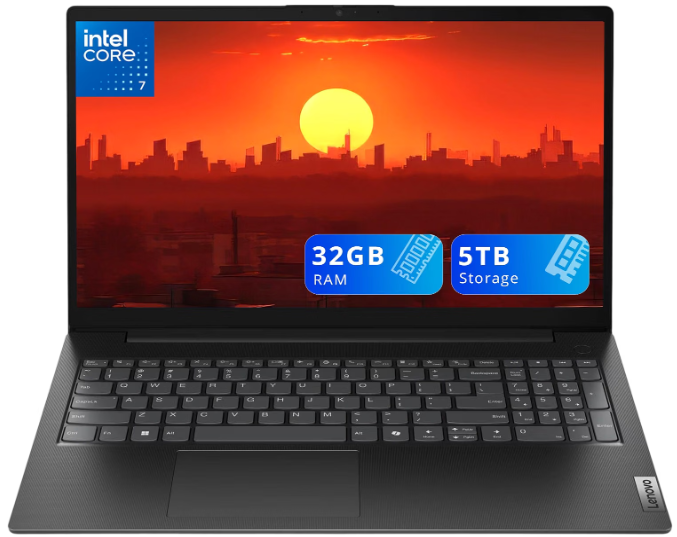
Key features:
- Processor: Intel Core 7 240H or AMD Ryzen 5
- RAM: 16GB to 32GB DDR5
- Storage: 512GB to 1TB SSD
- Display: 15.6-inch FHD IPS
- Battery: Up to 8 hours
- Wi-Fi: Wi-Fi 6
- OS: Windows 11 Pro
| Pros | Cons |
|---|---|
| ✅Strong value for the price ✅Windows 11 Pro included ✅reliable performance for standard tasks | ❌Shorter battery life ❌plastic build ❌no vPro or MIL-SPEC certification |
Why I love Lenovo V15 Gen 4:
The Lenovo V15 Gen 4 remains the best budget business laptop on the market, with solid performance and a 4.4-star rating across nearly 200 reviews. This laptop is ideal for small businesses outfitting multiple employees on a tight budget, students who need a real work machine, and remote workers who primarily use their laptop docked at a desk. The Windows 11 Pro license alone adds value versus consumer alternatives.
The Windows 11 Pro license is genuinely important here. Consumer Windows 11 Home lacks BitLocker encryption, Remote Desktop hosting, and Group Policy management that most small business IT setups require. The V15 Gen 4 includes Pro without paying the upgrade fee, which meaningfully closes the value gap against consumer alternatives at a similar price. Battery life at 8 hours is the weakest point on this list, and for professionals who work away from power outlets, the step up to the ThinkPad E16 Gen 3 is worth the additional cost.
Best for: Small businesses equipping multiple seats on a budget, light-duty knowledge workers, and professionals who work primarily docked at a desk.
What to Look For in a Business Laptop in 2026
Buying a business laptop involves more variables than a consumer purchase. These are the five specifications that matter most for professional use.
Security features are the first filter for enterprise buyers. Intel vPro, AMD PRO, and ThinkShield provide hardware-level management, remote BIOS access, and device attestation features that consumer laptops lack. Physical webcam shutters, Kensington lock slots, SmartCard readers, and WWAN options for secure mobile connectivity are standard on premium business machines and absent on consumer alternatives. If your IT department requires remote management capabilities, these features are non-negotiable.
Battery life determines your freedom from outlets. Real-world battery life is consistently 20 to 30% below manufacturer claims under mixed workloads involving video calls, browsers, and productivity tools. The ThinkPad X1 Carbon Gen 14 and Dell Pro 7 14 Intel lead the field with tested battery lives exceeding 20 hours. For professionals who travel internationally or work long days without reliable power access, the investment in long-battery machines pays back quickly in reduced carry weight from power adapters and reduced anxiety about finding outlets.
RAM and storage cannot always be upgraded later. Most thin-and-light business laptops solder RAM to the motherboard. The configuration you buy is what you have for the life of the machine. 16GB is the practical minimum for business use in 2026; 32GB is the smarter purchase for a machine you plan to use for 4 or more years. The ThinkPad T14 Gen 7 AMD is the notable exception in this roundup with user-upgradeable RAM, which is why it earns the fleet deployment recommendation.
Display quality affects daily comfort and presentation performance. For all-day office work, 400 nits minimum brightness prevents screen washout near windows. For presentations, OLED displays produce more vivid visuals than IPS alternatives. For color-critical creative work, DCI-P3 color coverage matters. Every premium pick on this list offers an OLED option at the configured tier.
Weight and portability only matter if you move. A professional who works at a fixed desk benefits more from a larger screen and better keyboard than from a lighter chassis. A professional who boards three flights a week should prioritize sub-2.5 lb machines with 15-plus hour real-world battery. The right weight target is determined by your actual movement patterns, not by which spec sounds impressive.
Frequently asked questions
For most professionals, the MacBook Air M5 for macOS and the ThinkPad X1 Carbon Gen 14 for Windows. For enterprise IT requiring vPro, the Dell Pro 7 14 Intel leads all tested business laptops in 2026 with a PCMark 10 score of 8,438.
Only if your IT department requires it for fleet management, remote BIOS access, or security compliance. Individual professionals and small businesses that self-manage devices rarely need vPro. Enterprise organizations deploying 20 or more seats should standardize on vPro-capable models.
16GB is the practical minimum for 2026. 32GB is the smarter purchase for any laptop you plan to use for 4 or more years, especially since most thin-and-light business laptops have soldered RAM and cannot be upgraded after purchase.
For individual professionals without Windows-specific software dependencies, the MacBook Air M5 is the stronger all-around choice for battery life and reliability. Windows is the correct choice for enterprise IT environments, Windows-only tools, and departments requiring vPro management.
The Dell Pro 7 14 Intel leads at 26 hours 18 minutes in lab testing, followed by the ThinkPad X1 Carbon Gen 14 at near-24 hours. The MacBook Air M5 and Surface Laptop 7 approach 18 to 22 hours in real-world mixed use.
Only if your workflow uses Windows AI features like Live Captions, real-time translation, or Windows Recall. For standard business workflows, Copilot+ adds cost without practical daily value.
Bottom Line
The best business laptop is the one that disappears into your workflow for a full working day without requiring you to hunt for a charger, deal with fan noise during calls, or carry unnecessary weight. For most professionals, that is the MacBook Air M5 on macOS and the ThinkPad X1 Carbon Gen 14 on Windows. For enterprise IT teams prioritizing productivity benchmarks and fleet manageability, the Dell Pro 7 14 Intel leads every tested metric in its class. For large fleet deployments where total cost of ownership over 5 years matters more than individual unit performance, the ThinkPad T14 Gen 7 AMD’s repairability and upgradeable RAM make it the financially rational choice.
Identify your actual workflow before choosing: operating system, mobility pattern, enterprise security requirements, and how long you plan to keep the machine. Those four factors narrow the field faster than any benchmark comparison.
Learn more about the best laptops for remote work in 2026 →