
Last Updated on September 27, 2026 by Spencer Lee
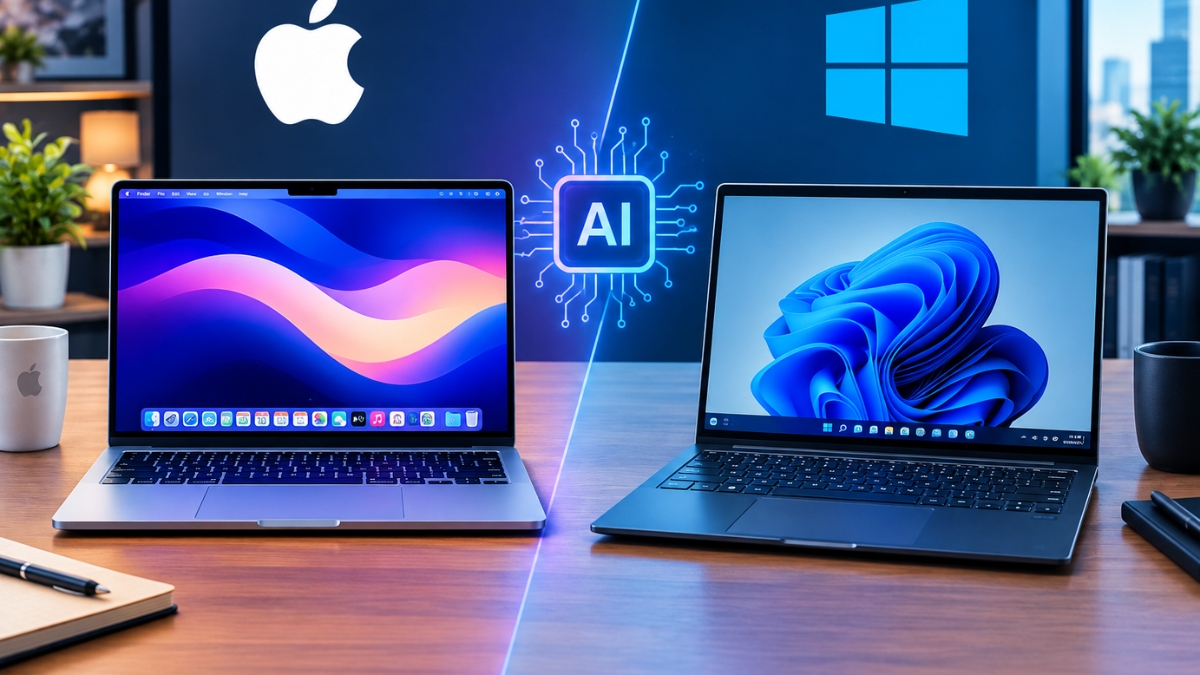
For most AI practitioners in 2026, the platform choice comes down to one question: are you running CUDA-dependent ML workflows, or are you doing inference-first AI work? Windows with an NVIDIA GPU dominates model training, fine-tuning, and the broader PyTorch/CUDA ecosystem. Apple Silicon — specifically the M4 Pro and M4 Max — leads for on-device inference, local LLM performance per watt, and unified memory efficiency at the mid-to-high tier. Neither platform is universally superior. Your stack, your model sizes, and your daily AI workflows determine the right operating system.
Why the Mac vs. Windows Decision Has Become More Complex for AI in 2026
Two years ago, this was a straightforward conversation: if you did serious AI or ML work, you needed NVIDIA CUDA, which meant Windows or Linux. macOS was the choice for developers who prioritized a Unix-based environment and polished tooling, but it wasn’t a credible platform for GPU-intensive AI workloads.
That calculus has shifted significantly. Apple’s M4 generation introduced Neural Engine performance that outpaces most standalone NPUs, and unified memory architecture that allows models up to 70B parameters to run locally on a MacBook Pro — something that required a cloud instance or dedicated GPU workstation just 18 months ago. Meanwhile, Microsoft’s Copilot+ platform has embedded AI capabilities directly into the Windows OS layer, and NVIDIA’s CUDA ecosystem has only deepened its lead for training workloads with the RTX 50-series launch.
The result is a genuine platform decision that requires more than a preference — it requires an honest audit of what your AI work actually demands. This article breaks down every dimension that matters: hardware architecture, framework compatibility, local model performance, developer tooling, and the emerging on-device AI landscape in 2026.
How Does Apple Silicon Compare to Windows AI Hardware for Machine Learning?
Apple Silicon and NVIDIA GPU-powered Windows machines are optimized for fundamentally different AI workloads, and understanding that distinction is the starting point for any honest comparison.
Apple’s M4 architecture uses a unified memory design where the CPU, GPU, and Neural Engine share the same memory pool. This eliminates the memory bandwidth bottleneck that limits discrete GPU setups, where data must move between system RAM and VRAM. For inference — loading a model and generating outputs — this architecture is exceptionally efficient. A MacBook Pro M4 Max with 128GB unified memory can hold a 70B parameter model in memory and run inference at practical speeds. An equivalent Windows laptop with 16GB of VRAM cannot.
Windows machines with NVIDIA discrete GPUs hold the advantage for training. NVIDIA’s CUDA platform, with its Tensor cores and cuDNN libraries, is purpose-built for the parallel matrix operations that underlie neural network training. An RTX 4090 or RTX 5090 desktop GPU can run training jobs that would take days on Apple Silicon in a fraction of the time — because raw CUDA throughput, not memory bandwidth, is the bottleneck during training.
The practical breakdown:
- Inference (running a pre-trained model): Apple Silicon M4 Pro/Max wins on efficiency, memory capacity, and performance per watt
- Training (updating model weights from scratch): NVIDIA GPU on Windows wins decisively — often by 3–10x on equivalent price-point hardware
- Fine-tuning (LoRA, QLoRA on existing models): Competitive; M4 Max handles 7B–13B fine-tuning credibly, NVIDIA wins for 30B+ and faster iteration
- On-device inference (running local LLMs without cloud): Apple Silicon leads due to unified memory ceiling and thermal efficiency
- Multi-GPU training clusters: Windows/Linux with NVIDIA NVLink; macOS has no equivalent
Which AI Frameworks and Libraries Work Better on Mac or Windows?
Framework compatibility is often the deciding factor for AI practitioners, because switching ecosystems mid-project is expensive and disruptive.
PyTorch runs on both platforms, but the Windows/NVIDIA combination is where PyTorch development happens natively. CUDA acceleration is deeply integrated, widely tested, and the default assumption in virtually every tutorial, research paper, and production codebase. PyTorch on Apple Silicon uses the Metal Performance Shaders (MPS) backend — functional and improving, but still second-class in terms of operator coverage and performance benchmarks. Certain PyTorch operations fall back to CPU on MPS, silently degrading performance in ways that are difficult to debug.
TensorFlow has limited native Apple Silicon support. Google’s focus has shifted heavily toward JAX and TPU-based training, and the macOS TensorFlow build lags behind the Linux/CUDA version in both features and performance.
JAX runs on both platforms but accelerates best on CUDA. Google’s own training infrastructure is CUDA-first, and the Mac Metal backend for JAX is experimental as of mid-2026.
MLX — Apple’s own machine learning framework released in late 2023 — is native to Apple Silicon and has matured significantly. For practitioners willing to adopt Apple’s ecosystem-specific toolchain, MLX offers genuinely competitive performance for fine-tuning and inference on Apple hardware. The tradeoff is portability: MLX code doesn’t run on Windows or Linux, which limits collaboration with teams using standard infrastructure.
Ollama, LM Studio, and local inference tools run excellently on both platforms. For inference-only users running open-source models locally, the platform choice has minimal impact on tooling access.
Hugging Face Transformers works on both, with CUDA-accelerated pipelines faster on Windows and MPS backend usable (with caveats) on Mac.
If your team or role is tied to PyTorch, TensorFlow, or JAX for production ML work, Windows with a CUDA GPU is the safer, lower-friction platform. If you’re inference-focused, building with MLX, or working in environments where Apple’s unified memory architecture is a genuine advantage, macOS is a legitimate choice.
Which Platform Is Better for Running Local AI Models in 2026?
Running LLMs locally — without cloud API calls — has become a core workflow for AI practitioners prioritizing privacy, latency, or cost control. This is one area where the Mac vs. Windows comparison produces the most decisive results.
Apple Silicon wins for local model running at the mid-to-large model size range. The reason is unified memory. On macOS, a model is loaded once into the shared memory pool accessible to both CPU and GPU. On Windows, a model must fit within your discrete GPU’s VRAM; anything that exceeds it spills to system RAM and degrades inference speed dramatically. A MacBook Pro M4 Max with 64GB unified memory can load and run a 34B quantized model at usable inference speeds. A Windows laptop with 16GB VRAM cannot run that model at all without heavy compression.
Practical local model performance by platform in 2026:
- Models up to 7B parameters: Both platforms handle these well. Windows RTX 4070+ laptops and Apple M3/M4 machines produce similar token generation speeds for 4-bit quantized models.
- 7B–13B parameters: Apple M4 Pro (24GB) and Windows RTX 4090 mobile (16GB) are competitive. Apple has the memory ceiling advantage.
- 13B–34B parameters: Apple M4 Max (48–128GB) leads significantly. Windows laptop GPUs cannot load these models in VRAM; desktop RTX 4090 (24GB) handles 13B–20B range with quantization.
- 70B parameters: Apple M4 Max with 64GB+ unified memory is the only laptop-class hardware that runs these at practical speeds. Desktop NVIDIA setups with 48GB+ VRAM (RTX 6000 Ada, dual 4090) are the Windows-side alternative.
For developers, researchers, or privacy-conscious practitioners who want to run capable local models without depending on cloud APIs, Apple Silicon is the platform of choice in 2026 — not because Windows can’t do it, but because the unified memory architecture removes the VRAM ceiling that constrains Windows laptops.
How Does Each Platform Handle On-Device AI Features in 2026?
Beyond deliberate AI development work, both platforms have embedded AI capabilities into the OS layer that affect daily productivity workflows.
Apple Intelligence — Apple’s suite of on-device AI features — runs privately on-device using the Neural Engine. In 2026, it covers writing assistance across all native apps, image generation (Image Playground), Priority Notifications, Smart Reply, on-device Siri with screen context awareness, and Private Cloud Compute for tasks that exceed on-device capacity. The privacy model is the standout: Apple processes sensitive AI tasks locally or in secure cloud nodes that Apple cannot access. For practitioners handling confidential data, this matters.
Microsoft Copilot on Windows 11 has the broader surface area in 2026. Copilot is embedded in File Explorer, the Start menu, Settings, Edge, Outlook, Word, Excel, PowerPoint, and Teams. For AI-assisted knowledge work — drafting, summarizing, analyzing data — Copilot is more deeply integrated into daily workflows than Apple Intelligence. The tradeoff is that Copilot routes much more data to Microsoft’s cloud, which is a meaningful consideration for regulated industries.
Copilot+ PCs — Windows machines with certified NPUs above 40 TOPS — unlock features like Recall (AI-powered searchable screen history), Live Captions with real-time translation, and Cocreator in Paint. These are genuinely useful productivity features, though Recall’s privacy implications generated controversy at launch.
For developers building AI features, Windows offers the broader hardware ecosystem and the ability to test on CUDA, NPU, and CPU targets. macOS offers a more controlled, privacy-forward OS AI layer that is easier to reason about for sensitive applications.
What About Developer Tooling and Terminal Experience?
macOS’s Unix foundation remains a meaningful advantage for AI development workflows in 2026. The terminal experience — Homebrew package management, native bash/zsh, Docker Desktop with native ARM support, and seamless Python environment management — is simply smoother on macOS than Windows for most AI practitioners.
Windows has closed this gap substantially with WSL2 (Windows Subsystem for Linux 2), which provides a near-native Linux environment inside Windows. Most CUDA-dependent workflows run in WSL2 rather than native Windows, effectively making a Windows machine a Linux machine for ML purposes. The tradeoff is added complexity: managing the Windows/WSL2 boundary, file system performance differences, and occasional driver interactions create friction that doesn’t exist on macOS or native Linux.
For AI practitioners who primarily live in the terminal, Jupyter notebooks, and Python scripts, macOS still provides the more seamless daily experience. For those running CUDA workloads, the WSL2 path on Windows is functional and increasingly polished, but it adds a layer of configuration that macOS avoids.
[STAT: Insert percentage of ML practitioners using macOS vs. Windows vs. Linux as primary development platform — source: Stack Overflow Developer Survey 2025 or JetBrains Developer Ecosystem Survey 2025]
Which Platform Is More Cost-Efficient for AI Work?
Cost efficiency in AI hardware depends entirely on the workload profile.
For inference-focused AI work, Apple Silicon delivers the best performance-per-dollar in the laptop category. A MacBook Pro M4 Pro at $1,999 outperforms Windows laptops at the same price point for local model inference due to unified memory efficiency. The machine also runs silently, lasts 15+ hours on battery, and doubles as a primary computer for all non-AI tasks — making the total cost of ownership competitive even against cheaper Windows alternatives that require supplemental hardware to match the capability.
For training-focused AI work, Windows desktop configurations win on cost efficiency. A custom-built desktop with an RTX 4090 can be assembled for $2,500–$3,500 and delivers training throughput that no laptop — Mac or Windows — can approach. For practitioners who run regular training jobs, the cost per training run on a desktop GPU is a fraction of equivalent cloud compute costs over a 12-month period.
For teams and enterprises, Windows has a lower per-seat cost for most configurations and integrates into standard IT management infrastructure. macOS licensing and MDM (mobile device management) at scale is possible but more complex for organizations not already in the Apple ecosystem.
FAQ: Mac vs. Windows for AI Work
Windows with NVIDIA CUDA is better for training workloads — it’s where PyTorch, TensorFlow, and JAX perform best. macOS with Apple Silicon is better for inference, local LLM running, and AI-assisted development workflows. Your use case determines the answer.
Yes, with caveats. PyTorch’s MPS backend and Apple’s MLX framework make macOS a viable development platform for many AI tasks. You will encounter gaps in operator support and performance relative to CUDA, especially for training. Many practitioners develop on Mac and train on cloud GPU instances or dedicated servers.
If you’re committed to Apple Silicon and do significant local model work, yes. MLX has matured into a credible framework for fine-tuning and inference on Apple hardware. The limitation is portability — MLX code doesn’t run on non-Apple hardware, which matters if you collaborate with teams on standard infrastructure.
Windows with a dedicated NVIDIA GPU (RTX 4070 or higher) is faster for image generation due to CUDA-optimized pipelines in AUTOMATIC1111 and ComfyUI. Apple Silicon is a functional alternative using Metal-accelerated backends, but generation speeds are slower at comparable price points for most SD workflows.
As end-user productivity tools, both add value. For developers, neither changes the technical platform choice. What matters more is the underlying hardware and framework compatibility for your actual AI workload.
Absolutely — this is one of the most common setups in 2026. Develop and prototype locally on macOS, push training jobs to Linux GPU servers or cloud instances (Lambda, RunPod, Vast.ai). The development experience on Mac is smooth, and the training bottleneck is resolved by cloud hardware.
Both platforms run these tools identically — they’re cloud-inference tools that use your internet connection, not your local hardware. Platform choice has no meaningful impact on AI coding assistant performance.
Yes, meaningfully so. WSL2 has matured, CUDA support is deeper than ever, Copilot+ features are genuinely useful for productivity, and the hardware ecosystem for AI PCs has expanded significantly. Windows is no longer behind macOS on developer experience in the way it was in 2020–2022.
Bottom Line: Stack First, Platform Second
In 2026, the Mac vs. Windows decision for AI work is genuinely more nuanced than any single verdict can capture. If your primary AI work involves training models, fine-tuning on CUDA, or operating within the PyTorch/TensorFlow ecosystem used by most ML teams, Windows with an NVIDIA GPU is the lower-friction, higher-performance platform. If your work is inference-first — running local LLMs, building AI-powered applications, prototyping with open-source models, or working in environments where privacy and battery life matter — Apple Silicon is the more capable platform at equivalent price points in 2026.
The practical starting point: document your actual weekly AI workload. What percentage of your compute time is training vs. inference? What frameworks are non-negotiable in your team’s stack? Do you need to run models locally that exceed 16GB VRAM? Those three questions resolve the decision for most practitioners without needing to weigh marketing claims or brand preferences.
If you’re still undecided, the hybrid approach — Apple Silicon for daily development and local inference, cloud GPU for training runs — costs less than a high-end Windows workstation and covers both bases.
Learn more about the best laptops for AI workloads in 2026 →